Guilloché dials

Guilloché dials

Home Forums General Questions Guilloché dials

Viewing 14 posts - 1 through 14 (of 14 total)
  • Author
    Posts
  • #835801
    Dave S
    Participant
      @daves59043

      Wasn’t really sure where to put this, its got some CNC in, but I think its a more general thing.

      Im working towards a watch, I think I have case work mostly sorted, next onto the dial.
      I have made a few dials, but they are quite plain, I want to make something a bit special.
      Guilloché Enamelled dial seems like the thing 🙂

      So how to cut a Guilloché dial?
      I tried using a V bit cutter in the spindle. The results were less than inspiring.
      Rather than a single bright cut it looked like someone had dragged a stirring spoon through the metal.

      I don’t have a straight line engine, which is the more traditional way to do this.
      I do have all the bits to build one, but that’s another story…..

      I saw a video somewhere of a Kern mill using the servo spindle to drag a single point tool around and do some fancy engraving.
      I think it was Josh Hacko over in Australia.
      I don’t have a Kern (mega bucks!) either, but I do have my own CNC, and as I built it I have no problems with modifying it 🙂

      Straight line engines hold the tool in one position and the work is mounted so it can change its angle if required.
      For a lot of pattern cuts this isn’t needed, so a fixed tool/work relationship is easy to do – Vice on a 3 axis machine.
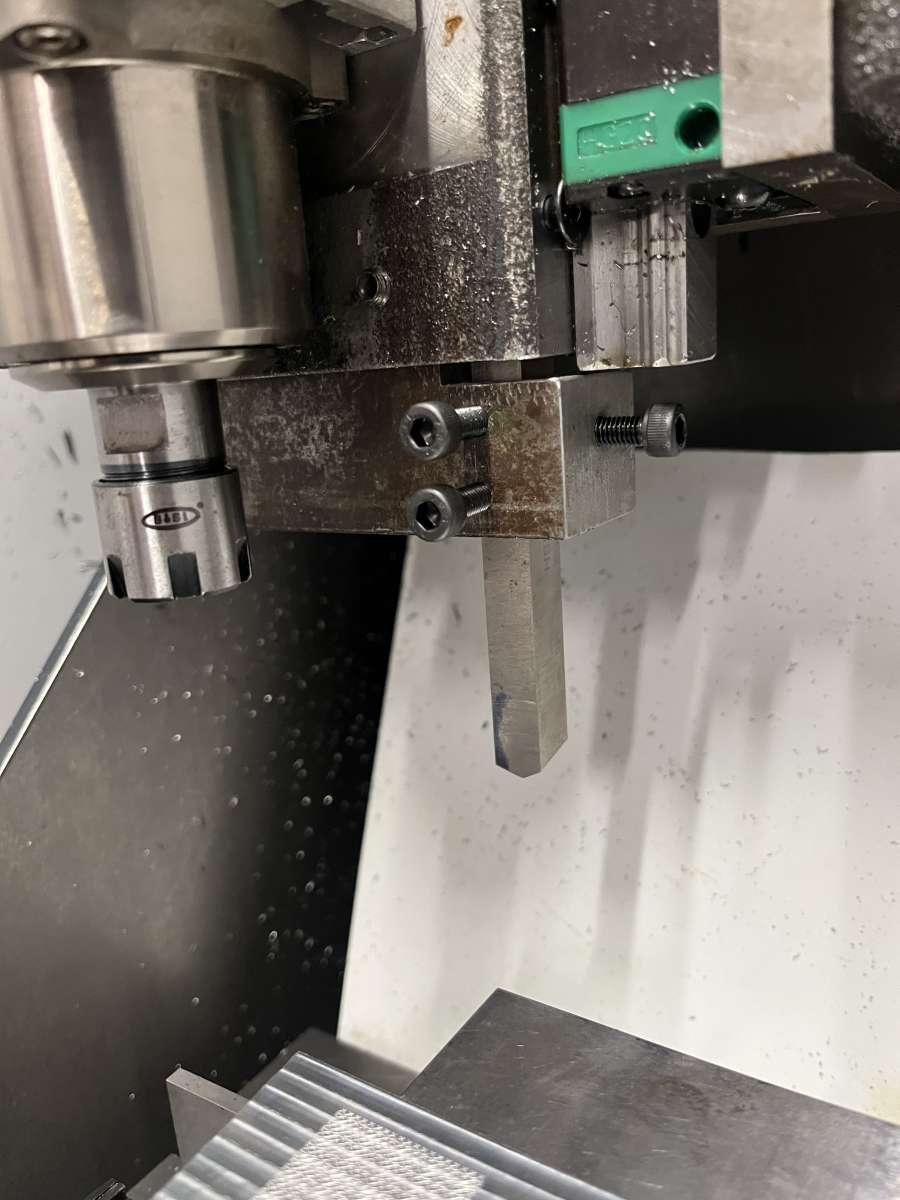
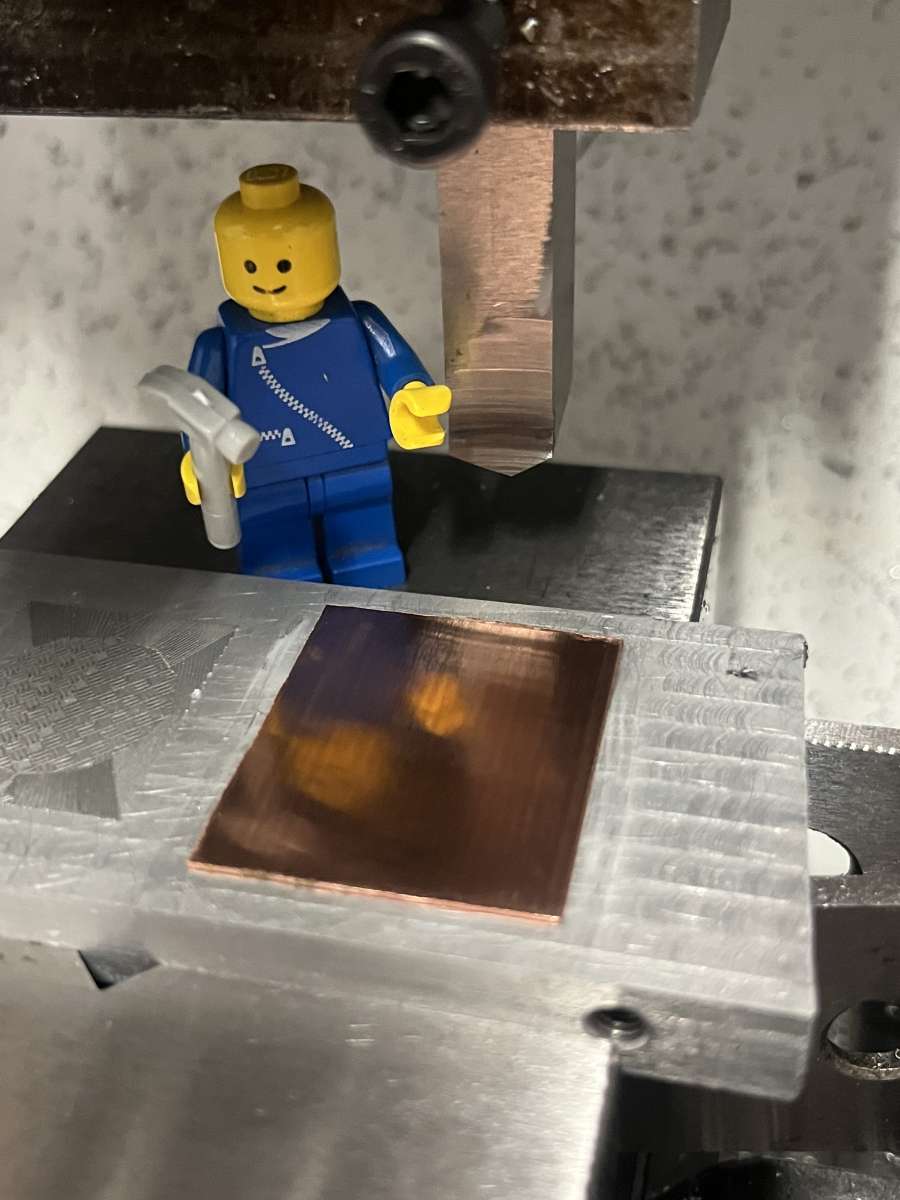
      So first order of work – how to hold an engraving tool?
      My spindle doesn’t have a lock, so I knocked up a tool holder and attached it to the Z axis.

      IMG_8568

      Then I tried cutting some straight lines in a test piece of aluminium (short video here):

      [url]https://youtube.com/shorts/wUKpJHmHWrU?si=RnG1CA7dngLOeP3N[/url]

      Looks plausible 🙂

      There followed a short diversion as I looked at patterns, poked the internet for information and wrote some software….
      Roger Smith has a good few videos on dial making, including a nice explanation of the sequence of cuts for a basket weave:
      [url]https://youtu.be/LBiiDpexmA8?si=7MZtgzkG6iEUDlvz[/url]

      How hard could it be?
      As it turns out its not very hard, but you do have to pay attention to the details…

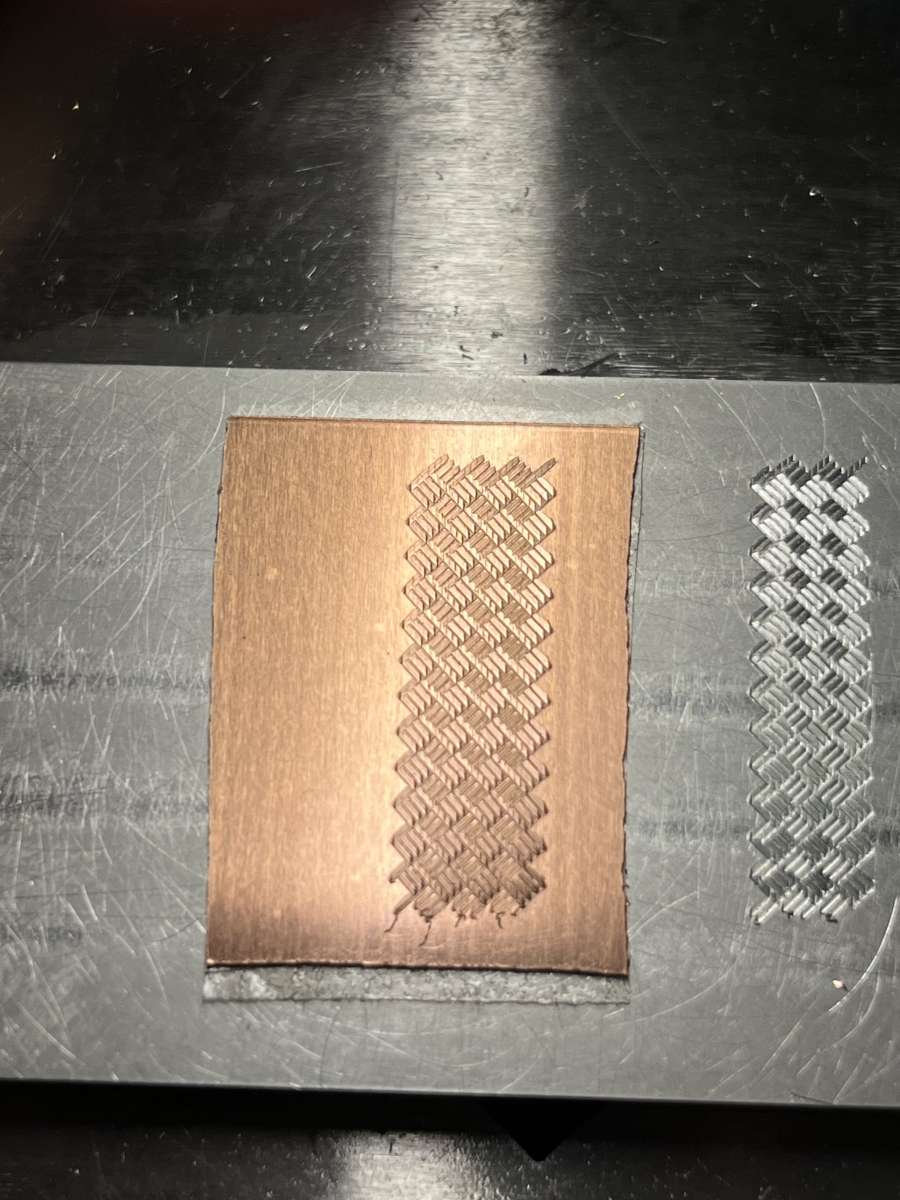
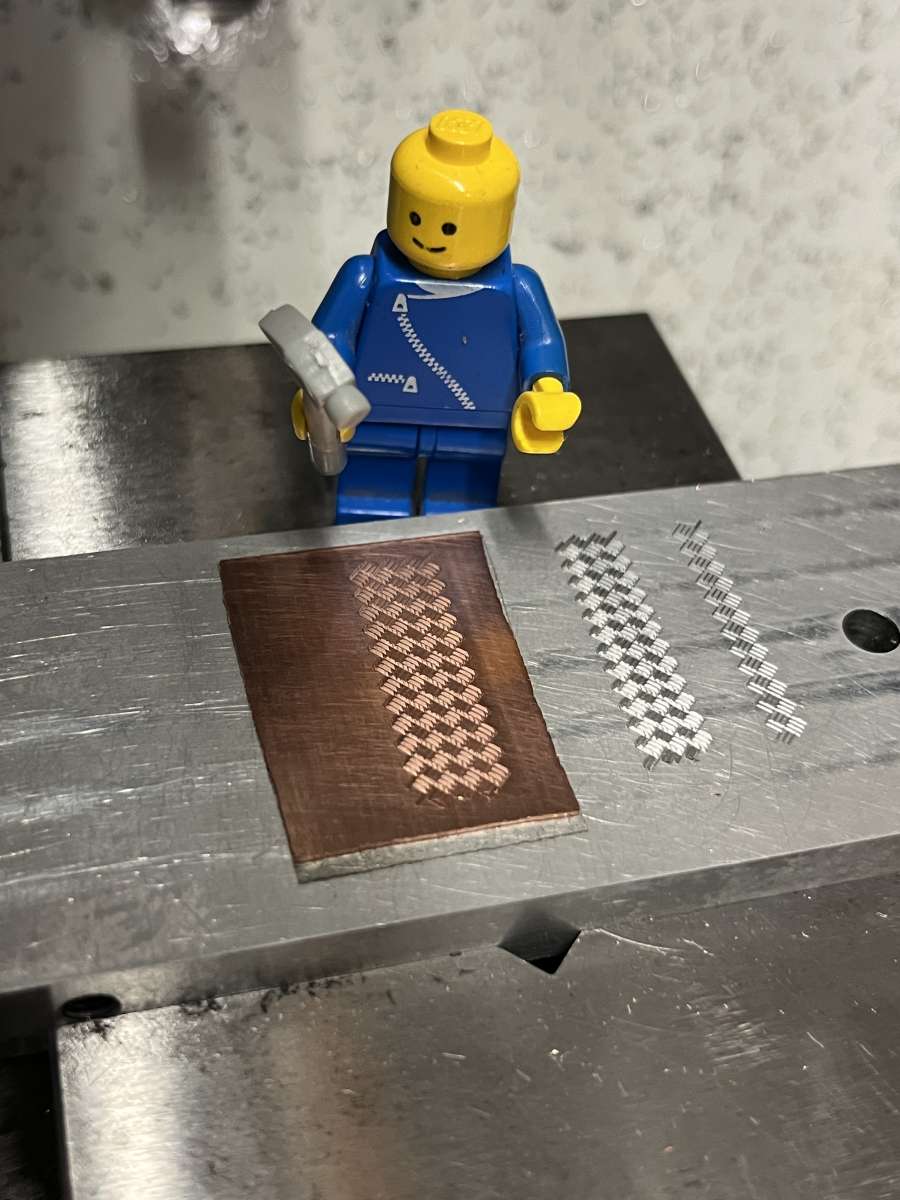
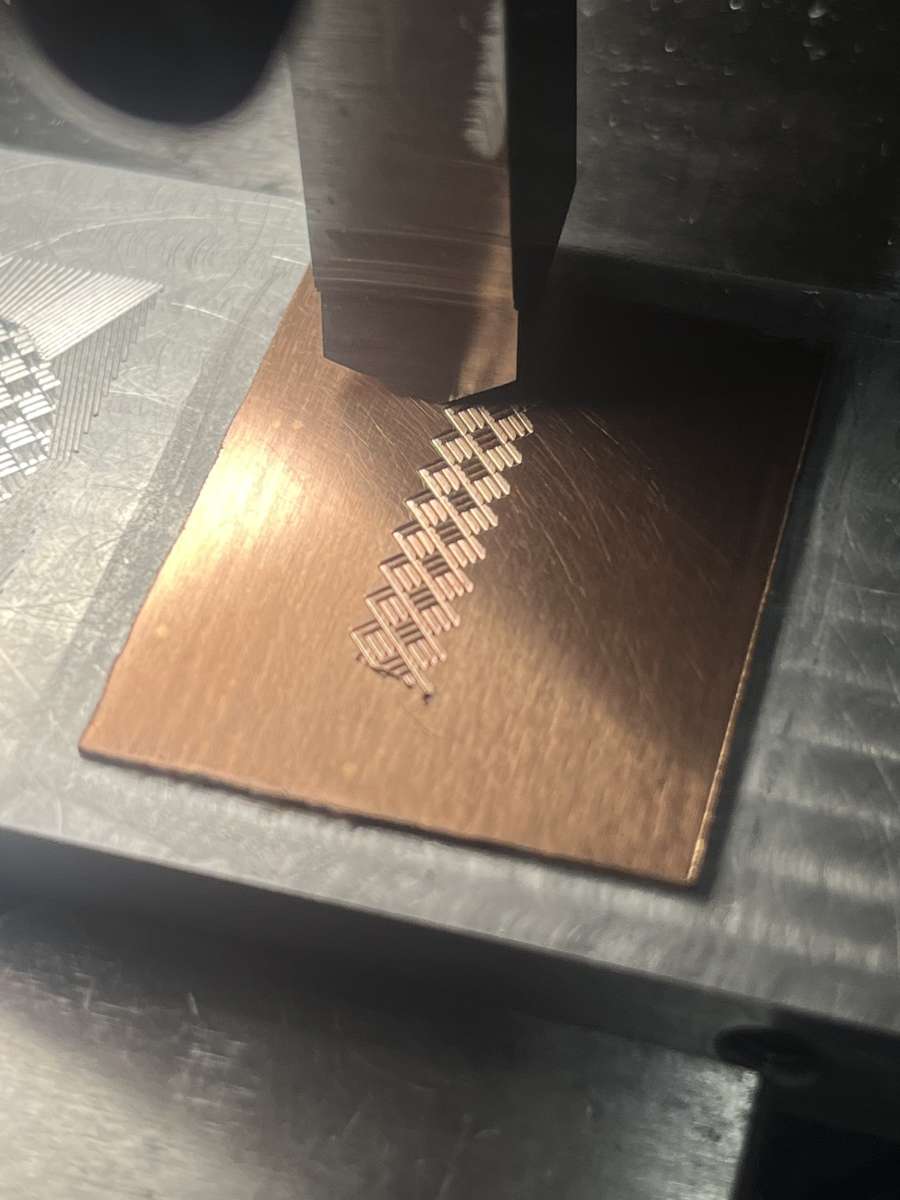
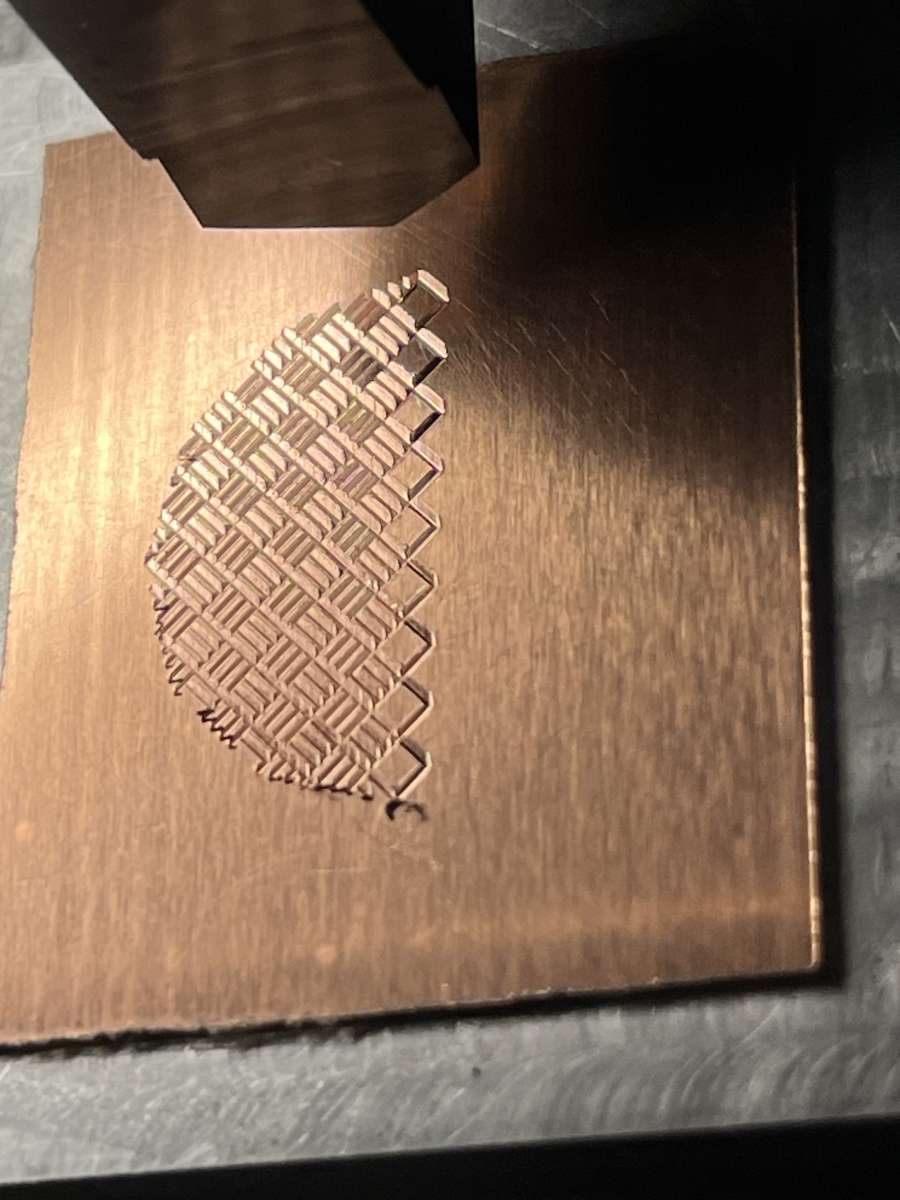
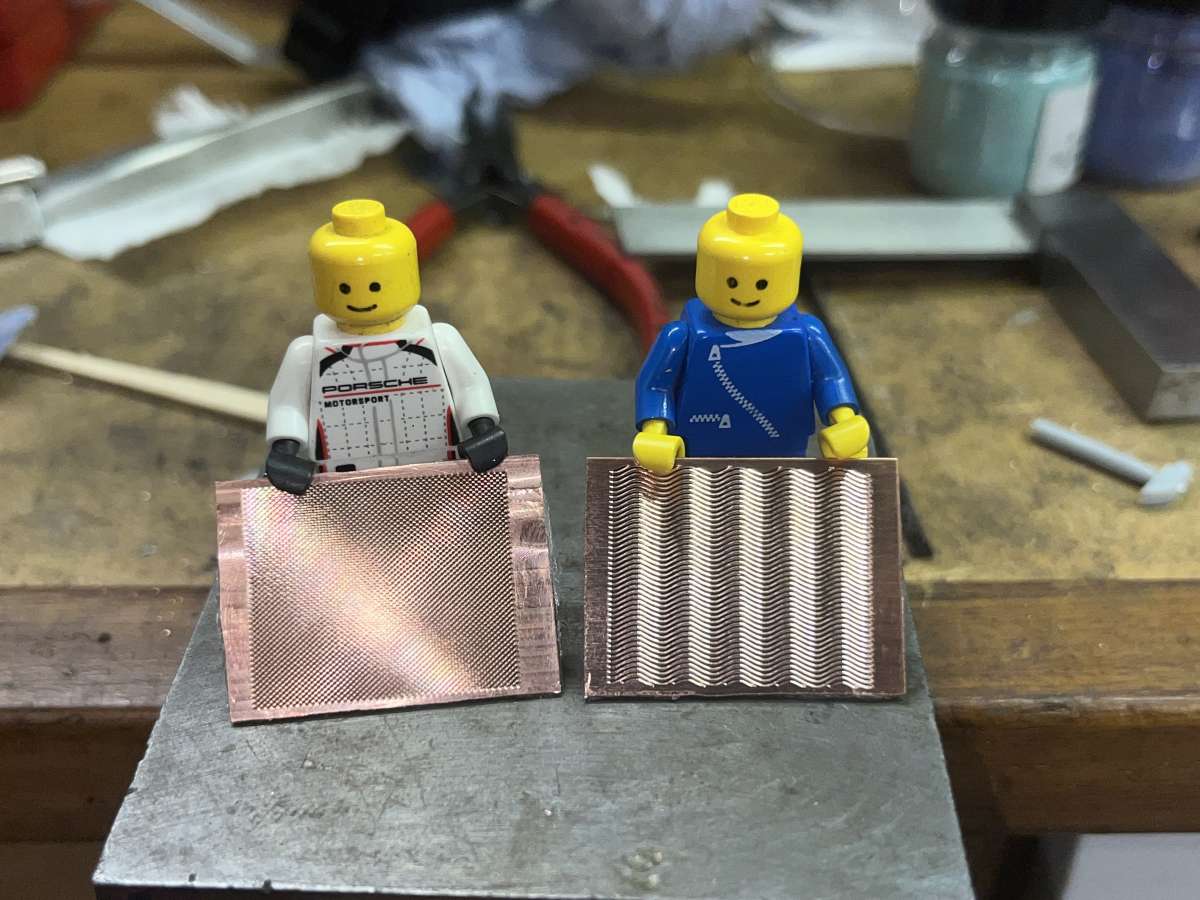
      Test cut in aluminium, followed by a test on copper:
      IMG_8612

      Looks like Lego chequer plate

      IMG_8613

      Basics sorted, definitely possible with my tools 🙂

      Now to design a dial…

      Fired up Fusion360, did some CAD and other computer related shenanigans and ended up with a set of code for the CNC.
      Back to the garage and do some test cutting:

      IMG_8646

      Had to make a couple of tweaks, but then its time to cut a dial blank.
      First get some help to secure it:

      IMG_8653

      Then set the machine running:

      IMG_8654

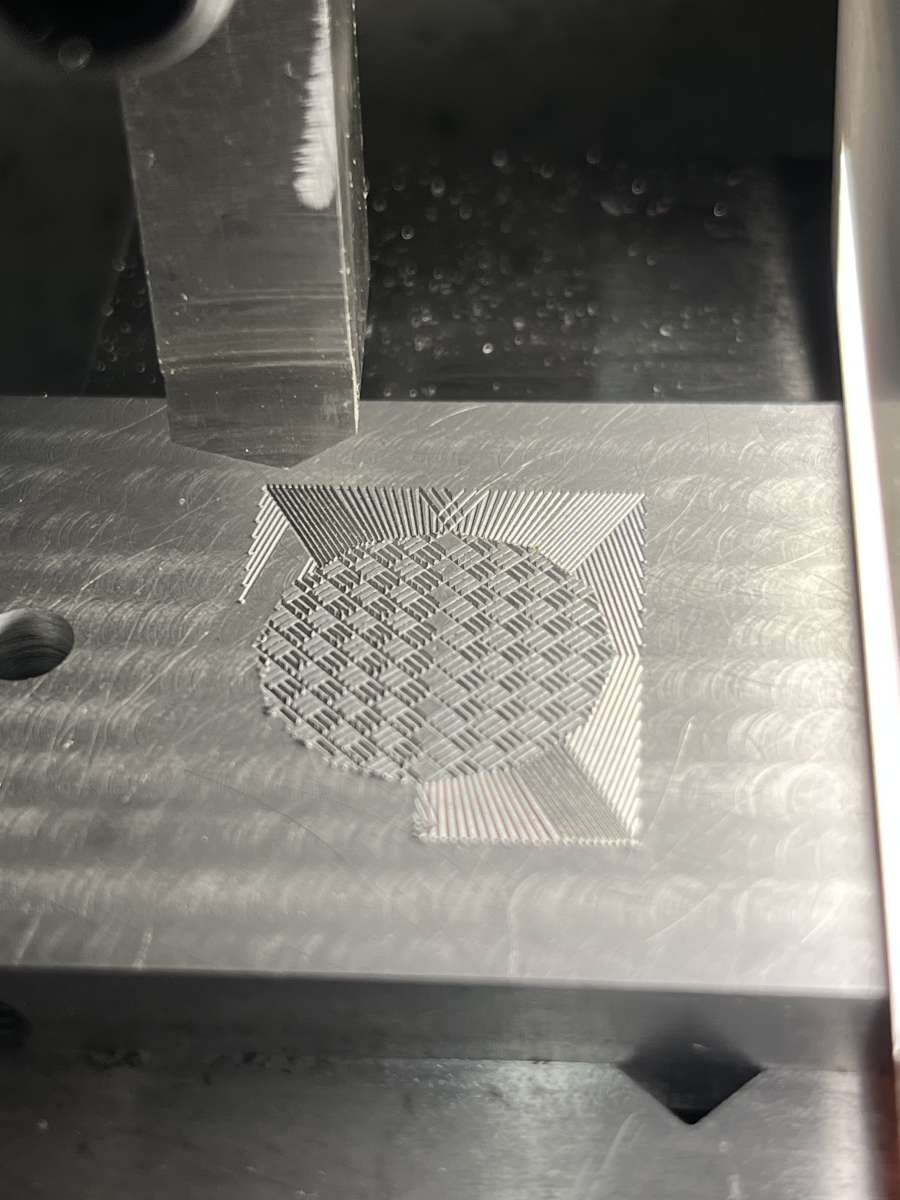
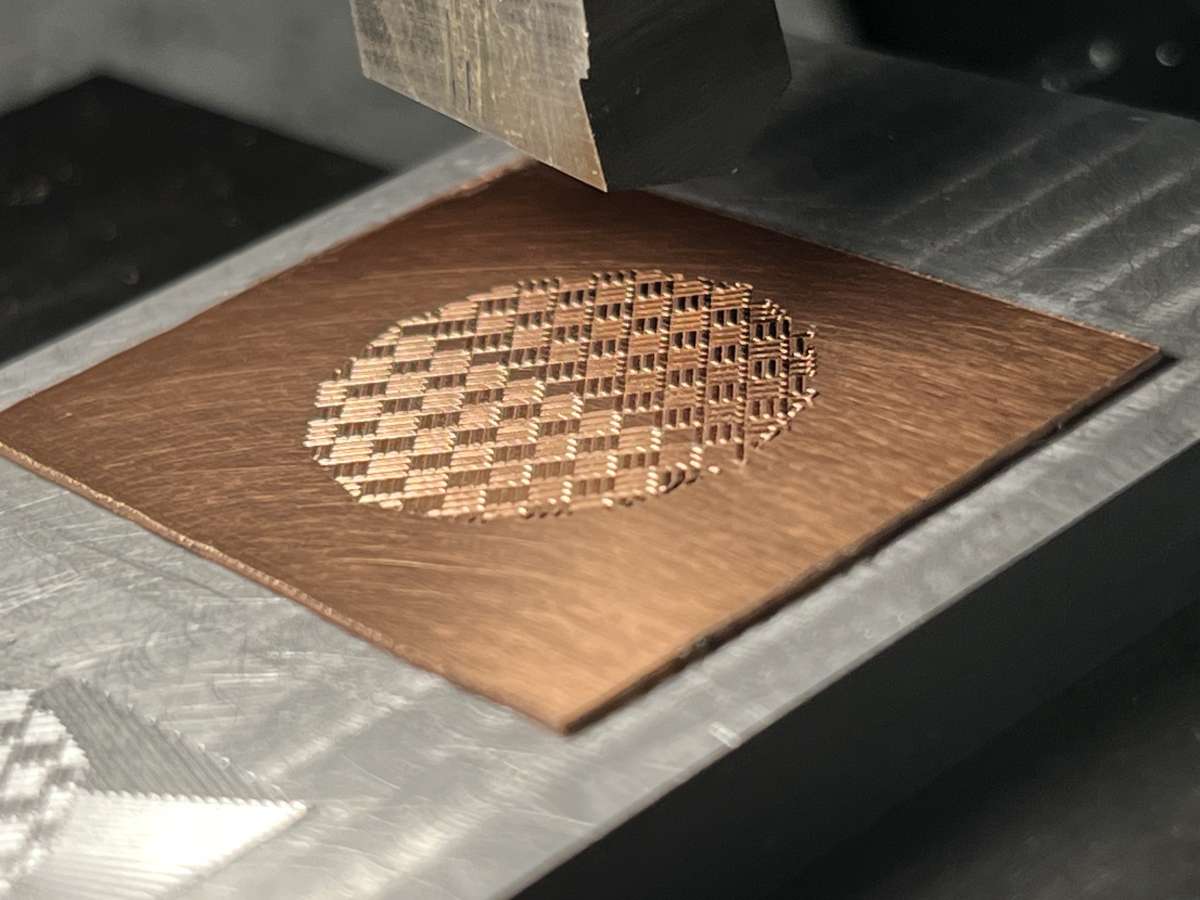
      halfway through the basket weave centre:

      IMG_8656

      Basket weave done:

      IMG_8659


      #835812
      Dave S
      Participant
        @daves59043

        Make some nice lines around the outside:

        IMG_8664

        Done:

        IMG_8667

        Looks beautiful:

        IMG_8696
        IMG_8697

        Stills really don’t do it justice, so here’s a short video:
        [url]https://youtube.com/shorts/_oRFWqkUQSo?si=esVfkfQHD4RojqS7[/url]

        Im bound to mess up at least one when enamelling it, but hurrah CNC – its not very hard to make two 🙂
        IMG_8675

        The cut blanks need to be enamelled or they will tarnish and go dull.
        Im a bit out of practice with enamelling, but these are only practice pieces, so best get on with it 🙂

        You can just sprinkle the powdered enamel onto the piece, but its a bit messy, and getting an even coat is tricky.
        So I wet laid.
        This involves washing the enamel and then leaving it somewhat damp, then using a brush to place it onto the blank.
        It’s a bit like trying to paint with sand….

        IMG_8699

        You can use the water to help even the layer, as the grains will shuffle if you tap the side gently.
        The idea is to make a thin even coating, which when fired will turn into a thin even layer of glass.

        Once the enamel is laid you draw off the excess water with a piece of tissue:

        [url]https://www.youtube.com/shorts/XJvQc8P6NFw[/url]

        You can see the water disappearing, apologies for the rubbish video, I was trying not to knock the enamel whilst holding the phone and a tissue….

        IMG_8701

        Once laid the I set the blank on top of the kiln to dry – you do not want to try and fire damp enamel at 820C!

        IMG_8703

        Then when dry into the kiln for a couple of minutes to melt the enamel and fuse it to the dial.

        IMG_8704

        Came out pretty nice.

        IMG_8714

        IMG_8716

        I should counter enamel and also add a another layer to the front, but I think Ill leave this one like this for now.

        The other dials didn’t come out quite as well, a second blue one has a flaw at the edge, and I have no idea what went wrong with the green, but its lost all the sparkle. I suspect I over fired it, but will try again.

        IMG_8709

        Dave

        #835834
        Julie Ann
        Participant
          @julieann

          That’s very impressive work, let me curtsy!

          Julie

          #835845
          SteveP
          Participant
            @stevepye68246

            Beautiful work.

            Steve

            #835846
            John Haine
            Participant
              @johnhaine32865

              Very nice! Do I understand correctly that the tool always points the same way (Y-axis parallel by the look of it) while the work moves in straight lines at various angles?  So the width of the groove changes according to the angle?

              #835854
              Nigel Graham 2
              Participant
                @nigelgraham2

                That’s beautiful work – I am very impressed!

                #835888
                Michael Gilligan
                Participant
                  @michaelgilligan61133

                  A delightful effect … and very well documented for elucidation, Thank You !

                  MichaelG.

                  #835904
                  Roderick Jenkins
                  Participant
                    @roderickjenkins93242

                    Brilliant!

                    Rod

                    #836013
                    Russell Eberhardt
                    Participant
                      @russelleberhardt48058

                      Magnifique!

                      Russell


                      #836016
                      Grindstone Cowboy
                      Participant
                        @grindstonecowboy

                        What a lovely effect, well done. I am now intrigued – how do you finish them to size, and make the hole in the middle where the hands go? Can they be drilled, or is some sort of grinding process used?

                        Rob

                        #836026
                        Dave S
                        Participant
                          @daves59043

                          John,

                          Yes the tool is Y axis oriented, so there must be some line width variation. I decided that the way a straight line engine works for a lot of patterns is like that, so thought I’d try and see.

                          Seems to work ok upto about 45 degrees off axis. Not shown is all the testing I did, and in amongst that are steeper angles, where the line width is very noticeable, and of course at 90 degrees you are dragging the tool side along.

                          I am wondering about a rotary stage to align the tool to the angle, but I don’t think it’s worth the extra complexity for the patterns I currently want to make.

                          Dave

                          #836027
                          Dave S
                          Participant
                            @daves59043

                            <p style=”text-align: left;”></p>
                            Finish to size can be done with very careful use of diamond tools, similarly with the central hole – a carbide drill will work – it’s only glass on copper if you squint a bit.

                            Some dial makers put in the hole first, and use a finished size blank. That creates a meniscus in the enamel that’s very obvious. I want to try and avoid that if possible

                            Dave

                            #836123
                            John Haine
                            Participant
                              @johnhaine32865

                              Thanks for the clarification Dave.

                              #837475
                              Dave S
                              Participant
                                @daves59043

                                Couple more patterns, a diamond background and a set of sin waves.

                                The sin waves look really 3d even though the dial is flat.

                                IMG_8754


                                Dave

                              Viewing 14 posts - 1 through 14 (of 14 total)
                              • Please log in to reply to this topic. Registering is free and easy using the links on the menu at the top of this page.

                              Latest Replies

                              Home Forums General Questions Topics

                              Viewing 25 topics - 1 through 25 (of 25 total)
                              Viewing 25 topics - 1 through 25 (of 25 total)

                              View full reply list.