mitutoyo digimatic micrometer

mitutoyo digimatic micrometer

Home Forums General Questions mitutoyo digimatic micrometer

Viewing 21 posts - 1 through 21 (of 21 total)
  • Author
    Posts
  • #159502
    Harry Wilkes
    Participant
      @harrywilkes58467

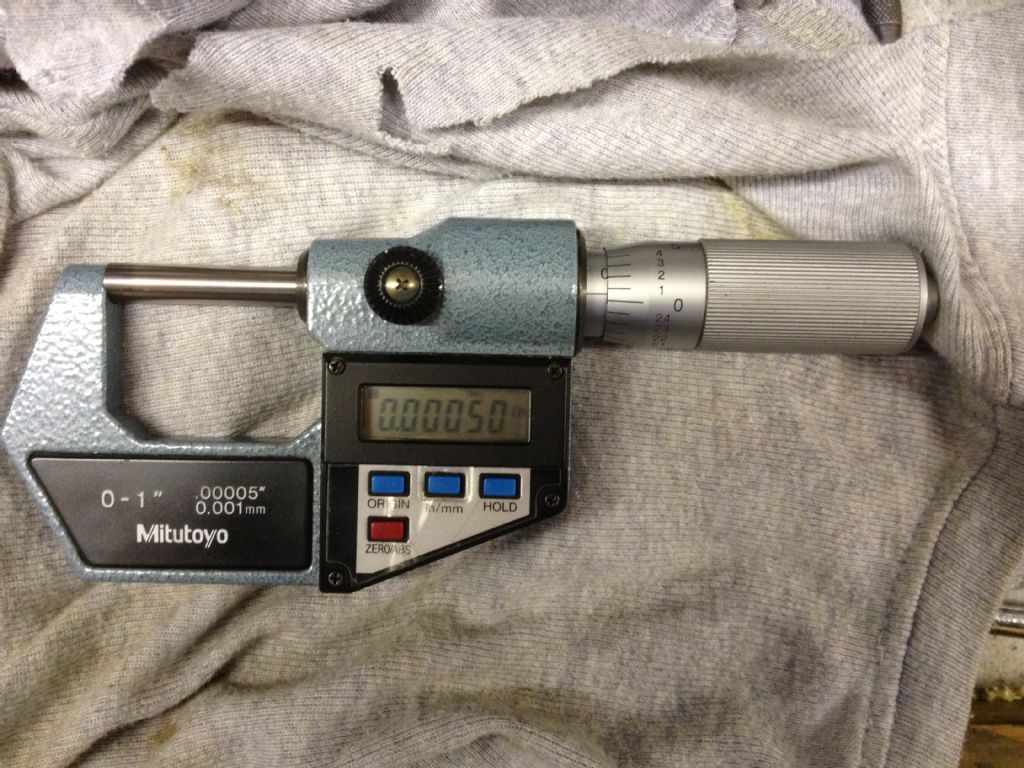
      I have a mitutoyo 293-766-10 micrometer it came with the Myford S7 I purchased some months back, it got a slight problem when closing the mic with the ratchet it stops just short of zero 0.0050 it can be zeroed if you grip the barrel and apply a little pressure ! Is it possible to overcome this problem in anyway ? would appreciate help/advice please.

      Harry

      #23437
      Harry Wilkes
      Participant
        @harrywilkes58467
        #159504
        Michael Gilligan
        Participant
          @michaelgilligan61133

          Harry,

          You might find something useful amongst these

          MichaelG.

          #159505
          jason udall
          Participant
            @jasonudall57142

            Great link Michael…straight in bookmarks

            #159537
            Harry Wilkes
            Participant
              @harrywilkes58467

              Michael

              Thanks for the link had a look through but couldn't find any thing relevant to my problem

              #159539
              Harry Wilkes
              Participant
                @harrywilkes58467

                Here is a photo of the problem

                img_0125.jpg

                #159549
                Les Jones 1
                Participant
                  @lesjones1

                  Hi Harry,
                  Is there not a small hole in the inner cylinder (The part with the horizontal line that you read off the numbers on the thimble against.) close to the body of the micrometer to engage with a "C" spanner which would allow you to rotate this cylinder by the half thou the reading is out on the analogue part of the display. The digital reading can be set to zero with the zero button. All the micrometers I have seen have this adjustment.

                  Les.

                  #159551
                  jason udall
                  Participant
                    @jasonudall57142

                    As said..zero the digital display with the zero button
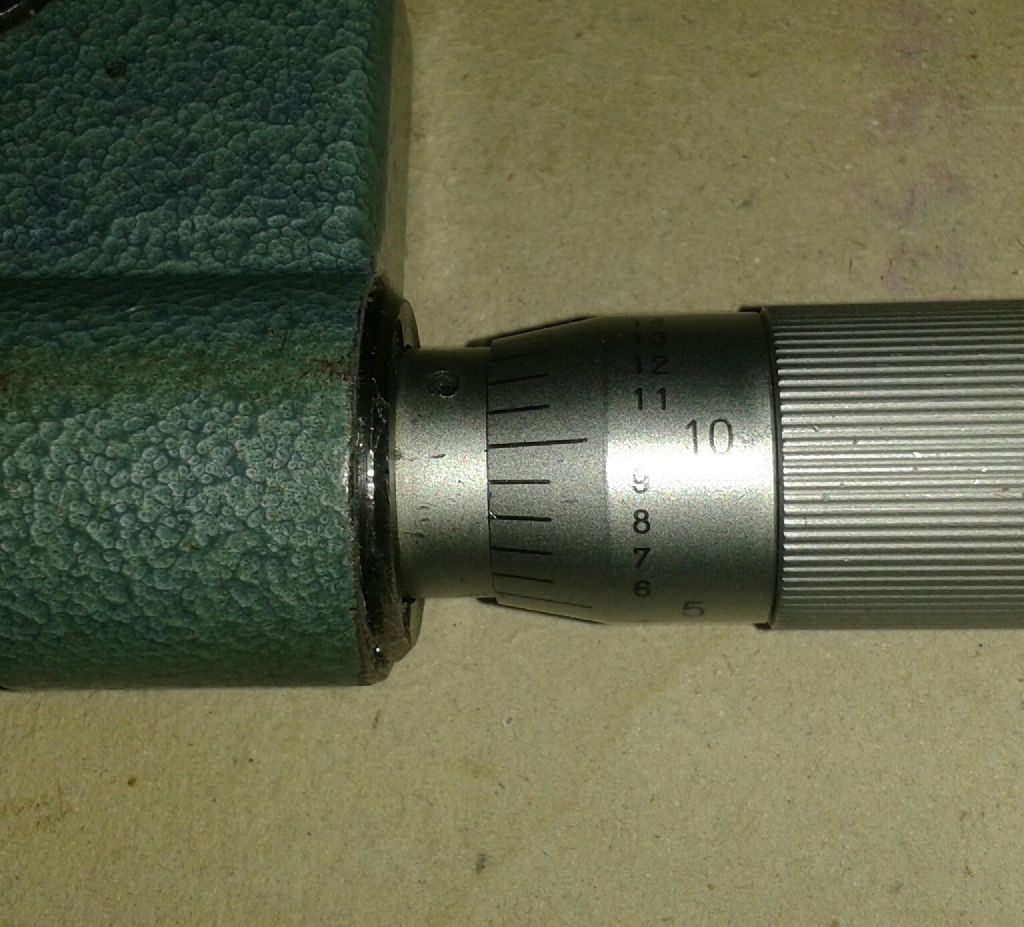
                    Rotate the sleave with little c wrench ( hopefully with the mic’s case) to line up the zero line and tick with the zero on the thimble ( rotating bit)…
                    Can be a bit fiddly but there you go..The hardest part would be wriggling the sleave to show the zero tick mark..currently from photo.. under thimble again use c wrench supplied…

                    One thought..” analogue” and digital display currently read the same…is there some thing ( burr?) That is say 0.0005 “..on the jaws?

                    #159591
                    Neil Wyatt
                    Moderator
                      @neilwyatt

                      The current issue of MEW has an article on the care and feeding of micrometers

                      Everyone has a different 'touch' and you need to zero your device to suit how you use it. Well developed 'feel' is often more consistent than the ratchet, even on a top quality mike.

                      Even if Jason is correct and teh anvils need cleaning, practice closing it and see what the most consistent reading you get is, then set both scales to zero at that reading.

                      Neil

                      #159622
                      Harry Wilkes
                      Participant
                        @harrywilkes58467

                        Les / Jason

                        I don't have a 'C' spanner and there doesn't seem anywhere to use one ! if you look where the barrel goers into the body you can just about see three very small Phillips screws what they do at this point I do not know, have checked the end of the jaws and they are fine no light can be seen between them., also as I said earlier if I grip the thimble and apply a little force I can zero the mic but when using the ratchet it stops as shown.

                        Cheers for replies so far

                        H

                        #159624
                        NJH
                        Participant
                          @njh

                          My advice Harry ? – forget the analogue and just use the digital. I've had a similar mike for some years and I had to go out to the workshop to see if mine even HAS an analogue scale ( it does!) . A big advantage of digital is that it makes things easy. Say, for example, you want to end up with a component 10mm dia. Just close the jaws and zero the mike, wind it out to 10mm then zero again. Now open up to measure the diameter of your work and it tells you just how much to remove. Keep taking cuts until you get down to 0 !

                          I seldom use my analogue mikes now.

                          Regards

                          Norman

                          Edited By NJH on 03/08/2014 18:03:07

                          #159628
                          mechman48
                          Participant
                            @mechman48

                            Hi Harry

                            I have the same micrometer as my master & have just been & checked mine… it read 0.00001" out of the box, &, as I normally do when I'm done with it, clean anvils with a wipe then I place a piece of clean A4 writing paper between the anvils closed them together until the ratchet clicks then gently pull the paper with a swivelling motion back out of the jaws & checked the readings again .. 0.00000".

                            Mine has the 'C' spanner & you adjust the thimble by the small hole in the barrel at the back, don't touch the 3 small screws otherwise you may well alter the electronics inside! At the end of the day does 1/2 thou' really matter for what you/we need? just zero your mic when you start measuring, also don't forget that readings will alter as the temperature in your workspace alters so keep your mic in a constant temp' either in the box at room temp, or if you sometimes, like me, keep it in your workshop top coat pocket (?) & let it acclimatise to your body temp.

                            These type of instruments (top quality ones) are calibrated in a constant of approx' 20*C at the manufacturers, digital & analogue types, just remember to zero it on your final measurement, 1/2 a thou' doesn't worry me in the scheme of things when you consider all the anomalies that occur when making a models, just enjoy.

                            Cheers

                            George

                            Edited By mechman48 on 03/08/2014 18:18:43

                            #159634
                            jason udall
                            Participant
                              @jasonudall57142

                              Ok.
                              I use that model for around ten years 8-10 hrs a day 5 or so dimensions a part 20 parts an hour ( samples)

                              At the start of a shift you check zero and a nominial diameter…gauge bar…
                              If zero ( analogue scale ) ok then the notional 10.000 mm check bar. ( we used round “plug” gauges….this latter to confirm accuracy at the size being measured not just at zero..
                              We check the analogue reading as a test /confidence in the health of the instument…

                              Ok that said more recent models don’t have the analogue scale at all.

                              As to the black ring with three screws…has no impact on adjusting the sleave..it holds the plug in behind which lives the encoder ..and you don’t need to mess with that until you want to make scrap of the instrument
                              .
                              With out the wrench …Well you just need to get one.. but the hole in the sleave is 180 degrees from the scale..but near zero so maybe thimble is screwed too far forward .try settings the micr at say 5 -10 mm..then look again.
                              As to ratchet vs feel…after a few years feel can be more consistent than a workshop exposed ratchet..

                              #159635
                              Neil Wyatt
                              Moderator
                                @neilwyatt

                                I zeroed my mikes about four weeks ago, the 25mm digital was reading 0.005mm over (mechanical and digital) and the 'analogue' Starrett under reading by about 0.0003". I imagine this is not unrelated to roller-coaster temperature changes over the last month.

                                Always store mikes with the anvils screwed apart.

                                Neil

                                #159638
                                jason udall
                                Participant
                                  @jasonudall57142

                                  Trying to add picture from album misc showing micrometer 293-766 wrench holes..cant do this on phone browser. ..bum

                                  #159644
                                  Michael Gilligan
                                  Participant
                                    @michaelgilligan61133

                                    Not sure if this will work, Jason … Copy & Paste from your Album.


                                    Edit: Oh No … it didn't !!

                                    Edited By Michael Gilligan on 03/08/2014 21:20:44

                                    #159645
                                    Neil Wyatt
                                    Moderator
                                      @neilwyatt

                                      Use the landscape icon and paste in the link location of the full size image.

                                      Neil

                                      #159646
                                      Speedy Builder5
                                      Participant
                                        @speedybuilder5

                                        Well, it does say on the mike – 0.0005" so I guess that means to the nearest 0.0005". So, when it reads 0.0005 it IS zero ?? – Just being pendantic – sorry.

                                        BobH

                                        #159649
                                        jason udall
                                        Participant
                                          @jasonudall57142

                                          Thanks neil..but no icons show in my browser. .. android fone..

                                          #159650
                                          Harry Wilkes
                                          Participant
                                            @harrywilkes58467

                                            Thanks everyone for your input as suggested I'll just get on and use it, but still recon a visit to Specsaver is required wink

                                            Cheers H

                                            #159652
                                            Michael Gilligan
                                            Participant
                                              @michaelgilligan61133

                                              Harry,

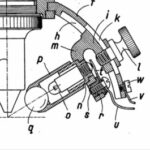
                                              I've just found exploded views and parts lists, here

                                              I think you want pages 55-56

                                              … it may, or may not, help you.

                                              MichaelG.

                                            Viewing 21 posts - 1 through 21 (of 21 total)
                                            • Please log in to reply to this topic. Registering is free and easy using the links on the menu at the top of this page.

                                            Latest Replies

                                            Home Forums General Questions Topics

                                            Viewing 25 topics - 1 through 25 (of 25 total)
                                            Viewing 25 topics - 1 through 25 (of 25 total)

                                            View full reply list.