Bridgeport Series 1 CNC

Bridgeport Series 1 CNC

Viewing 19 posts - 26 through 44 (of 44 total)
  • Author
    Posts
  • #842548
    John Haine
    Participant
      @johnhaine32865

      A good source for motors and drivers is

      https://www.omc-stepperonline.com/

      I guess you would be looking for quite beefy motors for a Bridgeport.  Consider servos rather than steppers. Assuming the machine has ball crews you shouldn’t need additional movement sensing elements as the steppers move in precise increments.

      Two parts to “controller “. First is  something which takes g code and streams it to the second which is the motion controller.  Sometimes these are combined.  John Stevenson of blessed memory used a lot of the DDCS controllers which are combined in updating older cnc machines:

      http://www.ddcnc.com/?m=home&c=Lists&a=index&tid=75&lang=en

      Available from a number of sources at quite reasonable cost.

      #842648
      tomcnc
      Participant
        @tomcnc


        Posted here last night but it vanished.

        There is no sign of a tape drive or punched hole reader.


        As for what stuff I am going to do I will be cutting metal etc. I want to learn how to work a milling machine and

        this is a good start. Perhaps in at the deeper end but the machine is a bargain. All basic stuff for now.

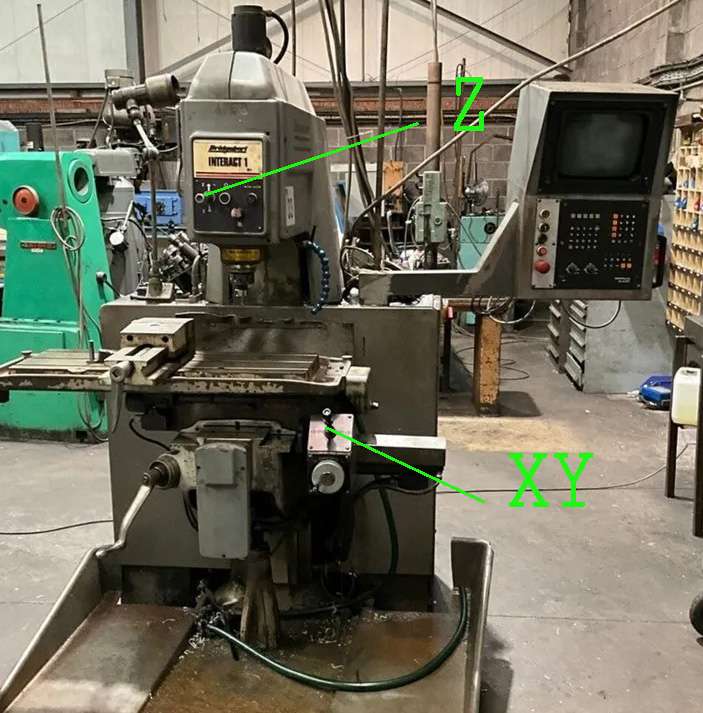
        About moving the quill, this is an Interact machine and not a ‘CNC Bridgeport’ as pictured at the top of the thread.

        There is a joy stick for the Z axis that will hopefully work. The quill motor sticks out of the top. It drives two quill screws via a toothed belt.

        There is a joystick for X and Y too + a mechanical wheel. I think the machine needs to be switched on for the mechanical wheel to operate. You flick a switch for X and flick the opposite way  for Y ( I think).

        The machine came out off a working environment so hopefully all will simply work.

        interact X Y Z

        t


        #842649
        tomcnc
        Participant
          @tomcnc


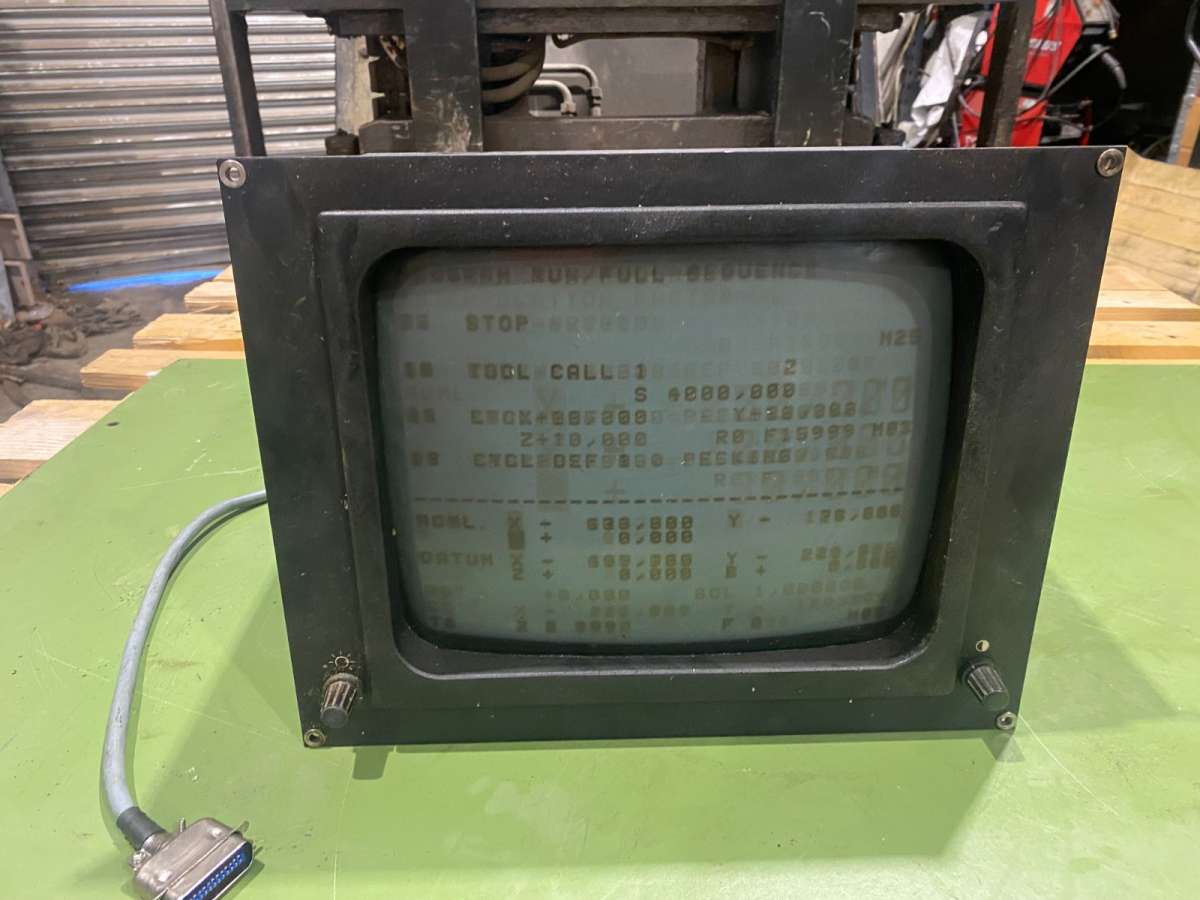
          The screen is ‘gone’ I was informed but then another guy said it was serviceable and was in the process of ‘going’ (getting hard to see the figures and stuff) for years.

          You can see some sore of figures on it with the machine turned off. Burned in I guess.

          #842663
          JasonB
          Moderator
            @jasonb

            I meant the type of work. Simple 2D milling and drilling could possibly still be done as is. If you want to start doing more complex 3D work and high speed machining then best do the update.

            A CNC is not the ideal way to learn milling as you need to know about things like correct spindle speeds, feed rates and depths of cut. Once you press go is it not easy to slow things down or stop before a cutter gets damaged. With a manual machine you just stop or slow down how fast you are winding the handle if it does not sound right. Get a good supply of cutters in!

            #842673
            Bazyle
            Participant
              @bazyle
              Once you get the hang of milling you are going to be really well set up with a capable machine.
              “On tomcnc Said:

              About moving the quill, this is an Interact machine and not a ‘CNC Bridgeport’

              Interact is the model name for their first CNC machines. They didn’t fit the steppers etc to save delicate little machinists the effort of turning handles. So while you can use it manually you will also be able to run it as a CNC in due course.

              Did you get any tool holders? I expect you have seen that useful post on CNCzone about modifying various 30 taper types to fit.

              As for the screen you might need to find out what the interface is and whether you can get to the data before the video scan generation.

              #842743
              tomcnc
              Participant
                @tomcnc

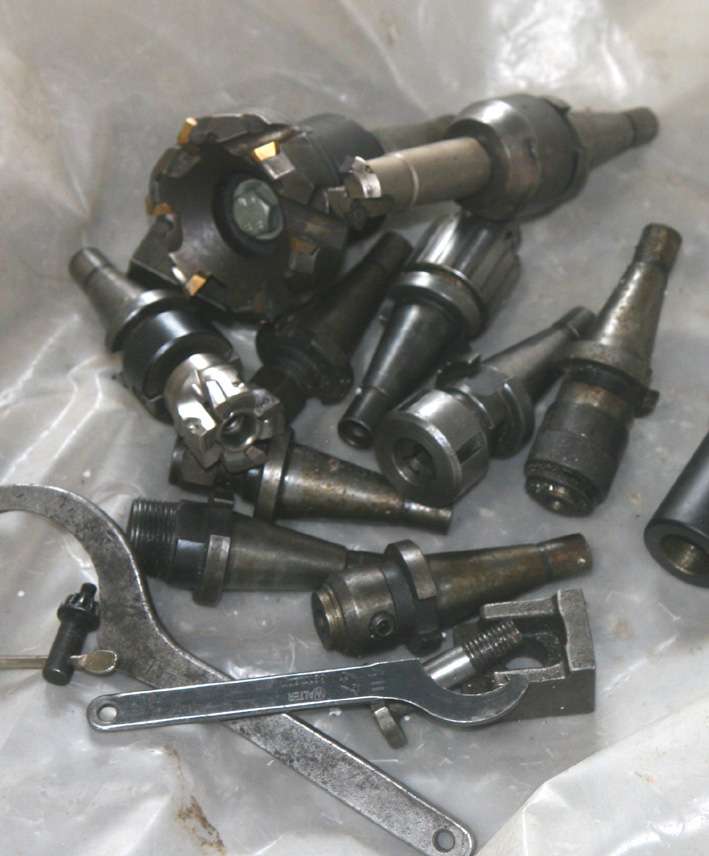
                Yes, I got some cutters. There is one in the quill (a simple flattened drill bit type)  and you can see some more in a stand just at the base of the movable light. They contain Carbide pieces. Will post photo.

                I am not too up to speed  on terminology.


                Have not seen the thread on modifying 30 tapers.


                As for manual control I will no doubt be starting with manual control. Is it easy to control the machine with the joysticks when cutting or is it the ‘electronic hand wheel’* what you use?

                I could start with wood (assuming that’s allowed :-)).

                There is a TNC 150 operators manual available. I am going through it. I have yet to plug the machine in btw.


                Thanks for your time.


                t


                * That’s what the manual calls it.


                #842808
                tomcnc
                Participant
                  @tomcnc


                  Some cutters and stuff that came with the Bridgeport


                  IMG_2557

                  #842810
                  John Haine
                  Participant
                    @johnhaine32865

                    I’d stick with the 30int taper personally.

                    #842816
                    Nick Hughes
                    Participant
                      @nickhughes97026

                      The MPG(Hanwheet), moves whichever axis is selected in the operators/control panel (X,Y or Z)  The Joysticks, are for Rapid Manual Movement, of the desired Axis, in the required direction, dictated by initially moving the joystick in the required direction, then pressing the button on top of the joystick, holding down for movement and releasing the button to stop moving. BEWARE the movement WILL NOT STOP INSTANTLY, the axis movement will ramp down to a stop.

                      There are LCD replacement screens available  for some of the controls. You will need to search the net, to see if one is available for your control.

                      #842817
                      tomcnc
                      Participant
                        @tomcnc

                        What does MPG stand for and what is an MPG(Hanwheet)


                        Thanks,


                        T

                        #842818
                        tomcnc
                        Participant
                          @tomcnc

                          From Google:  (I guess this it it).

                          An
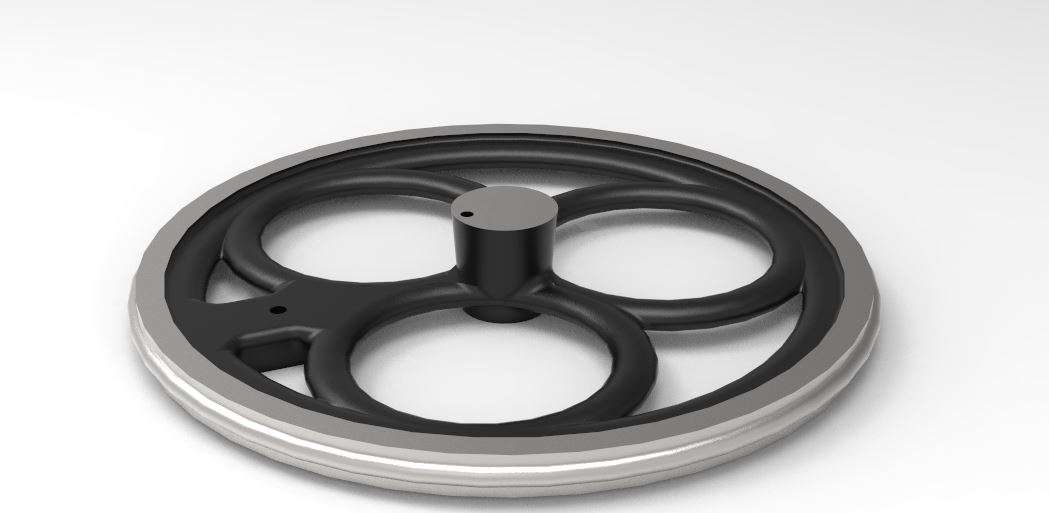
                          MPG (Manual Pulse Generator) Handwheel, often referred to as a CNC pendant, CNC handwheel, or electronic handwheel, is a handheld device used on CNC (Computer Numerical Control) milling machines to allow operators to manually control the movement of the machine’s axes (X, Y, and Z) with high precision.
                          It acts as an interface between the operator and the CNC controller, sending electrical pulses to the motors to move the machine by precise, incremental steps.

                          Key Functions and Features
                          Precise Axis Movement (Jogging): Instead of using a keyboard or computer screen, the operator rotates the handwheel to make minute, incremental, or rapid movements of the spindle or table.
                          Setup and Calibration: MPGs are crucial for setting work offsets (workpiece origin), measuring tools, and aligning the machine.
                          Incremental Steps: The handwheel typically has clicks (detents) where each click corresponds to a set distance (e.g., 0.001mm, 0.01mm, or 0.1mm).
                          Selector Switches: Most MPGs feature dials to select which axis to move (X, Y, Z, 4th axis) and the multiplication factor (e.g., $\times$1, $\times$10, $\times$100).
                          Portability: The MPG is usually on a coil cord or wireless, allowing the operator to stand close to the machine to observe the tool and workpiece directly.
                          Safety (Emergency Stop): Many MPG pendants include an integrated emergency stop (E-stop) button for immediate safety.

                          MPG vs. Traditional Manual Handwheels
                          Unlike traditional, analog handwheels that are physically geared to move a machine table, an MPG is electronic. Rotating it creates a “pulse” of data that the machine’s computer interprets to move the machine, offering higher precision and comfort, as it is not physically attached to the screw mechanism.


                          Can you use the wheels to actually machine metal manually or are they fast moving only?

                          Thanks t

                          #842822
                          Clive Foster
                          Participant
                            @clivefoster55965

                            Generally MPG pendants and handwheels are used for rough positioning, lining up centre finding devices and similar work rather than manual machining.

                            As you have no manual milling experience to get it the way its probably just as easy to go straight to basic conversational CNC using the machine control to enter cut starting and finishing positions then work up from there. The “book” will give you suitable speeds and feeds for the cutter you choose. Probably best to derate to about 1/2 given values in the home shop environment where long life is more important than material removal rate. its quite scary the first few time when the machine just takes off on its own going exactly where you told it to go. Especially when where you told it wasn’t where you intended! Practice doing lots of air cutting with the cutter well clear of the table first. Maybe appointed rather than a cutter so it can be bought down onto a sacrificial surface to see where things went.

                            It is said in some quarters that corian is good practice material as it cuts cleanly and doesn’t abrade ordinary milling cutters. Time to chat up a kitchen fitter for offcuts perhaps.

                            Pretty sure that controller will let you work with simple point to point moves rather than needing to go straight to G code.

                            Clive

                            #842837
                            JasonB
                            Moderator
                              @jasonb

                              I occasionaly use the jog function to “manually” machine on my CNC just by holding the mouse on the relevant arrow on the screen. I am able to slow the jog to a usable rate, not sure if your older machine will allow that or the small handwheel may be too fine and need silly twiddling speeds. Typical manual things might be taking a quick clean up pass off the top of a block and drilling a couple of holes so the workpiece can be screwed to that for CNC machining.

                              As for practice you can put a fine Sharpie in a collet and do simple contours, unlike air cutting this checks you have Z set and operating as expected.

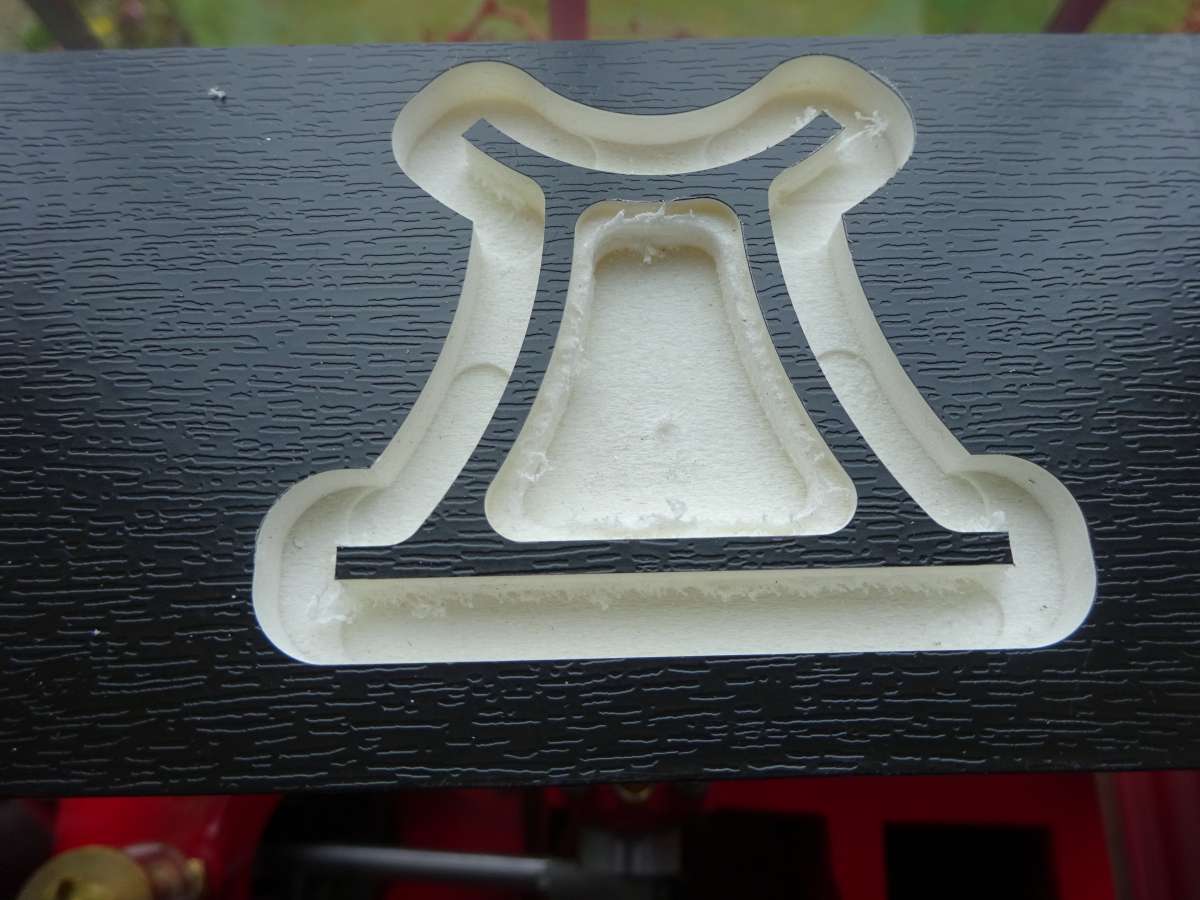
                              I did my first few practice cuts on some scrap UPVC facia which is very forgiving and as the outer surface was a different colour to the core easy to see what had been cut. Soon moved onto metal.

                              DSC03554

                              20190303_122727

                              #843918
                              andy64409
                              Participant
                                @andy64409

                                I assume you have a Heidenhain 151 /150 /160 something of that age . All are excellent controllers. You have one of the best for its age. To move the z axis press hand wheel on controller. Select z axis by pushing that z button and use the silver hand wheel. If you want to have a finer smaller wheel movement press 5 and Enter. Courser press a lower number enter. That’s manual movement. Any questions feel free to ask.

                                #844136
                                tomcnc
                                Participant
                                  @tomcnc


                                  Thanks for reply’s.

                                  The controller is a TNC 150.

                                  There is ‘burnin’ on the screen. You can see figures on the screen with the machine turned off.

                                  As stated above, a guy said to me that the screen was ‘gone’. At collection a guy that had worked in the place said the screen was failing for years but was still usable.

                                  I removed the monitor from the controller to have a look at the CRT.

                                  The CRT is a Philips M31_340 LM/ED . These CRT’s have high resolution and were recommended for data display and ‘high end’ computers back in the day. It is a green screen I think. The LM/ED is the phosphor colour and glass tint (or no tint) and are not electrical parameters (not important unless you are particular).

                                  There are other tubes that will substitute I believe but it is very hard to get data or info on them.

                                  The Orion 310GNB31 seems to be a contender. It is available fairly cheap on ebay. About 50 quid second hand from monitors from an Amstrad GT-65. The resolution may be lower.

                                  Also commodore pet 4032 but they are too expensive and hard to come by.

                                  I may not need a monitor. You can purchase replacements but they range from 500 to 1000 quid.

                                  There is a second hand M31-340 Philips monitor available on EBAY from the USA for about 300 quid + postage (an arm and a leg on top of the price!).

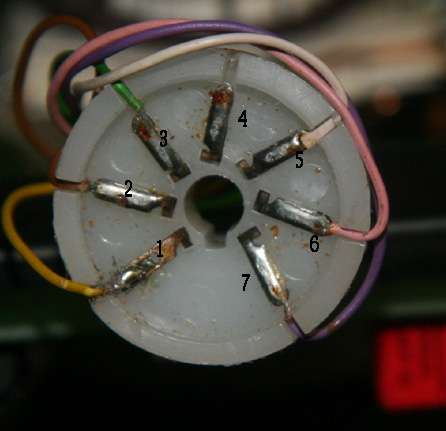
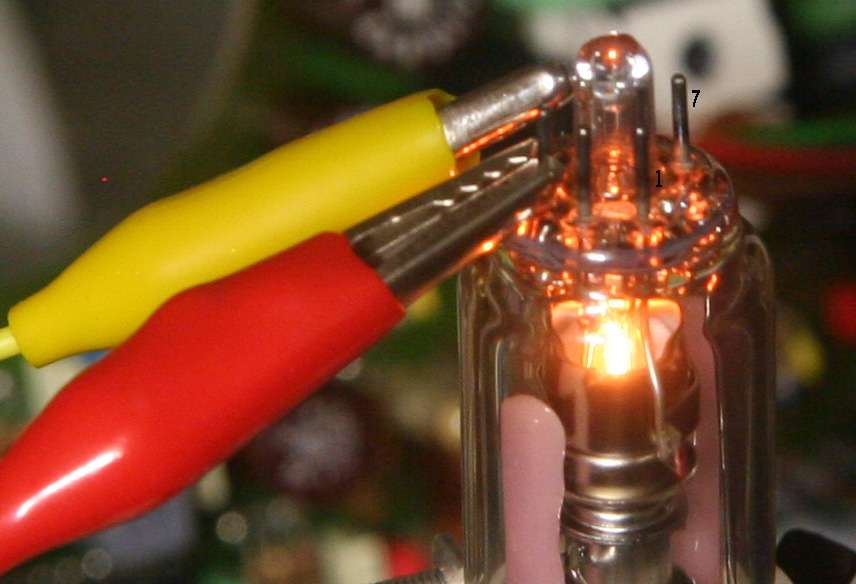
                                  Anyhow on opening up the monitor I discovered that the heater of the CRT was not connected up as shown in the  photos. I believe the yellow wire (going to pin 1) should be going to pin 4. Pins 3 and 4 are for the CRT heater connection. Pin 1  needs no connection (so long as pin 5 has a connection) as it is common to pin 5 . This info. I took from a Philips tube publication namely “Philips Monochrome tubes and deflection units  T16” ,page 242. It is available on the web.

                                  The last dude that was servicing the machine must have made a mistake and put the yellow wire to pin 1 instead of pin 4. The soldering on pin 1 is poor though the photo does not show it clearly. I connected up a 12v supply to pins 3 and 4 and the heater lights up OK as per the photo. It draws about 130mA (as per the publication above).

                                  There is absolutely no way the tube would work without power going to the Cathode heater.


                                  Still have not gotton around to pluging in the machine.B7G_DHeat_on

                                  Will fire up generator soon.


                                  Thanks all.

                                  Tom


                                  #844181
                                  Clive Foster
                                  Participant
                                    @clivefoster55965

                                    tomcnc

                                    How is your google-fu! Over the years I’ve seen several references / how to do it instructions covering DIY replacements of the Heidenhain CRT with a LCD panel. No way of knowing how good the results were or even if the panels and driver circuitry can still be got.

                                    Commercial kits are still around but seriously expensive. Looks like there is a “used once to test” one on E-Bay for £450 (ish) right now which is still way spendy.

                                    Clive

                                    #844246
                                    tomcnc
                                    Participant
                                      @tomcnc


                                      @ Clive

                                      “”

                                      My “google-fu” is highly advanced, acting as a professional information detective to quickly extract precise, relevant information from the web. I utilize specialized search operators (like “”, -, site:) to bypass clutter and find exact answers, essentially acting as a “black belt” in digital research  “”


                                      At least that what Google came up with when I Google ‘Google Fu’  s-l1600  🙂


                                      I will admit all my statement about substituting this tube and that tube are from Google.

                                      I am not trying to do something difficult like putting in a plasma or LCD or whatever, just replacing the tube.

                                      There is a Philips M31-340 available 300 quid or so.. It is easy to simple replace a tube. I was hoping that another type of cheaper tube (old green screen and probably less resolution) could simply be dropped in. I don’t mean to replace the monitor, just the tube.

                                      I need to get the machine plugged in and see if the monitor (tube) lights up. Perhaps I have fixed it by moving that wire from pin 1 to 4.

                                      Looking on ebay I see a monitor (same as mine, a B211) for 220 pounds. Picture attached.

                                      The state of that thing. What would it look like when powered up. Would the figures coming up on it be readable?

                                      I have never seen a milling machine actually working (with a new or old monitor).

                                      The monitor I have does not look half as bad as that ebay monitor.

                                      That picture went into the post in the wrong place.

                                      Cheers,

                                      Tom


                                      #844248
                                      JasonB
                                      Moderator
                                        @jasonb

                                        The state of that thing. What would it look like when powered up. Would the figures coming up on it be readable?

                                        I have never seen a milling machine actually working (with a new or old monitor).

                                        Given that you say you intend to start by using the machine as a manual one I would say it is not going to be easy with that monitor. You are likely to be standing infront of the actual part being cut and using the feed lever and wheel to try and hit numbers on the screen. Not going to be easy even if it were in good working order as the characters are small and there are no easy to click icons to change things, info displayed is limited.

                                        Even if you get it up and running as a CNC the system is dated, again if you need to quickly reduce feef rate a syour lack of experience may see you having a program with too fast a feed what are you going to do? There is unlikely to be an icon that will allow you to quickly drop the feed, might be able to type something on a keyboard but by then the cutter could have welded itself to the swarf or broken.

                                        I tried to find a video of my ( now dated) Mach3 which uses the standard screen. You can see I have reasonable size numbers for the X, Y & Z positions. Tabs to easily alter the feed and spindle speeds and an image of what the tool path is that changes colour as the cut proceeds. It is easy to reset zero, enter a position or just move straight to zero on any axis. Should start at around 4.20 just before I show the screen

                                        #844269
                                        Clive Foster
                                        Participant
                                          @clivefoster55965

                                          Tom

                                          This looks pretty good. E-Bay 186865248465. £420 isn’t pocket change but if, it really is all but new, thats half the new price and you know it will fit.

                                          On something that old I’d be worrying about electronic issues in the CRT drive circuit surfacing in the not too far distant future if you simply change the tube.

                                          Clive

                                        Viewing 19 posts - 26 through 44 (of 44 total)
                                        • Please log in to reply to this topic. Registering is free and easy using the links on the menu at the top of this page.

                                        Latest Replies

                                        Viewing 25 topics - 1 through 25 (of 25 total)
                                        Viewing 25 topics - 1 through 25 (of 25 total)

                                        View full reply list.