Isolation milling of PCBs

Isolation milling of PCBs

Home Forums Electronics in the Workshop Isolation milling of PCBs

Viewing 15 posts - 1 through 15 (of 15 total)
  • Author
    Posts
  • #829112
    John Haine
    Participant
      @johnhaine32865

      On the “photoetching” thread user “umbriago” was asking about my process for making PCBs by isolation milling.  There have been a few discussions on here about the process, so worth doing a search, but it’s maybe worth describing my approach.

      There are 3 steps: the PCB layout from schematic; converting to g-code; and the actual milling.  I’ll assume that the third doesn’t need any mention of someone already has a CNC mill and is familiar with it.

      For PC layout I have used 3 “free” packages:  RS DesignSpark Electronic; KiCAD; and Fritzing.  The RS one does work but was very involved so I only tried it once.  I’ve used KiCAD quite a lot to just draw schematics but I haven’t really got to grips with its PC layout tools. And it is very poor for single-sided boards as it assumes that no one uses them any more!  I believe there are klugy work-arounds.

      So I’m currently using Fritzing which is often regarded as a bit “mickey mouse” but I find it works pretty well for my needs.  I never use the “breadboard” type layout as that method of construction is in my view a waste of time for anything remotely complex and/or has to work for extended periods.  So far I have only made single-sided boards and the tool is not great for designing double-sided boards as it insists on using plated through holes and vias.  This means that the auto-routing aspect is not very useful and you have to manually route which can be tedious.  But hey, the tool is free, has reasonable component libraries (though sometimes you have to be creative in using footprints), and does the job.  Also it’s very stable and has a good user support forum which (unlike the Arduino forum) doesn’t seem to descend into snark.  When you download it it asks for a donation of EU8 one-off which I’m happy to pay.

      One member here mentioned using standard drawing tools for PC design.  I don’t think that’s a good idea as a proper tool like Fritzing or KiCAD link the schematic and layout together and you can keep switching between the two to check you’ve not made mistakes.

      Once the board is designed Fritzing exports all the design files as the standard Gerber and Excellon (drill) types for processing into g-code.  There are a few CAM programs around for this, and for a while I used Flatcam which is free.  Then the version I was using stated to misbehave so I thought I’d reinstall it, then found that the installer for that version had gone, and the latest version had a different UI, wasn’t very stable, and support was lacking.  So eventually I went for a paid option which is Coppercam, which I have been using since Monday!  It has its idiosyncrasies but I have got the hang of it – I have the latest board design ready to go on the mill and it looks good.

      One issue with isolation routing is that by its nature it generates a lot of potential “ground plane” in the form of all the copper left over once you have isolated the tracks.  In Fritzing you can make any component a “ground seed” which means that its pad gets connected by short little tracks to this copper. It would be great to be able to use this to route ground to all the pins that need it, but unfortunately when you try to do this the ground plane becomes a “track”.  Fritzing seems to use a rather old Gerber definition where all shapes are defined based on raster graphics, and Coppercam (and I suspect Flatcam) have a lot of trouble processing this as they have to scan every point on a very small grid (0.03mm for Coppercam), which takes a very long time – hours or days!  The same board without ground seeds is processed in a minute or so.  So if you want to use the “ground plane” option the only way is manually solder-bridging which I don’t think is a good option.  This is a known issue with Fritzing – other CAD systems should avoid it.

      #829116
      Dave S
      Participant
        @daves59043

        Since Autodesk swallowed up Eagle anyone using Fusion360 can use what was Eagle inside Fusion.

        Ive not tried to get out a PCB for milling from that, but I suspect it would be possible. Maybe Ill have a look in the next couple of days.


        Dave

        #829132
        Stuart Smith 5
        Participant
          @stuartsmith5

          John

          What sort of cutter bit do you use for pcbs?

          ie size and shape.

          thanks

          Stuart

          #829141
          Huub
          Participant
            @huub

            In a nut shell, this how I mill my PCB’s on the cnc router:

            I use the Eagle 7.7.0 version (no cloud software) to make the schematic design and Gerber files for PCB milling. FlatCAM is used to make the gcode files and UGS to send them to my CNC router. I mill at 3000 RPM, 130 mm/min, 2 clearance passes at 0.05 mm (0.002″) cutting depth using a 1/8″ 20° V-bit that has a 0.1 mm (0.004″) tip. The actual width of the traces cut are 0.2 mm (0.008″). I use the actual with in FlatCAM.
            I use a sheet of POM for spoil board because the tapes (doubled sided 0.1 mm heat sink tape) sticks better to POM than MDF.
            I think that 99% of my boards are double sided. I use (solder) copper rivets for via’s. I have made a jig for holding the PCB and flip the PCB (mirror over Y-axis) to mill the other side and finally drill the holes.

            The key to (my) success is making a height map. That is done by UGS that automatically applies that height map to the gcode send to the controller.

            A had pretty good results using the toner transfer method but the CNC has better results.

            To prevent the glass fiber dust getting in my shop I do not mill the outline but cut the board (FR4) using metal scissors.

            I am slowly developing a method to mill and drill the PCB’s under water.

            Using a ground plane in eagle is not a problem. The time to process the board increases due to the larger amount of traces that have to be milled.

            I will make a video of the whole process once I have my new milling machine up and running. That is 2e quarter of next year.

            #829144
            John Haine
            Participant
              @johnhaine32865

              Stuart, I use the same bits as Huub, 1/8″ shank, 60 degree but with 0.2mm tip. Run at 5000 rpm. Clamp an aluminium block milled flat an parallel both sides,  board and plate both have blue masking tape, stuck down with superglue. Cutout using 2mm slot drill. Bought engraving cutters and hole drills for not a lot in boxes of 10 on Ebay.

              Maybe I should look at Eagle.

              #829192
              Dave S
              Participant
                @daves59043

                I liked Eagle as a package, but I’m not sure where you would get hold of it now. Autodesk does like to buy useful, free things and turn them into a cloudy ransomware 🙁

                I didn’t like kicad last time I tried it, a bit like I don’t really like freecad – they just don’t quite work how I expect

                Dave

                #829193
                Julie Ann
                Participant
                  @julieann

                  Interesting discussion, but I prefer to get ‘proper’ PCBs made if only because it is rare that I do single or double sided boards. My standard track and gap is 0.15mm and down to 0.1mm for tight layouts and BGAs. Over the years I’ve used many schematic capture/layout tools. I have a lot of experience with Mentor Graphics, some with Altium (which I hate with a vengence) and for the last 20+ years I’ve been using EasyPC for my own business. Mostly for multilayer boards, usually 4-layer but a few 6 and 8 layer boards. EasyPC has it’s quirks but is getting better over the years.

                  One of the engineering consultancies I worked for bought an expensive (£14k) PCB milling station; and nobody ever used it. When the company folded the machine was sold to one of the technicians for a knockdown price.

                  The evolution of PCB layout is interesting. When I started doing electronics professionally one created a schematic, often on paper, and threw it over the fence to an external layout person who created a netlist and then a layout. Lots of scope for errors! Traditionally layout people moved into layout from the drawing office. Then computer schematics and netlists came in, but layout was done externally. Nowadays with the need for high speed tracking, RF, digital and precision analogue, often on the same board, it is the design engineer who tends to do the layout.

                  Julie

                  #829195
                  Huub
                  Participant
                    @huub

                    I looked at Kikad some time ago but didn’t like it. That is not because it is a lesser package but it will take some (a lot) time to get used to. I still need Eagle for my 30 years (I guess) of history. So I decided to stick with Eagle.

                    If you need another package I would prefer KiKad because it is opensource.

                    I still have the Eagle 7.7.0 installer. The free version I use is size limited but that is not a problem for me.

                    I found this site that hosts the installer.

                    #829209
                    John Haine
                    Participant
                      @johnhaine32865

                      Anyone tried LibrePCB?

                      #829240
                      IanT
                      Participant
                        @iant

                        I’m with Julie Ann on this one. I use “proper” PCBs   🙂

                        Much as I’d like to learn a PCB ‘design’ programme, I simply don’t have the bandwidth left over to do more – 3D CAD, CAM, Programming (AI?), brushless mills – all take time and effort to learn and I have limited amounts of both these days.  However, I’ve used JLCPCB with great success to get double sided, through plated PCBs at quite frankly, silly prices. They will also make fully populated boards if required. So I really don’t have this need.

                        Some examples:

                        The 10″ Waveshare HDMI screens I’m currently working with, were originally designed to plug-in a Pico 1 and the pinout had to be adapted for the Pico2 & HDMI (to use the HSTX pins). Fortunately, a friend (on the Back Shed) designed an adaptor for me and sent the gerbers. He added other useful features in the process. They were £11 for Qty5 or £15 for Qty10 shipped (so I ordered 10 of course). I can use the spares as general purpose Pico ‘mounts’ either with a USB or PS2 configuration.

                        My ‘standard’ PM/VGA PCBs (100 x 100mm) were £12 for Qty5 two years ago. Again, I can populate them (as required) with SD Card, RTC, two Pico ‘pin-outs’, PSU and a 40 way edge connector.

                        My most recent purchase was a fully populated (e.g. working) RP2350B ‘DIL’ board, including PSRAM that has 47 external GP pins available. They were a ‘group’ purchase of five units – and cost us £15 each (inc shipping).

                        All these are high quality, through hole plated, screen printed PCBs. Frankly, I don’t think i could even buy the raw materials for these costs. I’ve been lucky in that others have supplied the gerbers but even if I had to learn something like KiCAD, I still don’t think I’d want to ‘mill’ my PCBs compared to the quality I have avaialble currently.

                        Of course, as always, others will have different needs.

                        Regards,


                        IanT

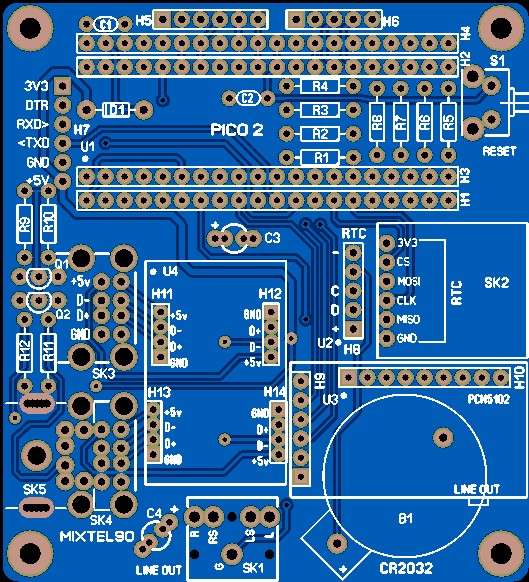
                        Shown below – Pico2 JLCPCB adaptor for 10″ Waveshare display – £1.50 each – delivery was inside two weeks.

                        Waveshare_10-adaptor

                        #829263
                        Huub
                        Participant
                          @huub

                          The quality of Chinese board is far better than what I can make. Nevertheless, all self made boards that I have made and used over 40+ years never needed replacement.

                          After the design, It takes me about 2 hours to make a 2 layer PCB. That I do not have to wait for production else ware is enough reason for me to do it myself. If it wasn’t a hobby, outsourcing would be the economical choice and most of the time the best choice.


                          #829269
                          John Haine
                          Participant
                            @johnhaine32865

                            Like Huub the fast turnaround is what I like – also if I used an external supplier I’d have to meet all their design rules etc which is another learning curve.  My typical boards have a couple of ICs, maybe an Arduino Nano or RPi Pico, and a few discretes.  Nothing very complicated.

                            I see that the above Eagle download link is to a site owned by Farnell so I assume that it’s legit for non-commercial use?

                            #829272
                            Huub
                            Participant
                              @huub

                              Yes, this old site is ligit they also host some eagle library’s.

                              The free version ( registration ) Eagle is free for personal use.

                              #829338
                              Joseph Noci 1
                              Participant
                                @josephnoci1

                                These posts made me look back in the folder on my Engraving CNC machine – I see I have engraved 476 PCB’s since Jan 2023…

                                I use Xl-Designer, a British PCB package – I bought it in 2003 for 400 pounds I think.

                                I upgraded once, in 2015, for 300pounds.

                                It does DS and multilayer, never used it for more than 2 sides. Mostly my boards are single sided with full ground plane on the rear, and as much copper on top for ground.

                                The thinnest track and gap I  can do is 0.15mm with a newly ground cutter.

                                I regularly do chips with 0.3mm pad spacing, and mostly use SMD components.

                                The gerber is passed through ‘DeskPCB’ which creates the G-Code file. DeskPCB cost me $90.00 20 years ago – I see they don’t exist anymore..PM me or info…

                                A quick test PCB, with say a few op-amps, a dozen resistors and caps, maybe 40-50 components, takes me about and hour on the PCB software, 10 minutes on the Isolation software and 30 minutes on the engraver. 6 hours later I can make another board if the first one needs changes..

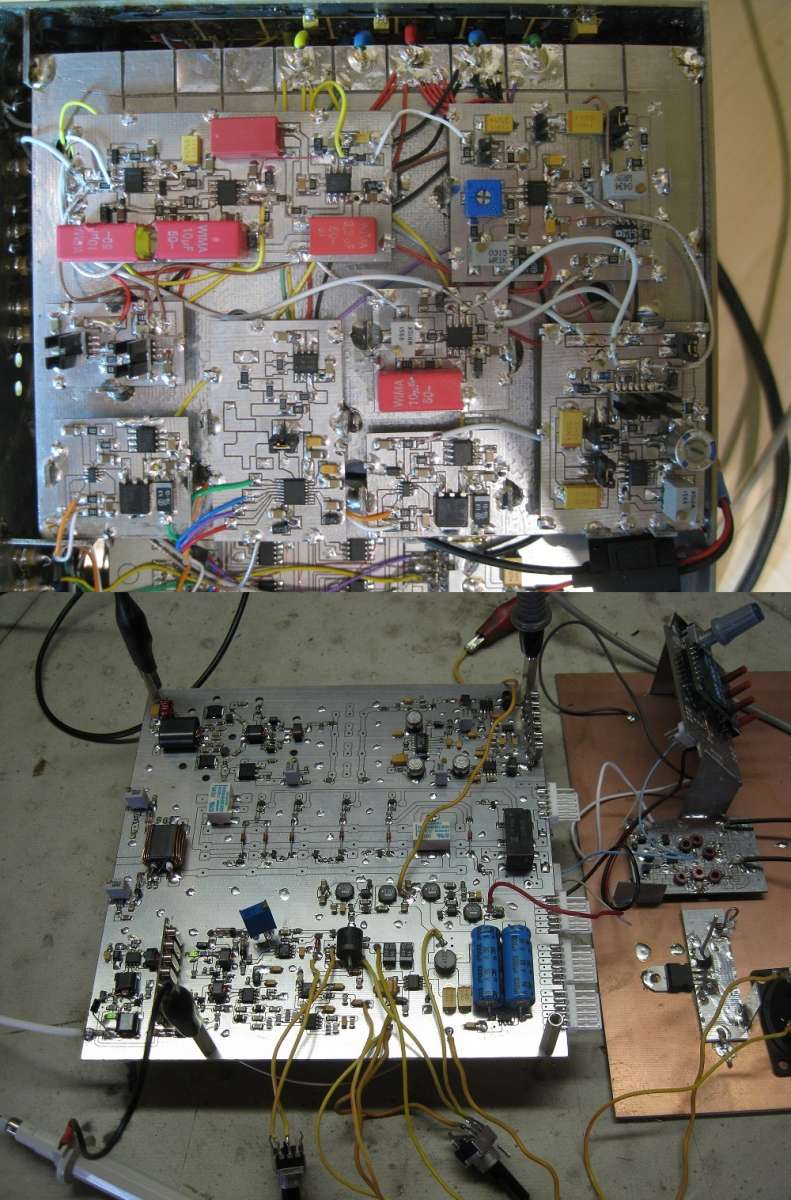
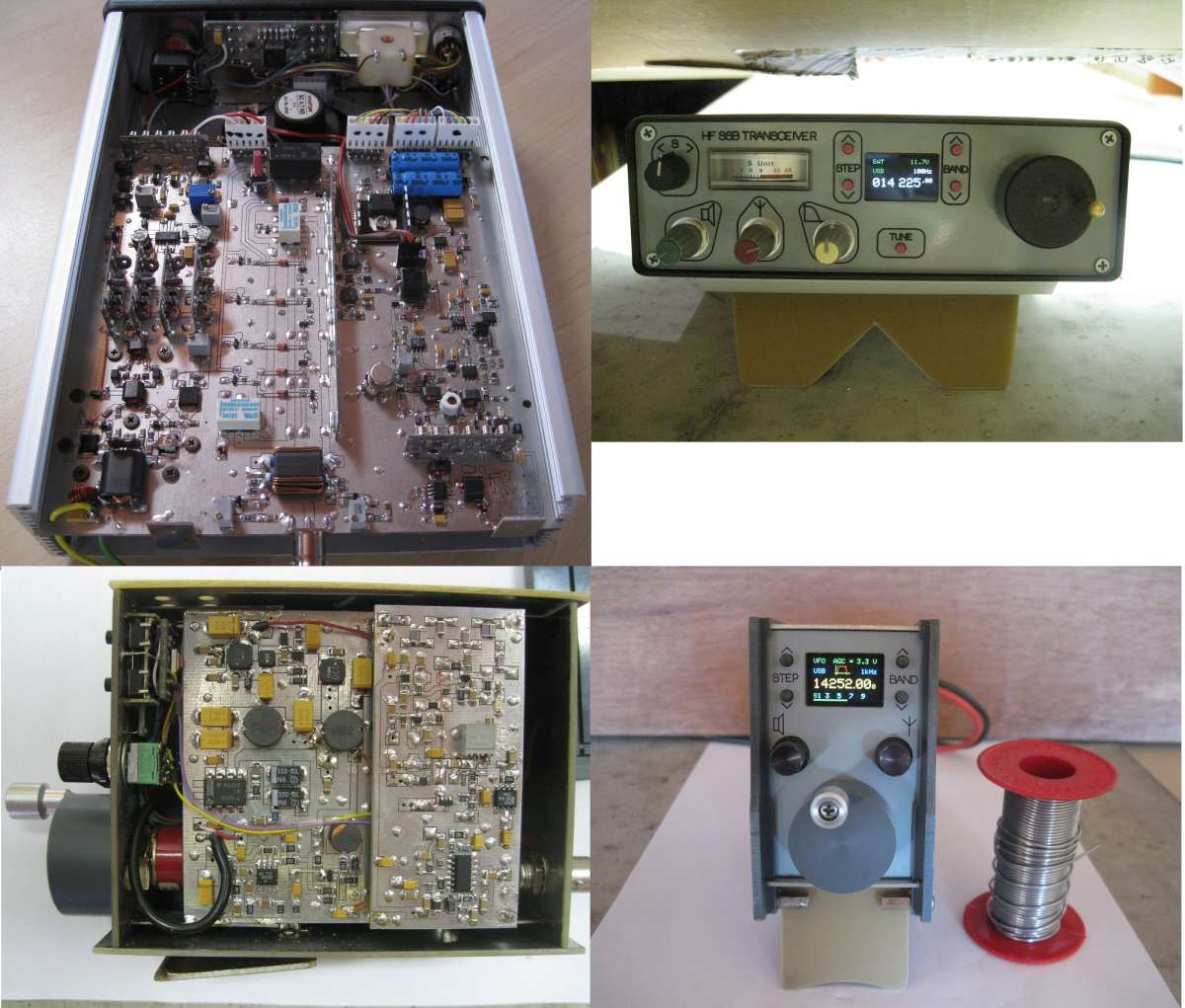
                                Some of the work I have done:

                                Pend


                                HFBits


                                GPSDO


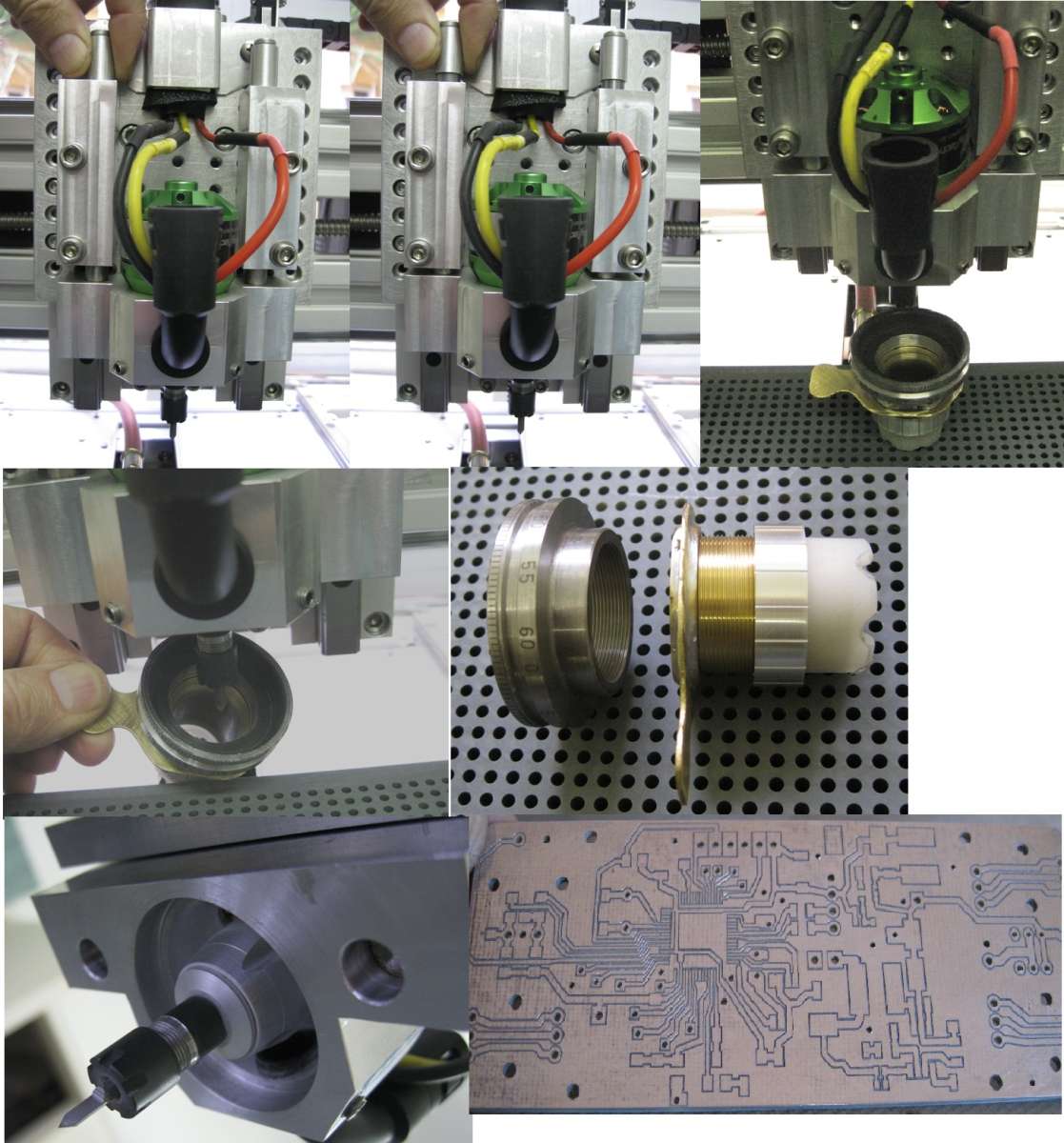
                                The engraver is a desktop size unit, sort of A4 sheet size bed, with an RC Brushless motor on the spindle – 24K RPM. A small collet chuck holds the engraving bit and drills.

                                The head floats on a teflon foot so no faffing around with leveling issues.

                                The pcb is held down on a vacuum bed.

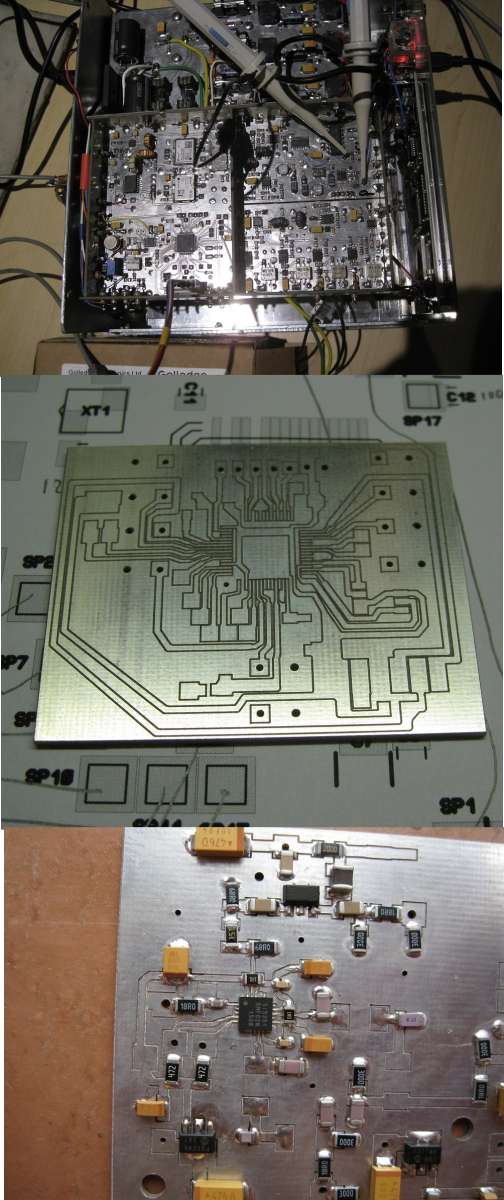
                                The op two images below show the head in down then up position.

                                The engraving tip protrudes below the floating foot by 30-40um, depending on the copper thickness. A vacuum cleaner connected to the black extraction pipe keeps the PCB free of debris so that the foot rides smoothly


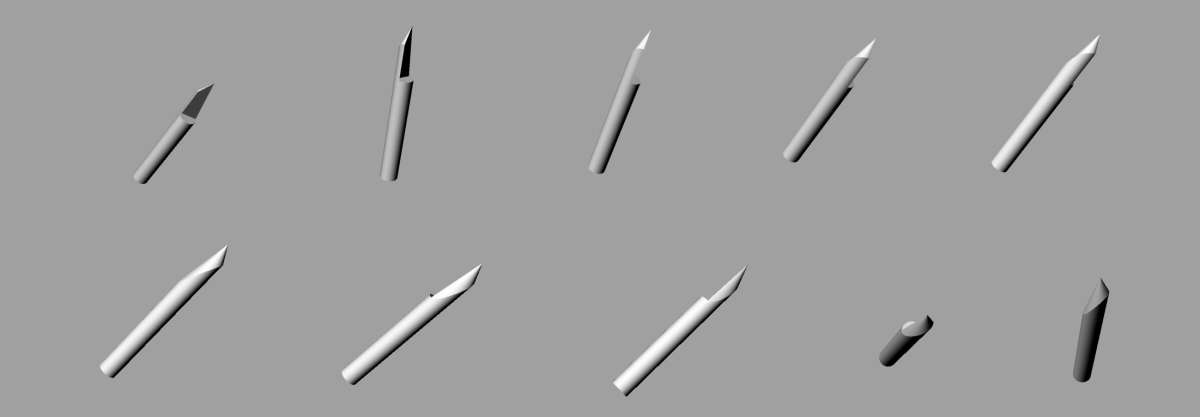
                                The key to clean, burr free fine lines is a really good cutter grind..

                                Engraver


                                Engraving cutter grind


                                #829411
                                umbriago
                                Participant
                                  @umbriago

                                  Thanks for the description, John.

                                  I’ve been making my own boards for many years now, using different methods – mainly driven by needing to keep the cost down. When I started, there was no fast return Chinese service, and I think I just kept on making them because I liked having them even faster!

                                  Early attempts were with etch-resist pen and transfers, then photo-sensitive board. I used to expose the boards to sunlight back then to develop – and it worked quite well, but I soon bought a UV light box, and a ‘bubbly’ heated developing tank.

                                  I got fed up with bright yellow stains on numerous shirts eventually, so I moved on to isolation milling, which I much prefer.

                                  Like everyone else (it seems), I tried the available software such as Eagle. Kicad, Fritzing, etc, but was never really happy with any of it. My biggest gripe is that none of these packages seem to have an ‘intuitive’ feel to me when using them. Another thing was packages being either still in development, or no longer being developed – perhaps I just tried at the wrong time.

                                  Currently I design my boards (mostly double-sided) using LibreCad Draw. This came about because I was doing many drawings using this tool: it is possible to export drawings as .SVG files, with a positional accuracy of 0.01 of a millimetre. In addition, Draw has multiple layers, which made it easy to design double-sided boards, complete with location of vias, further simplified by the use of colours.

                                  Of course, there is no auto-route as in most ‘proper’ design packages, but I can’t say that has ever caused me problems. I find it a simple job to design my circuit layout, then export the results as .SVG files – basically, it is simply a question of locating the components, so the vias are fixed, then drawing the appropriate connecting tracks as lines. Once this is done, then I draw the milling tracks between the connection lines. It needs some care to ensure the connections are correct, but I had as many problems with auto-routing which wouldn’t(!). This seems to work fine even using SMD components for me.

                                  Originally, I used Inkscape to convert the .SVG files to G-code, but eventually gave up on this, because it seemed to me to be too easy to make errors, so I decided to write my own application to generate the G-code.

                                  This I did, using Gambas3, compiled to a .Deb installation package for Linux. I decided I didn’t want to use separate files for track layouts, and another for holes: the vias are marked on the layouts, and produced as G-code commands at the end of the layout milling g-code files by my G-Code Generator. It has various other functions – e.g. set milling depth, drilling depth, traverse speeds and so on.

                                  I do appreciate that this seems like a lot of work, rather than using commercial products: I can only say it works for me – I can produce my board designs much more quickly than any of the commercial packages I have played with.

                                  Like John, I use UGS to drive my CNC mill – I played with Candle for a while, but it appears to be no longer supported. As John mentions, UGS has an auto-level function, which can be used to modify the input G-code to allow for bumps and twisted PCB board: With a high-speed conical D-bit, this allows very narrow isolating cuts. As someone noted, a sharp tool is also essential – I had some initial problems with milling too deep, resulting in either a broken tool tip, or, eventually, the tip was blunted by the glass-fiber board, but eventually solved those issues.

                                  Registration of a two sided board is by designating (at design) some holes for registration, then picking these up with the mill bit when the board is turned over.

                                  I fix the board down with white double-sided tape (Lidl), which seems to be very effective. I modified an air pump (intended for air-assist on a laser cutter) and attached it close to the cutter, so it sucked instead of blowing, and this is very effective at removing dust.

                                  Through-hole connection is achieved by using small hollow brass ‘eyelets’ in various sizes sold for the purpose on places like AliExpress. They are an improvement on small rivets or wire through connections, because it is possible to also insert a component lead through the hollow centre if required.

                                  As I said, this process works for me, and is reliable and inexpensive.


                                Viewing 15 posts - 1 through 15 (of 15 total)
                                • Please log in to reply to this topic. Registering is free and easy using the links on the menu at the top of this page.

                                Latest Replies

                                Viewing 25 topics - 1 through 25 (of 25 total)
                                Viewing 25 topics - 1 through 25 (of 25 total)

                                View full reply list.