Alibre Atom 3D Article and Training Course

Alibre Atom 3D Article and Training Course

Home Forums CAD – Technical drawing & design Alibre Atom 3D Article and Training Course

Viewing 25 posts - 1 through 25 (of 35 total)
  • Author
    Posts
  • #834721
    rf3design
    Participant
      @rf3design

      Hi Everyone,


      I am the author of the Alibre Atom 3D article in the February 2026 issue of MEW and I also created the online Alibre Atom 3D 101 training course. A few things I wanted to highlight for anyone who is wanting to try out the software and follow along with the article, or for anyone planning on purchasing the training course:


      The written guide in the article gives a summary of the process however it isn’t very detailed due to the limit on length. I have created a set of videos which are available free on You Tube that go through everything step by step: https://www.youtube.com/@RF3DESIGN


      Discount codes – there are two offers running for this one, firstly Alibre have provided an extended 6 month trial for Atom 3D. To access this please use the partner code MEW on first launch of the software (the trial version can be downloaded directly from Alibre).

      We are also offering a 50% discount on the Alibre Atom 3D 101 training course, the code for this is MEW2026 that is applied at the checkout – please make sure the balance is shown as £12.50 before completing the purchase otherwise you might get charged full price (if this happens let me know and I can issue a 50% refund).


      Accessing the Alibre Atom 3D 101 training course: If you have purchased the course and don’t receive an access email, please check your spam / junk folder (I have had a couple of reports that the email has been wrongly flagged as junk). The access email has the subject “Important: Your access to training” and is sent as soon as the payment goes through. It looks like there may be an issue with Yahoo email accounts blocking the access email, I have raised the issue with the hosting provider. I have been able to verify that Microsoft and Gmail email accounts are working.


      If anyone has any questions about the article or online training please reply to this thread,


      Thanks! Robert

      #834729
      JasonB
      Moderator
        @jasonb

        The 101 course that Robert mentions can be found here

        #834733
        John Manning 5
        Participant
          @johnmanning5

          Hi Robert

          Thanks for a very informative article. Unfortunately I can’t access the program as I am using an Apple machine. This fact is not mentioned in the article and there is no information about which operating sytems are supported on the main website.

          This is a pity because Alibre atom looks like just the thing that I can use. Again, many thanks for the article.

          John Manning

          #834737
          rf3design
          Participant
            @rf3design

            Hi John,


            That’s a good point, I am planning some follow up articles, I will make sure to include system requirements in the next one. The system requirements page is a bit hard to find on the Alibre website, here is the link: https://www.alibre.com/alibre-design-software-requirements/


            With regards to Apple, it is possible to run Alibre on Mac using Parallels (I have provided on site training to a business who use Alibre exclusively on Mac hardware in this way) although this isn’t officially supported by Alibre and there isn’t a native version. I’m not sure if this works with Apple silicon based Macs, or if it’s only feasible on older x86 based Macs. I don’t have access to a recent Mac machine to test this on unfortunately (if anyone has tried this let me know).

            If you need a CAD system that has native Mac support I suggest you have a look at Rhino – they have had a native Mac option for years now (https://www.rhino3d.com/).


            Thanks,


            Robert


            #834741
            Charles Lamont
            Participant
              @charleslamont71117

              As I understand it Rhino is a NURBS based surface modeler. A solid modeler (usually Parasolid or ACIS based) is more suitable for mechanical design. As Onshape runs in the browser it can be used on Windows and Mac (and has apps for IOS and Android). Documents are stored on their servers, so can be opened on any of these devices.

              #834752
              JasonB
              Moderator
                @jasonb

                But being cloud based a lot of people here will be put off of Onshape. You only need read the other CAD threads to see how many don’t want to use the cloud.

                There is also the question of how mechanical most hobby users need their CAD to be. I’ve seen model engines done with Rhino and if you are replicating some of the more shapely old iron castings it can handle those well. With many having 3D printers now the production of more organic 3D forms is easier than ever.

                There is a current thread on another forum where the person has decided to stop using Onshape as it can’t do what he wants for relatively simple engine parts.

                #834759
                David Jupp
                Participant
                  @davidjupp51506

                  Atom3D can run via parallels/Windows on newer (ARM) Macs.  As Rob mentioned, this is not officially supported by Alibre, which means limited assistance if you have problems getting the software to run.

                  Behind the scenes technology changes in the software are potentially making versions for non Windows OS less difficult to achieve.  Alibre will be reviewing the case for a native Mac version – any conclusion on that is some way off.

                  #834792
                  blowlamp
                  Participant
                    @blowlamp

                    There is also FreeCAD which will run on Windows, Apple and Linux.

                    I’m currently giving FreeCAD a go when I get the urge and although the Parametric way of working is nice for later changes, I find its logic and user interface very difficult to get along with. Constraints can also be difficult to master outside of very simple shapes.

                    For instance, if I want to Revolve a profile (rectangle) to make a simple washer, I can’t seem to find an intuitive way to define the axis of rotation outside of either using the origin or one of the lines of the rectangle itself. As a long-term MoI user and in contrast to this, in MoI the axis is defined by clicking on any two points I choose. So little Parametric help in MoI, but a much simpler workflow.

                    Moi runs on Windows or Mac OSX 10.8+


                    Martin.

                    #834795
                    Charles Lamont
                    Participant
                      @charleslamont71117
                      On JasonB Said:


                      There is a current thread on another forum where the person has decided to stop using Onshape as it can’t do what he wants for relatively simple engine parts.

                      On a PMed request you sent me a link to the thread in question on MEM. I think it would be more accurate to say that an absolute beginner very soon gave up on Onshape because he was not expecting to find that it needs time, effort, and frustration to get ones head round 3D modelling. He later tried other software with much the same result.

                      #834798
                      Tony Pratt 1
                      Participant
                        @tonypratt1
                        On Charles Lamont Said:
                        On JasonB Said:


                        There is a current thread on another forum where the person has decided to stop using Onshape as it can’t do what he wants for relatively simple engine parts.

                        On a PMed request you sent me a link to the thread in question on MEM. I think it would be more accurate to say that an absolute beginner very soon gave up on Onshape because he was not expecting to find that it needs time, effort, and frustration to get ones head round 3D modelling. He later tried other software with much the same result.

                        I have both Onshape & Fusion, tried them both and will be sticking with Onshape as it does most of what I require & seems easier to use, only my opinion.

                        Tony

                        #834804
                        JasonB
                        Moderator
                          @jasonb
                          On Charles Lamont Said:
                          On JasonB Said:


                          There is a current thread on another forum where the person has decided to stop using Onshape as it can’t do what he wants for relatively simple engine parts.

                          On a PMed request you sent me a link to the thread in question on MEM. I think it would be more accurate to say that an absolute beginner very soon gave up on Onshape because he was not expecting to find that it needs time, effort, and frustration to get ones head round 3D modelling. He later tried other software with much the same result.

                          Charles, I muddled the OPs use of Sketchup with Onshape as it was him I was thnking of not paulR

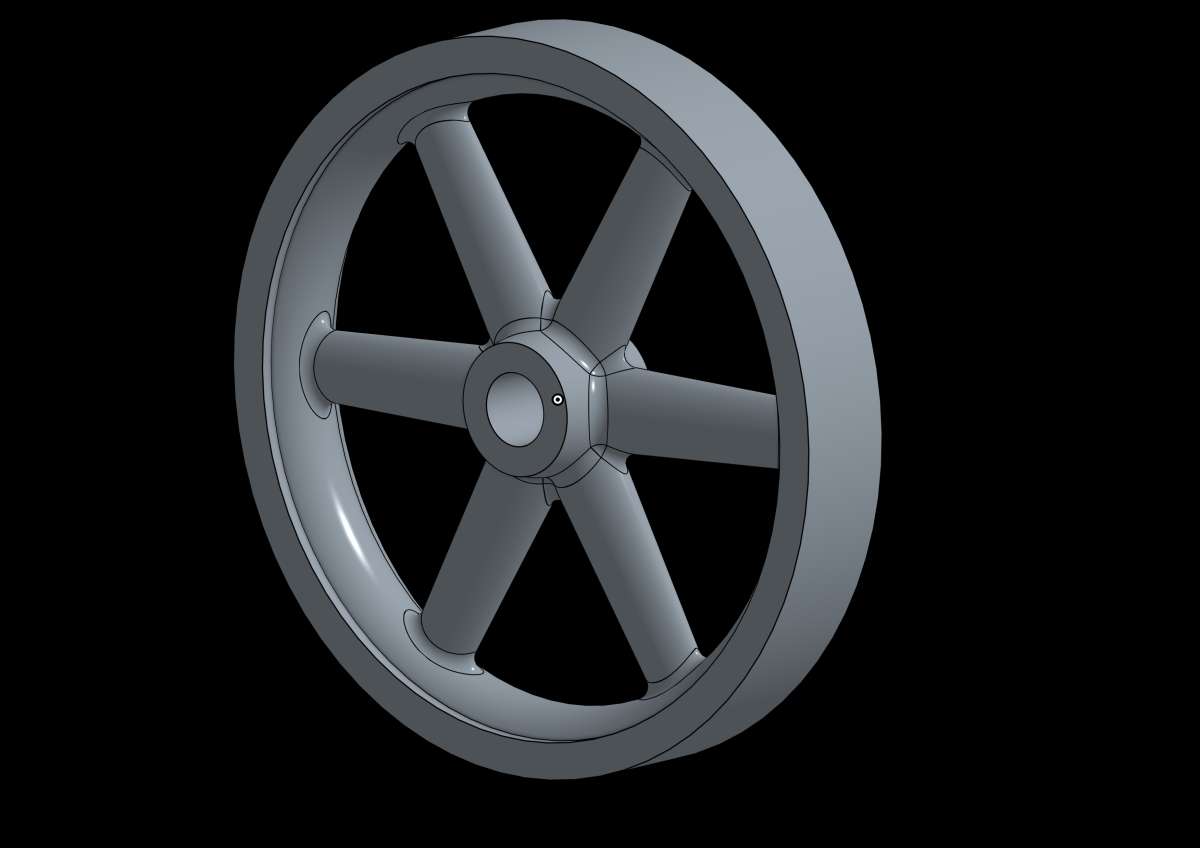
                          Having said that I’ve yet to see anyone else in that thread fillet using free CAD software fillet the spokes like my example, could Onshape do this

                          #834812
                          Roger Woollett
                          Participant
                            @rogerwoollett53105
                            On blowlamp Said:

                            There is also FreeCAD which will run on Windows, Apple and Linux.

                            I’m currently giving FreeCAD a go when I get the urge and although the Parametric way of working is nice for later changes, I find its logic and user interface very difficult to get along with. Constraints can also be difficult to master outside of very simple shapes.

                            For instance, if I want to Revolve a profile (rectangle) to make a simple washer, I can’t seem to find an intuitive way to define the axis of rotation outside of either using the origin or one of the lines of the rectangle itself. As a long-term MoI user and in contrast to this, in MoI the axis is defined by clicking on any two points I choose. So little Parametric help in MoI, but a much simpler workflow.

                            Moi runs on Windows or Mac OSX 10.8+


                            Martin.

                            One way to do this is to use a construction line as the axis.

                            Draw a rectangle

                            Draw a construction line where you want the axis

                            Close the sketch and choose Revolution

                            For Axis choose Construction line 1


                            #834816
                            Tony Pratt 1
                            Participant
                              @tonypratt1
                              On JasonB Said:
                              On Charles Lamont Said:
                              On JasonB Said:


                              There is a current thread on another forum where the person has decided to stop using Onshape as it can’t do what he wants for relatively simple engine parts.

                              On a PMed request you sent me a link to the thread in question on MEM. I think it would be more accurate to say that an absolute beginner very soon gave up on Onshape because he was not expecting to find that it needs time, effort, and frustration to get ones head round 3D modelling. He later tried other software with much the same result.

                              Charles, I muddled the OPs use of Sketchup with Onshape as it was him I was thnking of not paulR

                              Having said that I’ve yet to see anyone else in that thread fillet using free CAD software fillet the spokes like my example, could Onshape do this

                              All I can see is a load of posts, do I need to be a member to see the actual model referred too?

                              Tony

                              #834819
                              Bazyle
                              Participant
                                @bazyle

                                Unlike Fusion, Solidworks, Onshape, and a few others Alibre doesn’t do a free hobby level version. After you have put in the effort to learn it in the 6 month trial you will be hit with a £200 bill for the limited version the other give free. Despite its limitations FreeCAD is at least not going to give you any surprises.

                                #834825
                                JasonB
                                Moderator
                                  @jasonb

                                  Tony, you will need to register as a member of MEM to see any images or files posted as attachments.

                                  Bazyle, where is the surprise? It says the trial is for six months. Advert clearly says “pay once….get your free trial”

                                  Blowlamp, I was not too impressed with Freecad, it could only manage upto a 5 spoke pattern and then failed when I entered six spokes let alone trying to fillet the junctions which it could not do on the five spokes it did manage tp produce.

                                  #834833
                                  Charles Lamont
                                  Participant
                                    @charleslamont71117
                                    On JasonB Said:

                                    Charles, I muddled the OPs use of Sketchup with Onshape as it was him I was thnking of not paulR

                                    Having said that I’ve yet to see anyone else in that thread fillet using free CAD software fillet the spokes like my example, could Onshape do this

                                    Piece of cake. Two sketches (could have done it with one), one revolve for hub and rim, one extrude (with draft) for a spoke, one circular pattern for the set of spokes and joining all the bits into one, and (and this surprised me a bit) just one fillet operation to do them all.


                                    Flywheel fillets

                                    #834837
                                    JasonB
                                    Moderator
                                      @jasonb

                                      That looks upto the job.

                                      #834842
                                      John Manning 5
                                      Participant
                                        @johnmanning5

                                        looking at other CAD programs I have tried.

                                        Fusion is good but takes ages to load and the free version has limits on the number of drawings you can have.

                                        Turbocad Mac, I have a version of this but it has never worked well on my Mac.

                                        Alibre Atom3 looks good and seems to provide an easier working environment than others.

                                        Price wise they all come out about the same once you get to the purchase stage.

                                        as of Jan 26

                                        Alibre Atom3 is £199.00 and Parallels for mac is £49.49

                                        Turbocad MAC16 is £229.99

                                        You really need to know that CAD is for you. The learning curves are steep and the mental difference between normal 2D drawing and 3D CAD can be daunting. I have done the C&G course on Autocad some years ago so have some insite but I have only occasional need for drawings. Tht is where the problem is as I learn to use a package and then the next time everything has changed because of upgrades. This is one reason for looking at “Based on the home computer” programs.


                                        #834849
                                        SillyOldDuffer
                                        Moderator
                                          @sillyoldduffer
                                          On JasonB Said:

                                          …Blowlamp, I was not too impressed with Freecad, it could only manage upto a 5 spoke pattern and then failed when I entered six spokes let alone trying to fillet the junctions which it could not do on the five spokes it did manage tp produce.

                                          Learner driver!  FreeCAD does Polar Patterns OK, but as CAD software is all a bit different, it’s easy to crunch the gears when a driver familiar something else takes the wheel!  Though I regularly use FreeCAD and SolidEdge it always takes me a short time to adjust.

                                          My main problem with FreeCAD was poor support for Assemblies.  Recently upgraded, and the main joint types seem to be supported.  I haven’t had time to try it, and what I’ve read suggests it’s a basic release, with much more to come.  Might solve all my problems, meanwhile easier to stay loyal to SolidEdge.

                                          Curiously, blowlamp said “Constraints can also be difficult to master outside of very simple shapes.”  Not my experience, I find FreeCAD’s constraint’s delightfully straightforward!  Most likely Martin is used to something else, and hasn’t had time to suss FreeCAD out.

                                          Me too! I had severe trouble with OnShape, which is often recommended as beginner friendly.  Pretty sure because Onshape is different from what I’m used to.   Not Onshape’s fault, the issue is me! I don’t beat myself up, because unlearning old tricks is super-difficult to do.

                                          I’m dithering about the Alibre offer.   I dumped Fusion because I don’t like the cloud or the way the product can be changed on the fly by AutoCAD to encourage freeloaders to buy features.   SolidEdge (hobby version) is solid for 3 years, but Siemens might also change the deal.  In the event SolidEdge becomes untenable, my backup is Alibre, so the free 6 month offer is a glorious opportunity to learn and evaluate it!  Based on what I’ve seen of Alibre on the forum, Atom does most of what I need, and works the way I think it should.  Problem is me again: huge to do list, and no time to learn another CAD package…

                                          Time is probably the CAD beginners worst enemy because there’s so much to learn. Don’t be surprised by having to put some serious effort in!   Some lucky souls take to CAD like ducks to water, whilst others fail completely.   Most are in the middle.

                                          Dave


                                          #834861
                                          JasonB
                                          Moderator
                                            @jasonb
                                            On SillyOldDuffer Said:
                                            Learner driver!  FreeCAD does Polar Patterns OK

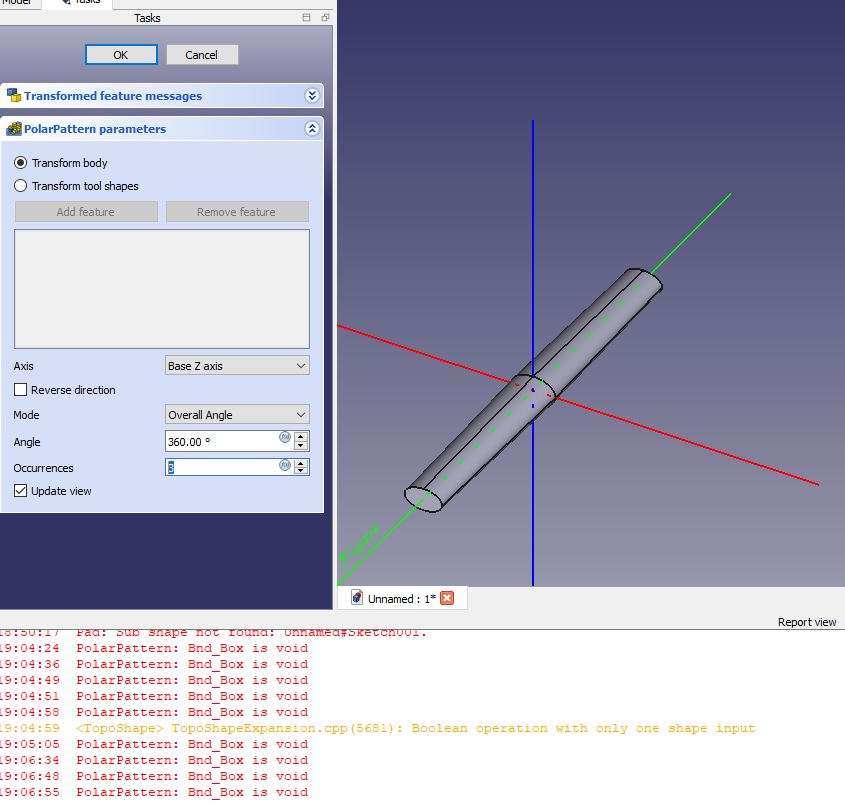
                                            Not for me. I can quite happily get it to form a pattern of six spokes when they are simple circular section with no taper. Even does it with elliptical spokes with no taper

                                            But as I’m a bit of an advanced motorist I like elliptical section spokes with some taper. If I use EXACTLY the same methods as for the plain round spokes Freecad falls flat on its face after a few spokes. As I said it happily formed the default pattern of 2 that comes up then clicking the up arrow I can get 3, 4 and 5 spokes but then it fails to do six. Tried another combination of ellipse profile and taper and that could only manage 3 spokes before the error messages came up. Omit the taper and it manages to do six spokes.


                                            If you want to try it the base of the spoke at the ctr of the flywheel is 7mm x 4.6mm, extruded 30mm and has -3 deg taper. Though with this size spoke it can only manage a pattern of 2 and can’t manage the -3deg either so had to try with less taper!

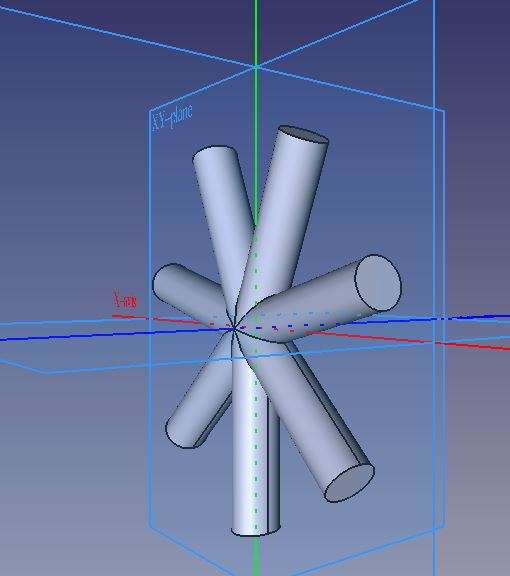
                                            Plain round

                                            spoke 1

                                            Elliptical

                                            spoke 2

                                            Attempts at tapered ellipse with all the failures

                                            spoke 3


                                            #834865
                                            blowlamp
                                            Participant
                                              @blowlamp

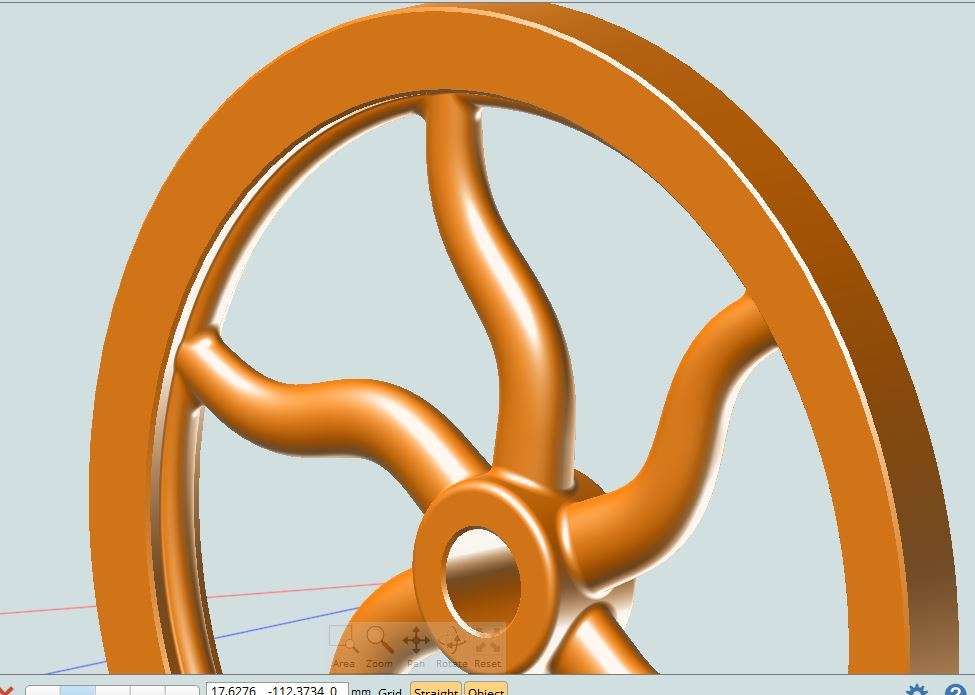
                                              I managet to get MoI to construct a flywheel with six curvy elliptical spokes, complete with fillets and blends.

                                              Capture

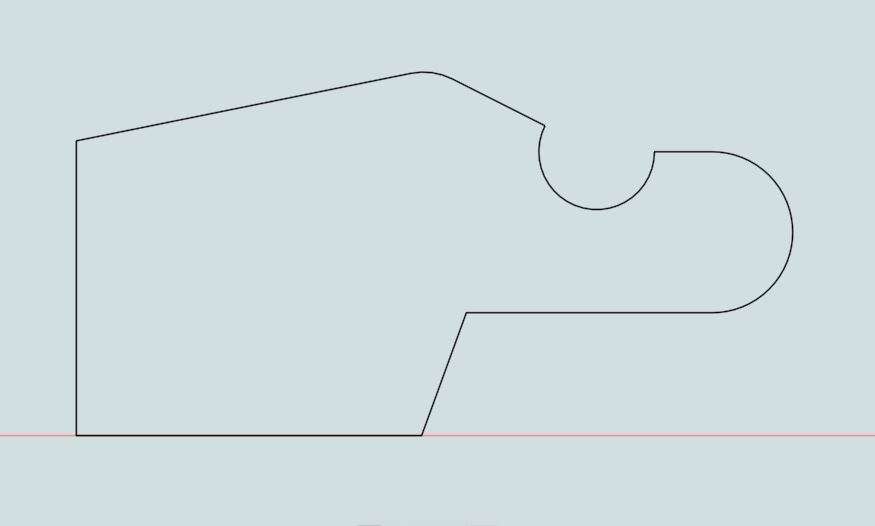
                                              I wouldn’t know where to start with that in FreeCAD yet, although I will persevere. It’s the number of error messages and convoluted procedures that just seem to constantly get in the way of getting something drawn.

                                              With regard to the constraints in FreeCAD, I think I sketched something like this:

                                              Capture

                                              and by the time I’d had enough of moving parts of it around to find the errors, it eventually turned out to be over-constrained. This was all with ‘Auto-Constraints’ switched on.

                                              On the other hand, I downloaded the ‘Fastener’ extension and was blown away by how complete it was. I even managed to select a screw, set the size and length and have it correctly orientated into a counterbored hole in a simple solid with only a click or two – fantastic!

                                              Martin.

                                              #835039
                                              Roger Woollett
                                              Participant
                                                @rogerwoollett53105
                                                On JasonB Said:
                                                On SillyOldDuffer Said:
                                                Learner driver!  FreeCAD does Polar Patterns OK

                                                Not for me. I can quite happily get it to form a pattern of six spokes when they are simple circular section with no taper. Even does it with elliptical spokes with no taper

                                                But as I’m a bit of an advanced motorist I like elliptical section spokes with some taper. If I use EXACTLY the same methods as for the plain round spokes Freecad falls flat on its face after a few spokes. As I said it happily formed the default pattern of 2 that comes up then clicking the up arrow I can get 3, 4 and 5 spokes but then it fails to do six. Tried another combination of ellipse profile and taper and that could only manage 3 spokes before the error messages came up. Omit the taper and it manages to do six spokes.


                                                It seems FreeCAD has a problem with polar pattern if the “spokes” are tapered and there are more than so any. I have raised this as an issue and they are working on it. Hopefully it will be fixed in 1.1 which is not too far off.


                                                #835044
                                                JasonB
                                                Moderator
                                                  @jasonb

                                                  Thanks for that Roger, good to know I’m not a learner driver but maybe Dave has not traveled far himself just sticking to simple journeys.

                                                  #835085
                                                  Roger Woollett
                                                  Participant
                                                    @rogerwoollett53105

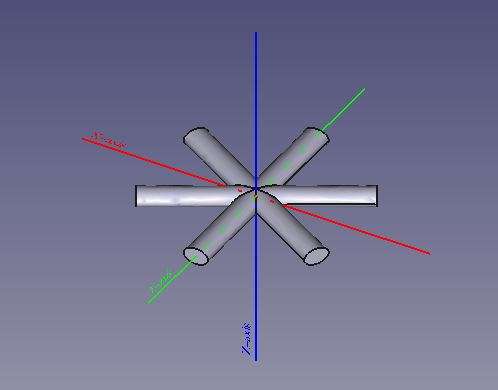
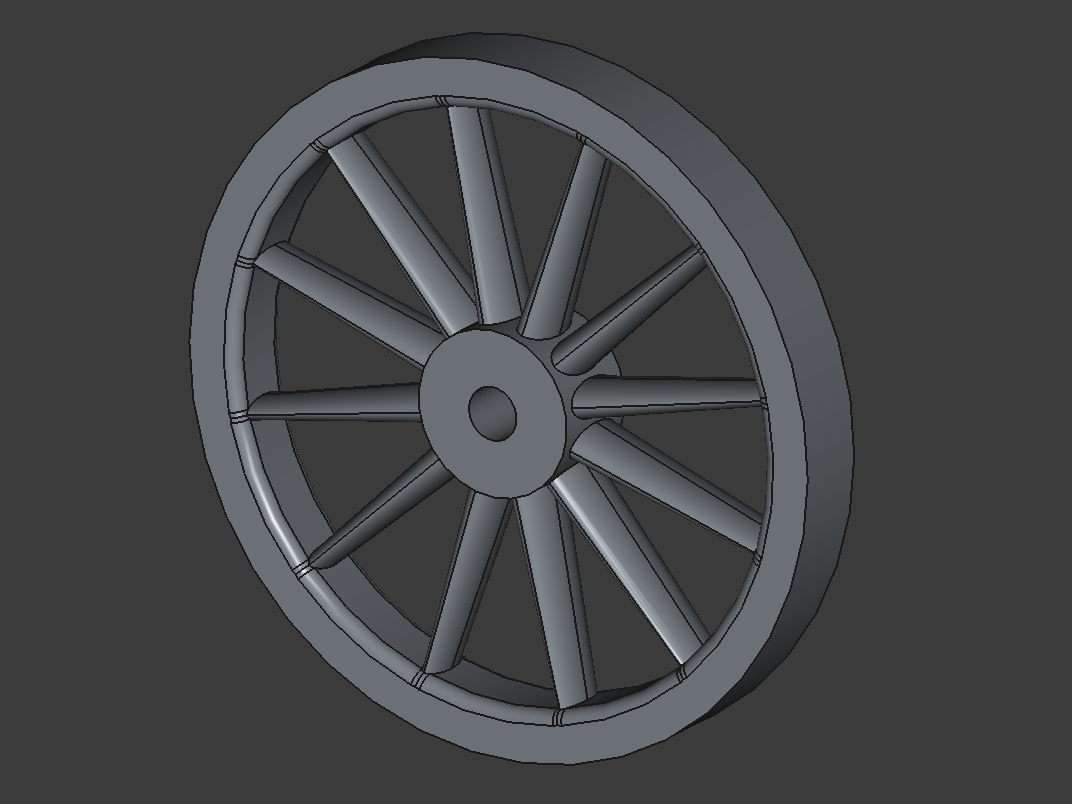
                                                    It can be done.

                                                    The trick is to

                                                    Create the hub (xy plane)

                                                    Create a spoke (yz plane)

                                                    Shift the spoke sketch attachment position along the z axis

                                                    Polar pattern the spoke

                                                    Draw the rim (xy plane)

                                                    Flywheel

                                                    #835120
                                                    Julie Ann
                                                    Participant
                                                      @julieann

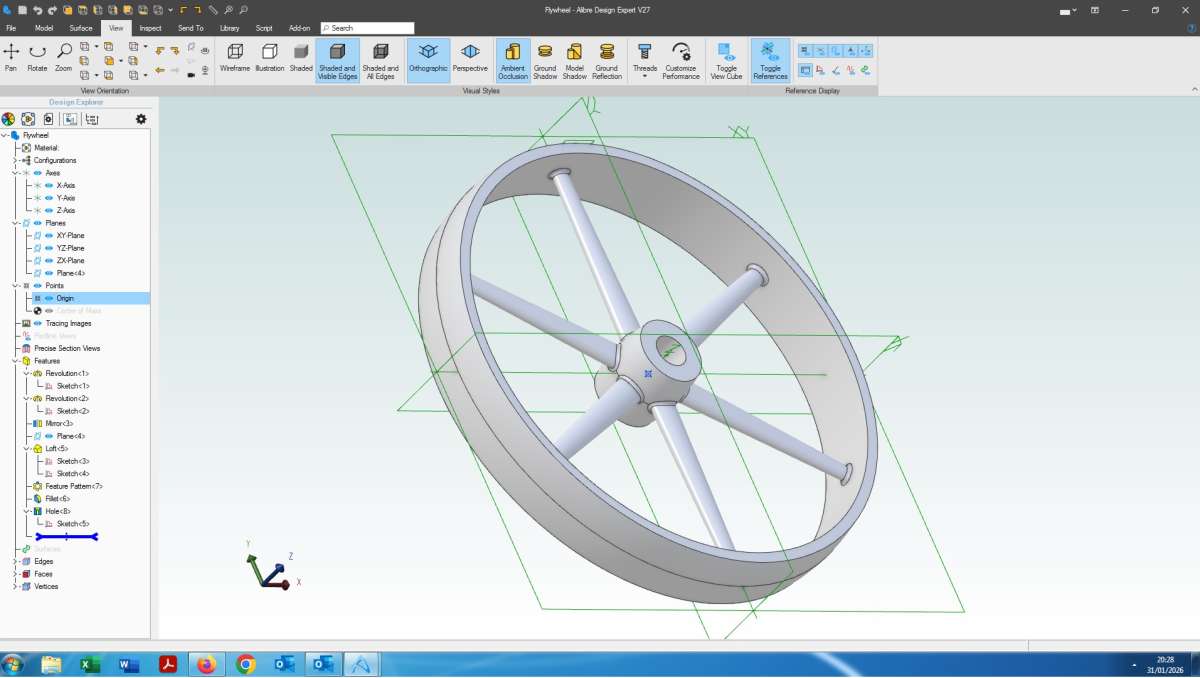
                                                      This took about 10 minutes:

                                                      Flywheel Screen Shot

                                                      Flywheel has elliptical spokes, crowning on the rim and a tapered boss.

                                                      There are quite a few features in the column on the left. I am a firm believer in the KISS principle. Generally one sketch or operation per feature on the part. Complicated sketches can lead to disaster when trying to make changes as there can be unforseen dependencies and constraints. I make good use of mirroring and patterns as it makes sketches simpler and removes duplication.

                                                      Julie

                                                    Viewing 25 posts - 1 through 25 (of 35 total)
                                                    • The topic ‘Alibre Atom 3D Article and Training Course’ is closed to new replies.

                                                    Latest Replies

                                                    Viewing 25 topics - 1 through 25 (of 25 total)
                                                    Viewing 25 topics - 1 through 25 (of 25 total)

                                                    View full reply list.