Alibre Model / View-Cube Orientation

Alibre Model / View-Cube Orientation

Home Forums CAD – Technical drawing & design Alibre Model / View-Cube Orientation

Viewing 25 posts - 1 through 25 (of 47 total)
  • Author
    Posts
  • #828422
    Nigel Graham 2
    Participant
      @nigelgraham2

      Is there any way I can predict where things are going to face, and for the view-cube to agree with the model, please?

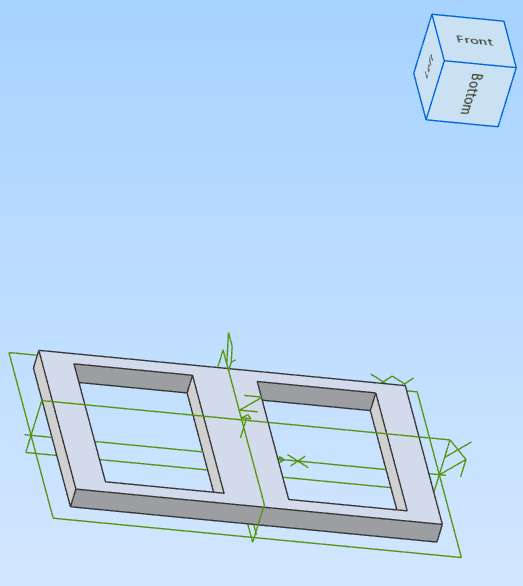
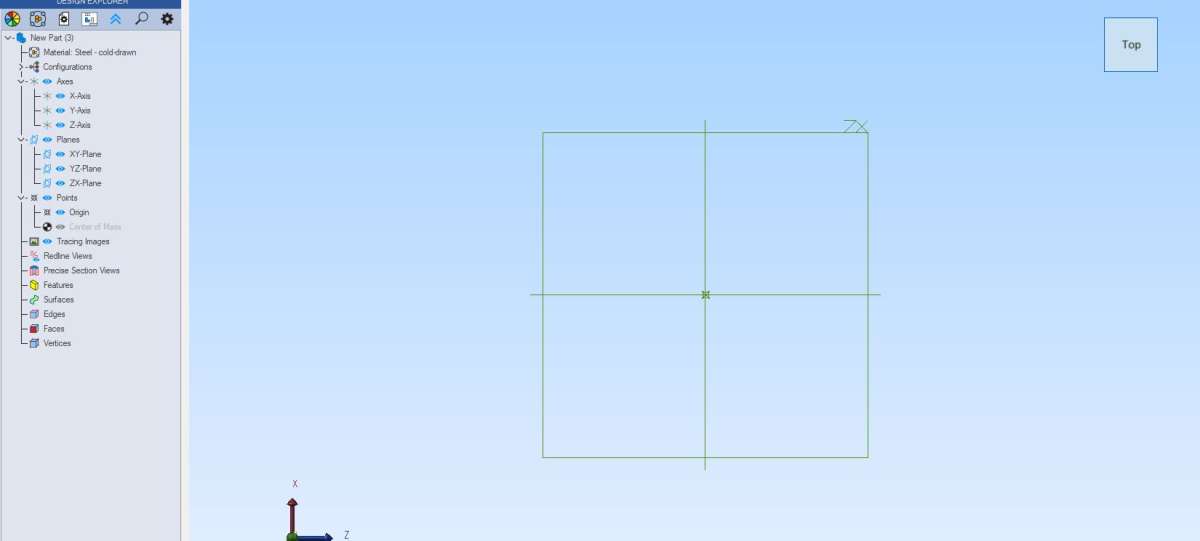
      I had to re-draw this plate from scratch because the first attempt was totally away from the default XY, Xz and XY planes, was on its side, the view-cube bore no relation to sense;  and it all prevented any attempt to build on it. It’s not quite finished: it needs some other features adding.

      I need everything symmetrical and consistent with all three main planes, the right way up and all views indicated logically if I am to have any chance of assembling other bits to it!

      Those have to be symmetrical with the plate by the ends or the sides as appropriate, and might need redrawing too if they confuse things by importing all sorts of XYZ planes not matching the primary ones.

      I managed to make the new plate the right way up and sitting on the XY plane, the vertical plane along the centre and Z pointing upwards, but the view-cube is wrong so is very confusing. The manual tells how you use it but not as far as I can see, how to set it to the drawing.

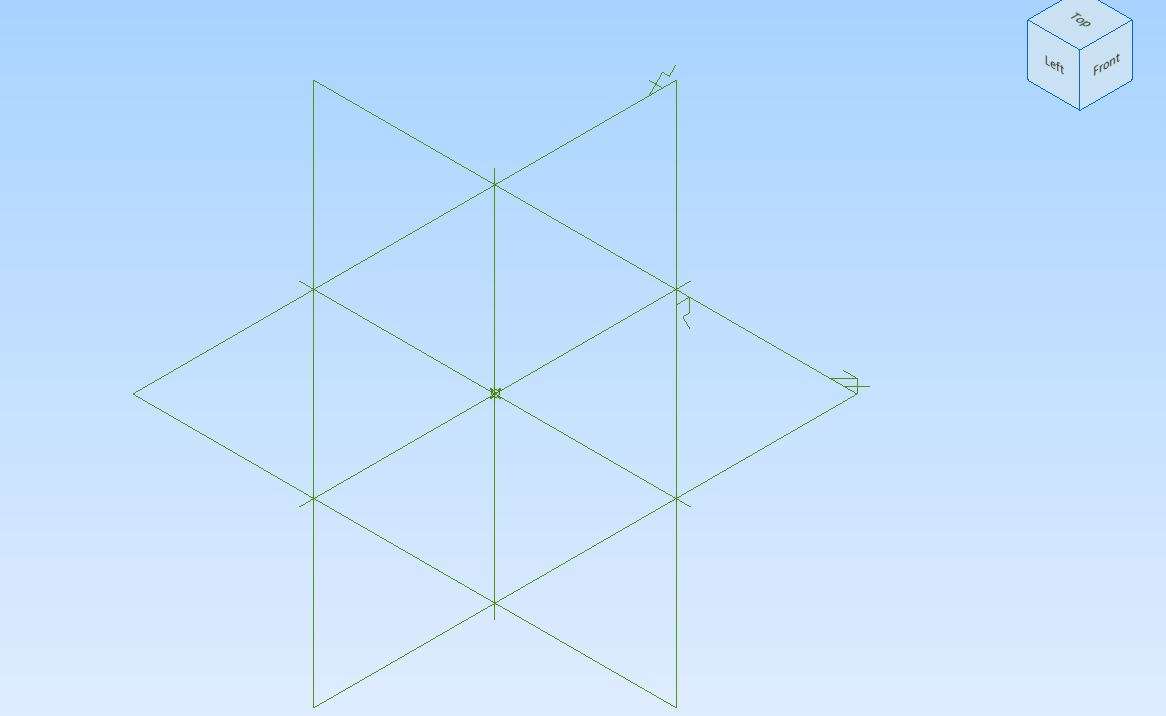
      In this image we are looking down on the top of the plate with its front and left faces visible, but the view-cube calls the intended top, the front. In other words the cube’s left side is correct but the cube is tipped backwards by 90º, and should show Top and Front.

      I could just turn the thing off but there may be times when I need it to help me, and it won’t if the wrong way up!

      So how can I make all three sets of information consistent, please?

      Screenshot 2025-12-11 202302

      #828423
      JasonB
      Moderator
        @jasonb

        Maybe David can help but the XY plane in alibre is more like a graph on a piece of paper where X goes along the bottom and Y up the side.

        This does not match what a machinest tends to think of a X & Y which are the the two horizontal axis of a mill.

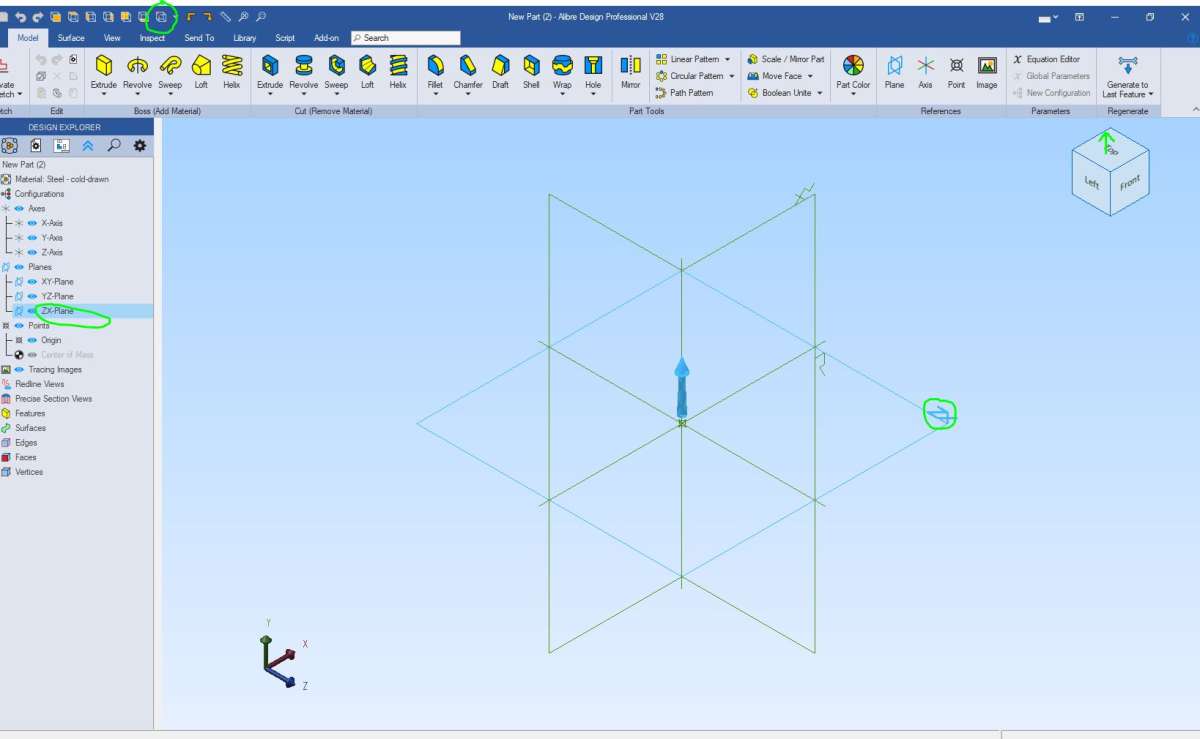
        So basically if you plate is intended to lay flat you should draw it on the ZX plane.

        Your Icons are laid out different to mine but when you open a new part click the “isometric view” icon top left. Then if you want to draw looking from above click the ZX plane either down the right sid eor the lines on the screen and then activate 2D sketch.

        view

        #828424
        Michael Gilligan
        Participant
          @michaelgilligan61133

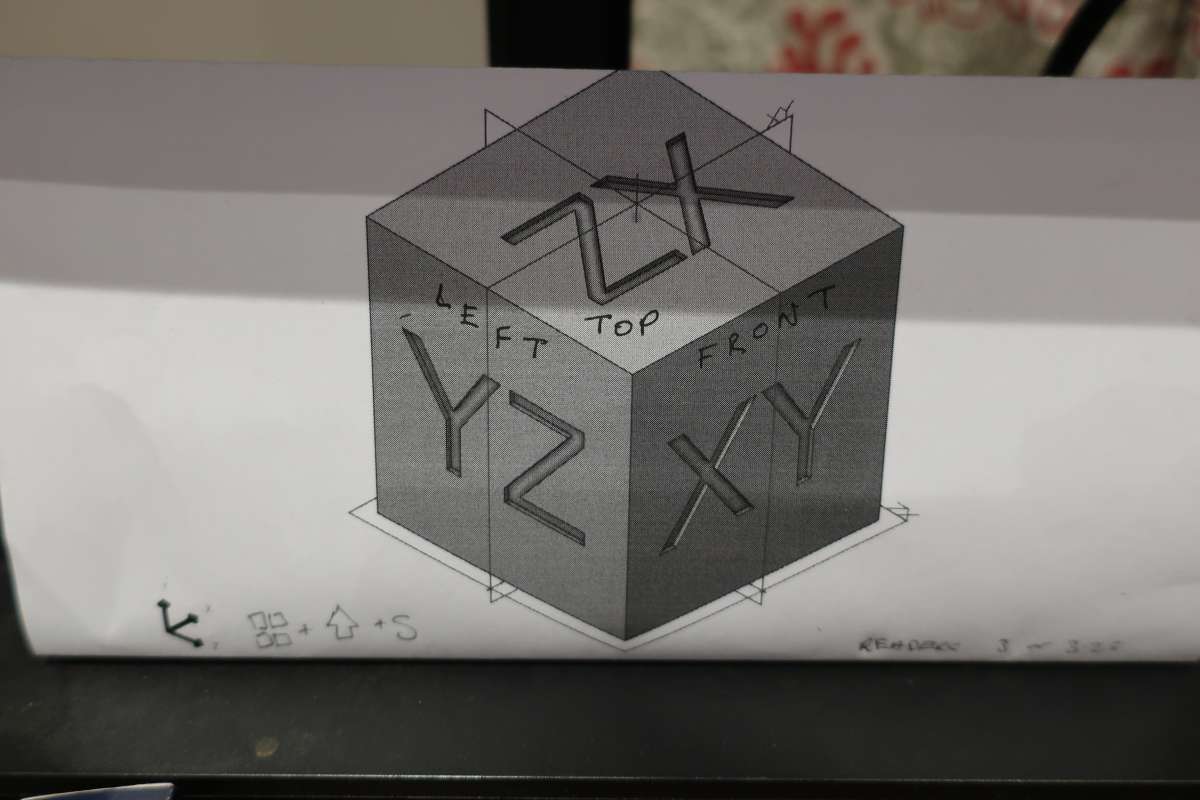
          I note with interest and bewilderment that this page from Alibre’s Help makes no reference to the related Axes

          https://help.alibre.com/articles/#!alibre-help-v27/view-cube


          Jason’s illustration, however, makes it clear that Alibre’s allocation of the axes is ‘novel’

          .

          IMG_1297

          .

          No wonder Nigel is struggling !

          MichaelG.

          #828432
          Wade Beatty
          Participant
            @wadebeatty78296

            Standard layout, carried over from the 2d generation, like me

            I think that if you dig deep enough you can define your own plane orientation, beware however, there’s dragons down there

            #828433
            Nigel Graham 2
            Participant
              @nigelgraham2

              A sequel….

              I struggled on, added the remaining details then tried assembling the thing.

              It is the baseplate for my 2-cyl steam wagon engine, having realised an enclosed vertical engine has to be like a car-engine with the crankshaft below that plate. I’d not be able to assemble its original form physically, with the shaft above the baseplate, even if I could produce an award-winning 3D CAD model of it. CAD is wonderful for helping you design things impossible either to make or to work!


              It went vaguely well at first.

              I planted the three main bearings’ pairs of studs easily. The journals (in simplified form) went on with some arguing, and I added their bushes. “Fitted” the crankshaft – it even seemed to rotate without pulling through the journal walls, to my surprise, but showed the baseplate needed altering. Well, I could see that with the two real components!

              Completed that modification, then that was it.

              I tried to add one pair of eccentrics. They refused to co-operate and the constant battle ended predictably with the whole thing falling apart.

              Three or four hours to assemble barely fourteen parts… now deleted. Keeping useless data files only creates confusion and harder searching.


              Otherwise all I had achieved was redesigning the plate to accommodate the new suspended-crankshaft arrangement.

              Though I also spotted a previous sub-assembly with a strange misfit between its only two components. A dimension mistake, inevitable when having to draw a mechanism from its parts before seeing if they can actually fit together.


              At least redrawing the plate from scratch meant it was the right way up and symmetrical with axes pointing the right way, despite the view indicators being upside down. I assume there is a subtle trick to making all the parts and assembly orientations, planes, axes and view indicators all correct, logical and coherent, but I don’t know what it is.

              It seems two areas of Alibre Atom too difficult for me are orientation and plane manipulations, and assembly constraints.


              #828436
              Diogenes
              Participant
                @diogenes

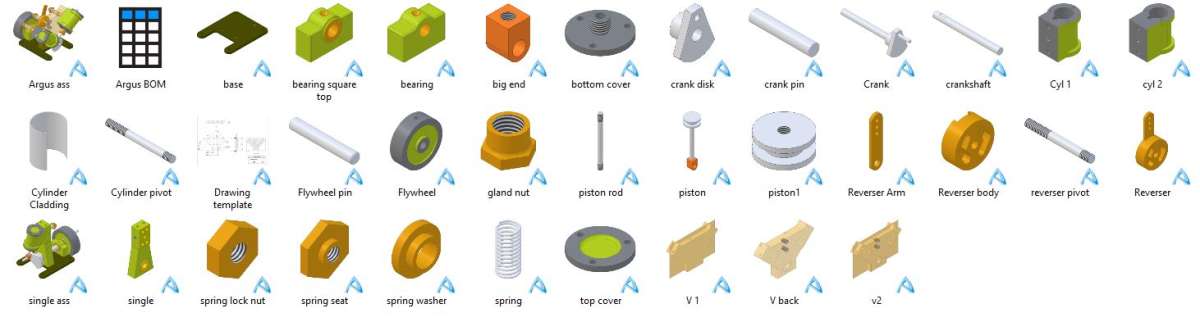
                ..one of the first things I ‘made’ was this cube to help orientate myself.

                IMG_2816

                #828441
                Diogenes
                Participant
                  @diogenes

                  What was the fault with the eccentrics?

                  #828442
                  JasonB
                  Moderator
                    @jasonb

                    “Plane manipulation” is really part of the assembly process using constraints.

                    If you had that plate as your first part in a new assembly you would just constrain say it’s bottom face to the ZX (horizontal plane) on the assembly screen and then build up the engine from there.

                    As I have said several times before it does help to make thing seasier to assemble if a part is drawn the right way up visually to start with but is not the end of the world if it is not. I don’t tend to use the cube that much, maybe as it was not originally a feature of Alibre so I managed without it for  along time.

                    Another way that may help you when starting a new part would be to first move the cube about to the face you want, in this case pull th ecube until you can see “top” and then click towards the middle of that face of the cube. You will see the area around the word top turn dark blue when the mouse is in the right area and click that.

                    You will now have the correct plane showing on the main screen so click that to turn it from green to blue and then upto the top left and click “activate 2D sketch”

                    For the umptenth time don’t delete send the bundle to David, if nobody can see what you are doing wrong they can only partly help.

                    #828446
                    David Jupp
                    Participant
                      @davidjupp51506

                      All orientation of planes/axes in CAD is arbitrary.  So is designation of front/top.

                      There are 2 common ways of arranging the right handed set of axes in 3D CAD.  Neither is ‘right’ nor ‘wrong’ – they are just different.  If you try to tell me the axes should agree with your mill, I’ll just point you to your lathe, or a horizontal borer to highlight the contradiction.

                      Arrangement 1 – think of the computer screen as replacing a piece of paper on your desk X & Y follow edges of paper, +Z is out of the screen towards you. (used in Alibre, and in AutoCAD)

                      Arrangement 2 – think of the screen as a window looking out into the garden.  +Z is up left hand side of screen, X along the bottom, Y is in/out of the screen.

                      When assembling things in real life – you pick up a part and re-orient it until it makes sense in the assembly, the orientation it was modelled in doesn’t really matter.  Nuts and bolts often end up at all kinds of orientations, so top/front etc. makes little sense.

                      Whilst I sometimes try to be consistent in how parts I model are orientated, I usually don’t worry about that.  I simply model each part in a convenient orientation, knowing that I can re-arrange when I assemble the parts together (as you do in real life).

                      The direction of ‘up’ varies depending on your location on the planet – but that doesn’t prevent us sharing engineering drawings between continents.


                      I’ve tired of suggesting that Nigel sends me a Package of his assembly when he gets stuck – he seems happy to spends hours struggling and posting about the struggles, but isn’t keen to get help.

                      Learning 3D CAD can take a while – it takes even longer if help is refused.

                      #828454
                      JasonB
                      Moderator
                        @jasonb
                        On David Jupp Said:


                        Whilst I sometimes try to be consistent in how parts I model are orientated, I usually don’t worry about that.  I simply model each part in a convenient orientation, knowing that I can re-arrange when I assemble the parts together (as you do in real life).

                        This is where Nigel has the problem, he has difficulty re-arranging the parts in the assembly so it would help him to have them the “right” way up to start with.


                        The answer should be that Alibre is like a professional draftsman standing at a near vertical dawing board with drafting head, other CAD which has XY flat is like a child using a crayon on a flat bit of paper🤣🤣🤣🤣🤣🤣

                        #828459
                        David Jupp
                        Participant
                          @davidjupp51506

                          Perhaps Nigel should use only the View Cube as an indicator of orientation – he’d still need to decide which plane to start his sketch on (just not worry about what the plane is called).

                          #828463
                          Alan Wood 4
                          Participant
                            @alanwood4

                            From a manufacturing point of view (metal or 3D printing) it is usual to have Z as ‘up’.   Models not made to this convention can easily be adapted in the setup in the CAM software or the slicer.

                            Fusion has a configuration tick box to always make Z as ‘up’ when opening a new drawing so it conforms with the Cartesian coordinate system, Z is blue (Up), green is Y (front to back) and X is red (left to right).  Alibre might have something similar.

                            My aid to remembering this is blue is up towards the sky, green is looking out in front at pastures new and red is don’t step off the pavement before looking left and right …. how sad.  When a new drawing is started you see an infill ghost plane on each of these so you can click as needed.

                            #828464
                            JasonB
                            Moderator
                              @jasonb

                              Perhaps Nigel should use only the View Cube as an indicator of orientation – he’d still need to decide which plane to start his sketch on (just not worry about what the plane is called).


                              Yes, that was my thinking in the post at 7.09 today, just click what side or top he wants to start drawing on and Alibre will present him with the correct plane.

                              #828466
                              JasonB
                              Moderator
                                @jasonb
                                On Alan Wood 4 Said:

                                From a manufacturing point of view (metal or 3D printing) it is usual to have Z as ‘up’.   Models not made to this convention can easily be adapted in the setup in the CAM software or the slicer.

                                But round parts being made on a lathe have Z horizontal through the lathe axis. So you don’t want to be drawing a cylinder stood on it’s end you want it laying on it’s side.

                                #828468
                                David Jupp
                                Participant
                                  @davidjupp51506

                                  Re the eccentrics ; SUB-ASSEMBLIES may well help.

                                  Insert crankshaft and eccentrics into an assembly.

                                  Fix position of crankshaft. (constraints or Anchor)

                                  Constrain eccentrics to the crankshaft.  Save the assembly.

                                  That sub-assembly can now be inserted into the Engine assembly, and constrained.

                                  If the eccentric are fixed on the crankshaft, the sub-assembly can work like a single part (no need to enable the ‘make flexible’ option).


                                  #828472
                                  duncan webster 1
                                  Participant
                                    @duncanwebster1

                                    In context of a machine tool, Z is usually along the axis of the rotating spindle, so on a lathe it is towards the chuck, on a vertical mill it is vertical. Never tried to drive a horizontal borer, so wouldn’t know.

                                    #828477
                                    Julie Ann
                                    Participant
                                      @julieann

                                      I’ve never really worried about orientation in Alibre, except when a part will be CNC machined.

                                      For most parts the orientation doesn’t matter. When used in an assembly one is using contraints on axes, planes or features. Whether they are in X, Y or Z is irrelevant.

                                      For parts that are to be CNC machined I like to get X, Y and Z aligned to those of the CNC mill. It’s not strictly necessary but helps when importing to my CAM program. The orientation command in my CAM program is quirky to say the least; after 15 years I still don’t fully get it.

                                      Julie

                                      #828482
                                      blowlamp
                                      Participant
                                        @blowlamp

                                        As far as I am aware in CNC, the spindle axis of rotation is pretty much always what defines the Z axis, hence the seeming oddness of lathe axis designations.


                                        Martin.

                                        #828485
                                        JasonB
                                        Moderator
                                          @jasonb

                                          Luckily when I import the Alibre parts into F360 for CAM it is very easy to do the “set-up” which orients the part, sets your datum point and also the stock shape and orientation.

                                          I quite often have to come at a part from more than one side so that is also easy just needing a second setup with the face or axis you want vertical selected. Don’t know which way Up you would draw an item that will be manufactred with Z in 5 different positions as per that crankcase in the Cto C article in the current mag.

                                          I mostly try and get parts in Alibre so they look the right way up when viewing the list of files as icons with the added bonus that assembly becomes a bit simpler. Looking at the files for the Kelsey I have just been describing they all look about right with a couple that are rotated

                                          parts

                                          If you were to take that Y shaped frame, it’s a bit like David’s mention of nuts. It was positioned twice in the lathe so that is 2 Z directions and 7 different areas facing “up” on the mill giving nine in total so hard to say that a part should be drawn with the way it will be machined as the correct way up. If you then took into account that several of those milling ops were mirrored by rotating the part 180deg then the permutations become even greater.


                                          #828497
                                          Nigel Graham 2
                                          Participant
                                            @nigelgraham2

                                            Thankyou.

                                            I have been familiar with the concepts of (x, y, z) co-ordinates for ages…

                                            This how I see them:

                                            When introduced in Maths at school I found them easy (unlike most mathematics). I enjoyed walking in the countryside, navigating by Ordnance Survey map, so saw the algebraic trio as just a pared-down version of NGR and altitude (E, N, Height).

                                            The latter half of my working life involved umpteen two-dimensional graphs on computer screens and paper: the (x, y) orientation is clear irrespective of physical viewing.

                                            With 3D CAD, I see the same relationship. My screen is nearly vertical so (x) is along and (y) is “up” the screen but still “across” the diagram, and though (x) climbs outwards horizontally it still feels (up). As if the screen was flat on the desk. I can readily cope with that, just as I can readily cope with (along, across, up/down) on my milling-machine, which is more logical because the table is physically horizontal. The DRO calls them (x, y, z) but allows setting the value-rising direction – I leave it on the default setting and if appropriate, ignore the minus sign.


                                            Even rotations do not affect this comprehension.

                                            A rotary-table in “flat” mode is on a horizontal plane: (0, y,  ⍬) or (x, 0  ⍬) by which axis is for the radius.

                                            A dividing-head facing along the table gives angles on a vertical plane of (x, 0,) aligment where 0 is the axis and (x) is length along the workpiece.

                                            The contact with the tool edge is always somewhere (x, y, z). The dividing-head’s apparent (⍬) extra simply brings a new metal surface to the same three orthogonal starting co-ordinates.


                                            Jason –

                                            I do not use (X, Y, Z) in turning. I use along and across (I think “surfacing” and facing” to be posh). Even if making a column that will stand upright. I might draw it vertical and of height (z) but treat it as a simply an individual, cylindrical bar for making it.

                                            I use the co-ordinates for milling, and have fitted a 3-axis DRO to my mill.

                                            Your previous assessment is right: I want a coherent layout on the screen. Though I don’t know what your strange aside about professional draughting and a child with crayons is about. A drawing-board is used at a convenient angle but the three orthographic planes are still assumed conventionally and related to the paper’s 2D surface. I set my board, before I took it to bits, nearly vertically but (y) was still “across” the plan even though physically upwards.


                                            So all very logical and simple.

                                            The difficulty I have with this in Alibre Atom’s 3D CAD comes if I try to assemble anything.

                                            I know which way up any Part and Assembly should be; but find it very hard to start drawing a part so its real “up/down” axis and the “cobbler’s-last” axis-pointer match and are the right way round: (x) rising along the screen, (y) into it so away from me, (z) upwards. No matter the screen’s physical angle w.r.t the table.

                                            Then in an Assembly I want both this relationship and the isometric indicators to match. If it’s a complicated part or assembly with no obvious “top front”, I can be lost after it has performed a few wild gyrations.

                                            I have yet to see any part come to an assembly all the right way round. I can rotate them, yes, roughly, by that Free Rotation tool; but that is not always easy and adds confusion and frustration especially when the part brings its own, different construction-planes.


                                            For a more complicated assembly the more unreal and un-matched everything is, the harder it is.

                                            By “complicated”, I mean more than perhaps five or six different parts; though perhaps with some repeated, like journals on a shaft, or their mounting-bolts.

                                            More complicated still if two or more parts are meant to move in specific ways because I cannot work out the correct combinations of constraints.

                                            ….

                                             David –

                                            Thankyou. I’ll try that (sub-assemblies). An assembly like an engine is very cluttered, I am often unsure which areas or edges to use, and it can be hard to find and highlight them among the clutter.

                                            …..

                                            Alan –

                                            I don’t use Fusion but Alibre has equivalent triple-arrow axis pointers and plane-rectangles. Its plane choice system is by a menu as the base for starting the sketch. My difficulty is predicting the correct plane for the specific part drawing, so assembling the parts can be very awkward and confusing.


                                            TurboCAD Deluxe is totally different – and even more difficult for 3D models although fairly easy in 2D-only.

                                            This is why I have largely turned to using Alibre for any but major assembly drawings, and those in 2D.

                                            TC cannot build 3D Assemblies from individual Part models. Instead you develop the parts directly on the assembly, based on “workplanes” you place on the appropriate facets of the model. “Blocks” or “Groups” (I don’t know which) allows repeating parts across the drawing, but that drawing only.

                                            It does though have (x), (y), (z) linear, and angle rotation, controls for moving objects by discrete measurements; and a set of isometric and elevation selectors.

                                            To help re-orientating a revolved 3D view with no obvious off-set features I would add a little marker sphere to the initial nearest corner.


                                            #828501
                                            blowlamp
                                            Participant
                                              @blowlamp
                                              On JasonB Said:
                                              On David Jupp Said:


                                              Whilst I sometimes try to be consistent in how parts I model are orientated, I usually don’t worry about that.  I simply model each part in a convenient orientation, knowing that I can re-arrange when I assemble the parts together (as you do in real life).

                                              This is where Nigel has the problem, he has difficulty re-arranging the parts in the assembly so it would help him to have them the “right” way up to start with.


                                              The answer should be that Alibre is like a professional draftsman standing at a near vertical dawing board with drafting head, other CAD which has XY flat is like a child using a crayon on a flat bit of paper🤣🤣🤣🤣🤣🤣


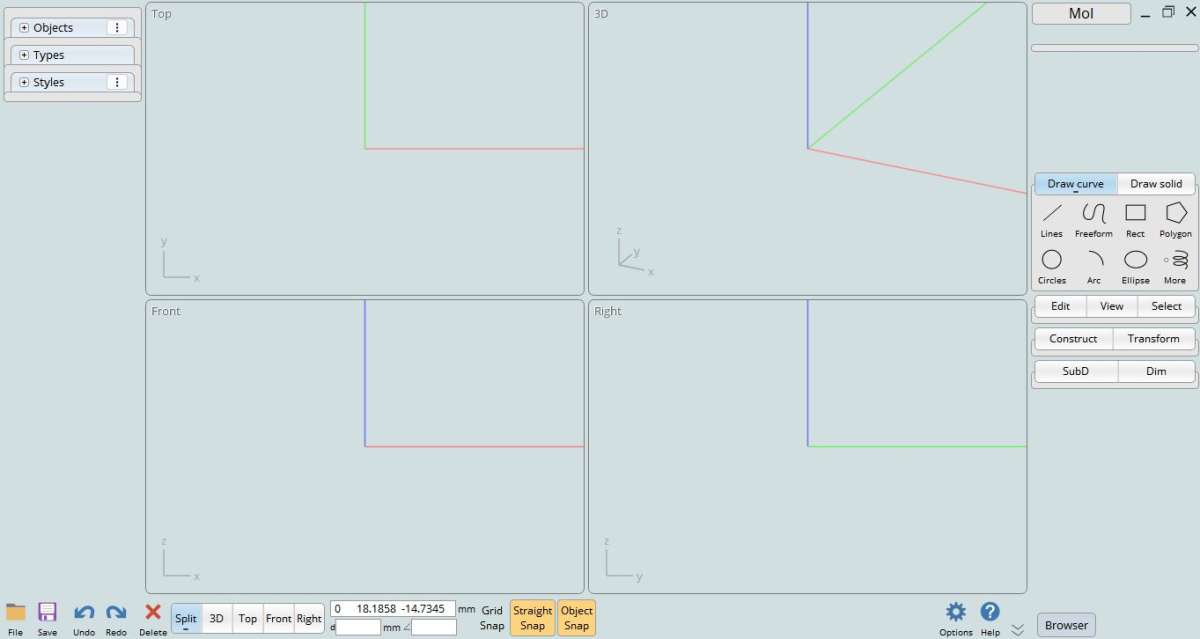
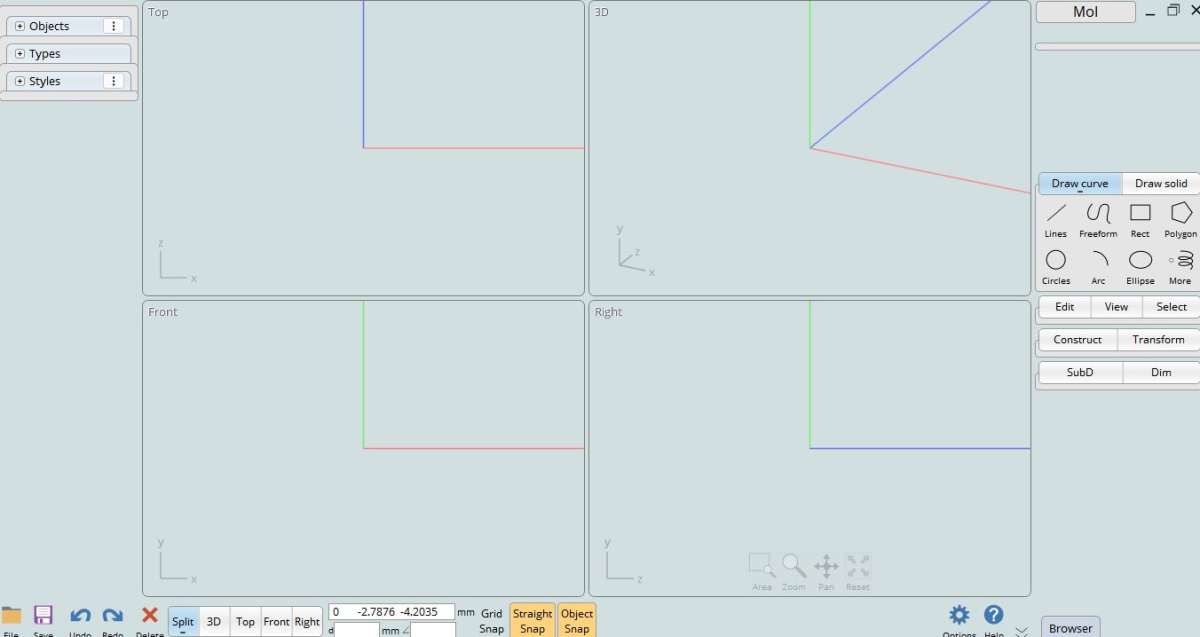
                                              I was completely outraged by this statement by JasonB and its implication against my MoI, until realising that with a simple change in settings, I too could become “like a professional draftsman standing at a near vertical dawing board with drafting head“. So now I’m in full agreement with him. 😉


                                              Martin.

                                              Before.

                                              Capture

                                              After.

                                              Capture2

                                              #828503
                                              Nick Wheeler
                                              Participant
                                                @nickwheeler

                                                Nigel does delight in making things far more complicated than they need to be.


                                                I’ve never thought about which XYZ plane is which or considered using coordinates. Fusion labels the view cube as front, top etc, and that’s how I think about the model. This is slightly annoying for car parts, which take left and right from the driver’s seat instead of from outside looking in, but isn’t a deal breaker.

                                                I do define and name my own planes and axes for each component, or basic ones in the top level. It’s then easy to pick the centre plane or crank axis by name, thereby reducing cock ups.

                                                #828504
                                                JasonB
                                                Moderator
                                                  @jasonb

                                                  I know which way up any Part and Assembly should be; but find it very hard to start drawing a part so its real “up/down” axis and the “cobbler’s-last” axis-pointer match and are the right way round:


                                                  I don’t use Fusion but Alibre has equivalent triple-arrow axis pointers and plane-rectangles. Its plane choice system is by a menu as the base for starting the sketch. My difficulty is predicting the correct plane for the specific part drawing, so assembling the parts can be very awkward and confusing.

                                                  This is where my two suggestions of choosing the plane from the main screen or the cube should make it easier for you.

                                                  With your screen showing this you can simply click the flat one to draw your plate on and then click “activate 2D Sketch.

                                                  N1

                                                  Or if you move the cube about and click “Top” that will display the plane as if you were looking down in plan, click that plane and then “activate 2D sketch”

                                                  n2

                                                  If you were drawing a wheel you would click side and start drawing a circle on that, If you were drawing a number plate you may pick front or back to draw your rectangle and lettering on.

                                                  #828517
                                                  Nigel Graham 2
                                                  Participant
                                                    @nigelgraham2

                                                    Thankyou.

                                                    I’ll try to remember that approach, Jason!

                                                    Anyway, using David’s advice to separate large assemblies into sub-assemblies, I managed to put the below together.

                                                    They are :

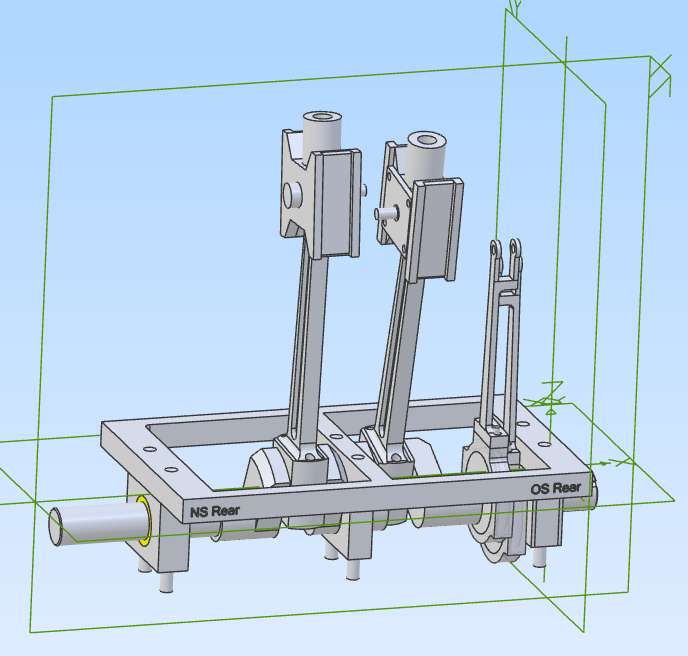
                                                    1) Base with its simplified journals and studs, with big “engraved” labels to show which way round. (The crankshaft has a longer nearside end to carry the first transmission pinion.)

                                                    2) Crankshaft with eccentrics,

                                                    3) Eccentric strap (as one-piece rings) plus rod – I saw and corrected a dimension mistake in that sub-assembly,

                                                    4) Connecting-rod, with small-end bush. The big-end is a 2-part cast-iron block without liner, not detailed here.

                                                    5) Crosshead.

                                                    I erected the engine in that order, then spotted a big dimension error in the eccentric-rod clevises: they do not line up! So I produced and printed a full-size, dimensioned drawing of that area only, to help me assess how to correct that cock-up.

                                                    The eccentrics are the type with internal retainer but so as to be able to turn the bearing surfaces straight through on both strap and sheave, I have grooved both parts, to carry an inserted sheet-metal ring like a circlip.

                                                    I gave the crankshaft short keys to constrain the eccentrics, but it still wasn’t easy, with a lot of constraint errors occurring.

                                                    Screenshot 2025-12-12 171230


                                                    #828520
                                                    JasonB
                                                    Moderator
                                                      @jasonb

                                                      👍

                                                    Viewing 25 posts - 1 through 25 (of 47 total)
                                                    • Please log in to reply to this topic. Registering is free and easy using the links on the menu at the top of this page.

                                                    Latest Replies

                                                    Viewing 25 topics - 1 through 25 (of 25 total)
                                                    Viewing 25 topics - 1 through 25 (of 25 total)

                                                    View full reply list.