

SOLIDWORKS for MAKERS
SOLIDWORKS for MAKERS
- This topic has 1 reply, 2 voices, and was last updated 4 November 2026 at 07:00 by
 JasonB.
 JasonB.
 Paul Lousick
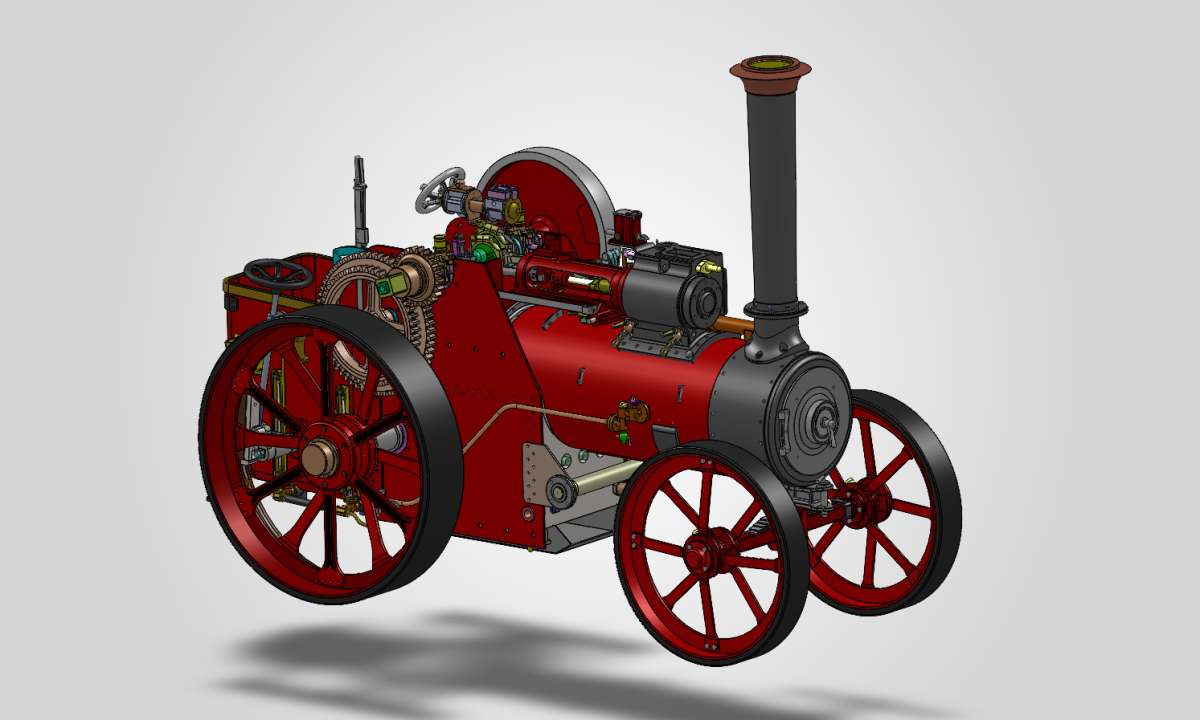
 JasonB
- Please log in to reply to this topic. Registering is free and easy using the links on the menu at the top of this page.
Latest Replies
-
- Topic
- Voices
- Last Post
-
-
help please in identifying
Started by:
John Holloway
in: General Questions
- 4
-
4 November 2026 at 09:18
John Holloway
-
Lathe improvements?
1
2
…
5
6
Started by:
Niels Abildgaard
in: Manual machine tools
- 24
-
4 November 2026 at 09:14
Niels Abildgaard
-
What aluminium sizes do you regularly use in your workshop?
Started by:
aytact
in: Manual machine tools
- 6
-
4 November 2026 at 09:11
AStroud
-
Mitotoyo dial caliper battery or innards.
Started by:
Clive Farrar
in: General Questions
- 7
-
4 November 2026 at 08:52
Hollowpoint
-
What Did You Do Today 2026
1
2
…
9
10
Started by:
JasonB
in: The Tea Room
- 56
-
4 November 2026 at 08:51
Andrew Crow
-
Mini ER11 milling/drilling unit
Started by:
YouraT
in: Manual machine tools
- 5
-
4 November 2026 at 07:59
YouraT
-
Stronger Filament
1
2
Started by:
BOB BLACKSHAW 1
in: 3D Printers and 3D Printing
- 12
-
4 November 2026 at 07:23
BOB BLACKSHAW 1
-
SOLIDWORKS for MAKERS
Started by:
Paul Lousick
in: CAD – Technical drawing & design
- 2
-
4 November 2026 at 07:00
JasonB
-
Micrometer ratchets
Started by:
Graeme Seed
in: Workshop Tools and Tooling
- 9
-
4 November 2026 at 01:34
Pete
-
ML10 Dewhurst / Brook Crompton
1
2
Started by:
starjump
in: Beginners questions
- 11
-
4 November 2026 at 00:07
southernchap
-
Unusual dual speed pulley on motor
Started by:
gerry madden
in: Manual machine tools
- 10
-
3 November 2026 at 21:47
Macolm
-
Mitutoyo Dial Calliper dial?
Started by:
Bo’sun
in: Workshop Tools and Tooling
- 4
-
3 November 2026 at 20:54
Pete
-
SolidCraft Features.
Started by:
blowlamp
in: CAD – Technical drawing & design
- 5
-
3 November 2026 at 19:39
Andy Stopford
-
Richard Simmonds’ “How To Make A Weight Driven Clock”
Started by:
iacooper
in: Clocks and Scientific Instruments
- 6
-
3 November 2026 at 18:51
iacooper
-
Torquay Manor 5 Gauge Frames
Started by:
Roy Birch
in: Locomotives
- 6
-
3 November 2026 at 16:20
Roy Birch
-
Strange Clarkson Autolock Collet
Started by:
JohnF
in: Workshop Tools and Tooling
- 12
-
3 November 2026 at 15:49
Macolm
-
127t Gear With ⅞” Shaft and Keyway – Which Lathe?
Started by:
Captain Barnacles
in: Workshop Tools and Tooling
- 15
-
3 November 2026 at 14:15
Michael Gilligan
-
Hemholtz coil positioning
Started by:
John Purdy
in: Clocks and Scientific Instruments
- 4
-
3 November 2026 at 01:01
peter1972
-
Model Turbines
1
2
…
26
27
Started by:
Turbine Guy
in: Stationary engines
- 28
-
2 November 2026 at 19:25
Turbine Guy
-
M7 Screws
Started by:
Vic
in: Workshop Tools and Tooling
- 13
-
2 November 2026 at 18:34
Georgineer
-
LOWMEX Model Show
Started by:
Ramon Wilson
in: Exhibitions, Shows and Club Events
- 6
-
2 November 2026 at 18:20
mike T
-
Bridge collapse
1
2
Started by:
JA
in: The Tea Room
- 14
-
2 November 2026 at 17:22
JA
-
Carbide hand files?
Started by:
Rainbows
in: Workshop Tools and Tooling
- 11
-
2 November 2026 at 12:33
Fulmen
-
Blackening brass
Started by:
paul1956
in: Beginners questions
- 5
-
1 November 2026 at 18:49
paul1956
-
Sealey SM17 Pwer Hacksaw
Started by:
Danni Burns
in: Manual machine tools
- 2
-
1 November 2026 at 18:32
Howard Lewis
-
help please in identifying
 John Holloway
 Niels Abildgaard
 aytact
 AStroud
 Clive Farrar
 Hollowpoint
 Andrew Crow
 YouraT
 BOB BLACKSHAW 1
 Paul Lousick
 Graeme Seed
 Pete
 starjump
 southernchap
 gerry madden
 Macolm
 Bo’sun
 blowlamp
 Andy Stopford
 iacooper
 Roy Birch
 JohnF
 Captain Barnacles
 Michael Gilligan
 John Purdy
 peter1972
 Turbine Guy
 Vic
 Georgineer
 Ramon Wilson
 mike T
 JA
 Rainbows
 Fulmen
 paul1956
 Danni Burns
 Howard Lewis
Latest Issue
Newsletter Sign-up
Latest Replies