
Layerling – new free CAD software for 3D printing

Layerling – new free CAD software for 3D printing

Home › Forums › CAD – Technical drawing & design › Layerling – new free CAD software for 3D printing

Viewing 23 posts - 1 through 23 (of 23 total)
  • Author
    Posts
  • #870348
    Graham Stoppani
    Participant
      @grahamstoppani46499

      I’ve just come across a new web based CAD application specifically aimed at 3D printing. It’s described as sitting between TinkerCAD and Fusion360.

      As someone who’s found it difficult to transition from 2D to 3D CAD for designing my own parts for 3D printing this seems to hit the sweet spot, as its a bit more sophisticated than TinkerCAD while not as daunting as other 3D CAD software – I tried and failed with FreeCAD…

      There are a number of reviews on YouTube that have appeared in the last couple of weeks. Here’s one of them if you’re interested.

      https://youtu.be/cx0OVHgUsJM?si=R3Mg7etWyT0wZN8d

      #870350
      John Haine
      Participant
        @johnhaine32865

        Looks interesting, I’ve installed it on my tablet. Another free web based tool if you are willing to make designs open source is OnShape. Once I got over the initial hurdle I’m finding it reasonably intuitive.

        #870363
        Michael Gilligan
        Participant
          @michaelgilligan61133

          Thanks, Graham

          … it looks very promising [now I am past the, apparently obligatory , nonsense adverts]

          MichaelG.

          #870368
          paul1956
          Participant
            @paul1956

            I’ve played with it a bit and Layerling does have a few useful additions compared to Tinkercad.

            However it still has major limitations compared to a full CAD package. Most importantly the ability to go back and adjust dimensions after grouping. The alignments options still lack a lot of functionality.

            It’s useful for quick knocks ups, but anything serious will need to be done in CAD. I started with Tinkercad, but soon found it so limiting it was worth the effort of learning Fusion. I think the latest versions of Freecad are very much improved in usability and I’d probably start with that now.

            #870371
            blowlamp
            Participant
              @blowlamp

              Another open source one I have tried is SolidCraft. It seems to be based on Fusion 360 and isn’t too difficult to get along with.

              Clicking this link https://docs.solidcraft.io/app/ opens it in your browser, or you can download and install it for Windows, Linux or Apple.


              Martin.

              #870433
              Andy Stopford
              Participant
                @andystopford50521

                There’s also a 2D CAD program, CADcraft, part of https://getartcraft.com/ which also includes Adobe lookalikes, Photoshop, Illustrator, etc.

                SolidCraft seems to be a separate item, despite the name, the fact that it’s written in Rust and that it’s a lookalike of a commercial program. I assume there must be some connection though.

                ArtCraft is, apparently, the result of its originator getting the hump over Adobe’s ever-increasing prices and its insistence on allowing AI to crawl all over your work.

                Mr. Artcraft then set an AI to work creating functionally equivalent programs to the Adobe products, though with their own, non-copyright-infringing source code, and releasing them for free. Which I, whilst I certainly have misgivings about some aspects of AI, find absolutely hilarious.

                #870434
                Fulmen
                Participant
                  @fulmen

                  Huh. SolidCraft looks quite promising.

                  I remember bashing my head against FreeCAD (pre 1.0) and I couldn’t make heads or tails of anything. And I have used most of the “big guys” one time or another without the same level of confusion. But this I might get to like, it is at least worth paying attention to.

                  I was able to run Inventor at home for many years, after that Fusion 360 felt like the obvious route for back  compatibility. In reality it’s not that simple because of course it isn’t. But the free version is quite decent imho, so I have not tried the alternatives much. But open source is always worth supporting.

                  #870462
                  paul1956
                  Participant
                    @paul1956
                    On blowlamp Said:

                    Another open source one I have tried is SolidCraft. It seems to be based on Fusion 360 and isn’t too difficult to get along with.

                    Incredibly impressive for an early version, almost an open source Fusion 360 with the bits mere mortals don’t need stripped out. Sadly a few features don’t seem implemented properly yet though.

                    Not sure it will help the people who can’t progress beyond Tinkercad easily.

                    #870478
                    blowlamp
                    Participant
                      @blowlamp

                      At the pace this FREE software is being developed, it’s going to prove very difficult for the current rentier class vendors to survive.

                      Since yesterday morning, SolidCraft has had two or three significant updates and from my limited experience it seems to be updated daily.

                      A new kernel is being written based on something from Nvidia and this is approaching 90% completion, so it wouldn’t surprise me if it’s incorporated into SolidCraft in the next week or two. This should improve Fillets & Chamfers etc.

                      I’m lovin’ it. 😉


                      Martin.

                      #870479
                      Versaboss
                      Participant
                        @versaboss

                        Had a look at this SolidCraft, but am at a loss. I can change the planes, and click on ‘New Sketch’, but nothing changes. I don’t see any drawing primitives (lines, circles, squares, whatever). I had a look at one or two ‘tutorials’ on youtube, but they showed only how to move something around on the screen.
                        I think this program would be very interesting, but the starting is certainly not intuitive.

                        Can someone bring me on the right track?

                        Regards,
                        Hans

                        #870485
                        Fulmen
                        Participant
                          @fulmen

                          Start by clicking “New Sketch”, then click the plane you want your sketch on. There should be three planes visible at origin.

                          #870516
                          John Hinkley
                          Participant
                            @johnhinkley26699

                            Encouraged by the perceived enthusiasm for SolidCraft in the thread drift (sorry, Graham Stoppani), I have downloaded it to my PC and after only a few minutes playing around with it, I must say how impressed I am.  Add a CAM feature (surely on the cards for later in the development) and I’m probably going to become a convert from Fusion for certain operations. It’s good to have more than one string to one’s bow.

                            I like the ability to alter an uploaded STEP file by selecting a face for example and performing, say, an extrusion.

                            John


                            #870563
                            Michael Gilligan
                            Participant
                              @michaelgilligan61133

                              Looks like I should give it a try … The download and update instructions for macOS are a model of simplicity:

                              .

                              IMG_2138

                              .

                              Always a good start 🙂

                              MichaelG.

                              #870565
                              paul1956
                              Participant
                                @paul1956
                                On blowlamp Said:

                                At the pace this FREE software is being developed, it’s going to prove very difficult for the current rentier class vendors to survive.

                                I doubt the commercial companies will worry very much about this for a long time.
                                It’s far from the standard of commercial software. Three revisions in 24hrs doesn’t suggest software vaguely ready for serious use.

                                Having now spent a few hours working with it there’s all sorts of problems and bugs with it.
                                Try putting a threaded hole in a part; the threading doesn’t seem to work, the hole function can’t be positioned and the help system is hopeless. A negatively extruded circle might allow positioning, but it still seems the resultant hole can’t be threaded.

                                Some of the constraint system seems to have bugs.

                                On Windows you can’t easily set up a default location to save files to.

                                Exported mesh files have had manifold edge errors that need repair (I’ve never had that issue with Fusion or TC)

                                I’m in no rush to change over.


                                #870568
                                blowlamp
                                Participant
                                  @blowlamp


                                  On paul1956 Said:
                                  On blowlamp Said:

                                  At the pace this FREE software is being developed, it’s going to prove very difficult for the current rentier class vendors to survive.

                                  I doubt the commercial companies will worry very much about this for a long time.
                                  It’s far from the standard of commercial software. Three revisions in 24hrs doesn’t suggest software vaguely ready for serious use.

                                  Having now spent a few hours working with it there’s all sorts of problems and bugs with it.
                                  Try putting a threaded hole in a part; the threading doesn’t seem to work, the hole function can’t be positioned and the help system is hopeless. A negatively extruded circle might allow positioning, but it still seems the resultant hole can’t be threaded.

                                  Some of the constraint system seems to have bugs.

                                  On Windows you can’t easily set up a default location to save files to.

                                  Exported mesh files have had manifold edge errors that need repair (I’ve never had that issue with Fusion or TC)

                                  I’m in no rush to change over.


                                  Have you contributed to this brand new, FREE, open source software project by making a Bug Report? There’s a large box marked ‘Report a bug’ in the upper right side of the screen to help.

                                  Martin.

                                  #870577
                                  Fulmen
                                  Participant
                                    @fulmen

                                    Large businesses happily pay for the best, they don’t have time for cheap and buggy software. But we mortals and small&medium shops could do worse than this. Now it locked up when I tried the thread function so obviously not perfect, but just give it time.

                                    On the other hand, the opensource community is great at screwing up things by making software for nerds and admins rather than users. Just look at FreeCAD which doesn’t work anything like any of the commercial software I’ve used. LibreCAD is no better, which isn’t that strange considering it has “libre” in it. Just the other day I tried adding more languages to the LibreOffice spellchecker and could not understand the first thing.

                                    And don’t get me started on Linux as a Windows alternative.

                                    #870579
                                    Andy Stopford
                                    Participant
                                      @andystopford50521

                                      Unfortunately,  the developers of open source software are,  not surprisingly,  programers,  and may have little experience of,  say,  a CAD program from the user’s point of view.

                                      Commercial software companies have specialist industrial designers to develop the interface and workflow (and even they get it wrong sometimes).

                                      A notable aspect of this new cohort of free programs is that they are copying the well established user interfaces of their commercial equivalents,  so assuming they can make them work properly,  and don’t get sued out of existence by the big boys,  they might well become viable alternatives for us non-commercial users.


                                      #870595
                                      paul1956
                                      Participant
                                        @paul1956
                                        On blowlamp Said:


                                        On paul1956 Said:
                                        On blowlamp Said:

                                        At the pace this FREE software is being developed, it’s going to prove very difficult for the current rentier class vendors to survive.

                                        I doubt the commercial companies will worry very much about this for a long time.
                                        It’s far from the standard of commercial software. Three revisions in 24hrs doesn’t suggest software vaguely ready for serious use.

                                        Having now spent a few hours working with it there’s all sorts of problems and bugs with it.
                                        Try putting a threaded hole in a part; the threading doesn’t seem to work, the hole function can’t be positioned and the help system is hopeless. A negatively extruded circle might allow positioning, but it still seems the resultant hole can’t be threaded.

                                        Some of the constraint system seems to have bugs.

                                        On Windows you can’t easily set up a default location to save files to.

                                        Exported mesh files have had manifold edge errors that need repair (I’ve never had that issue with Fusion or TC)

                                        I’m in no rush to change over.


                                        Have you contributed to this brand new, FREE, open source software project by making a Bug Report?

                                        No I haven’t. As there’s no usable help system it’s impossible to know if the threading function is meant to be used in a different (and unintuitive) way to other CAD packages, so it could be user error.
                                        More likely the developers are crashing through building the software (probably by AI) without any serious testing before offering the software for download. Not a particularly good way of working that has potential to deliver serious crashes or corruption on systems.

                                        #870606
                                        blowlamp
                                        Participant
                                          @blowlamp

                                          Current version v0.19.0

                                          Help is here: https://docs.solidcraft.io/

                                          Release details here: https://github.com/tangency-labs/solidcraft/releases

                                          Solidcore kernel progress here: https://tangency-labs.github.io/solidcore/index.html

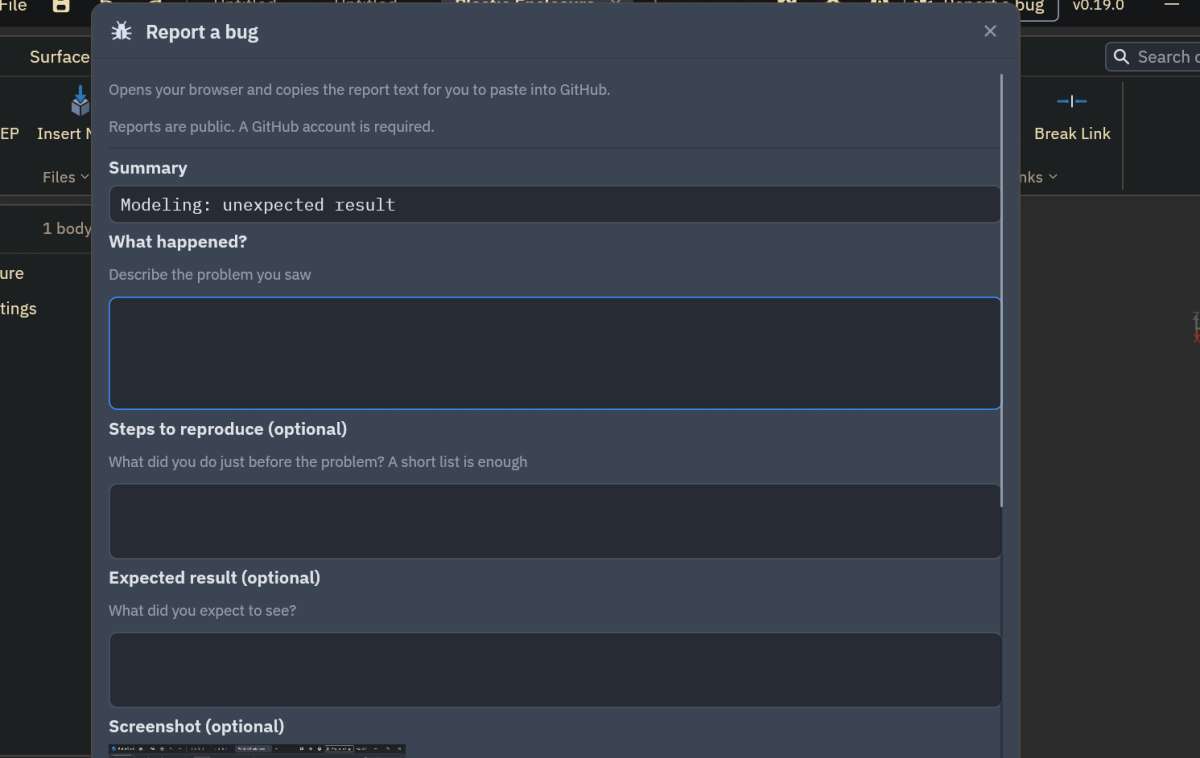
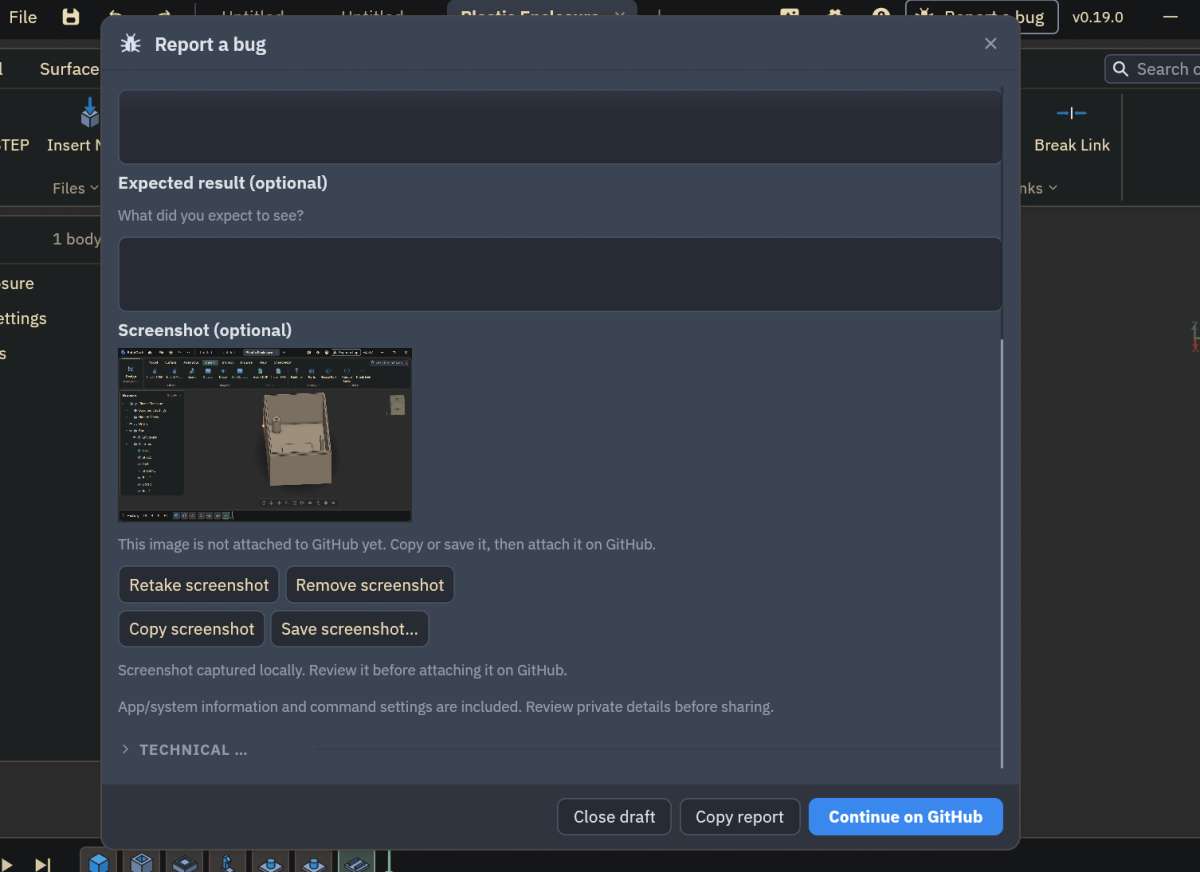
                                          Bug report here:

                                          Screenshot 2026-10-22 131438Screenshot 2026-10-22 131509

                                          To accurately position Holes, you can place a Point or Point List in your sketch.

                                          Martin.

                                          #870615
                                          paul1956
                                          Participant
                                            @paul1956
                                            On blowlamp Said:


                                            Help is here: https://docs.solidcraft.io/

                                            The trouble is that help system is awful and grossly incomplete.

                                            To accurately position Holes, you can place a Point or Point List in your sketch.

                                            OK, not sure how you found that out, but even then a threaded hole just won’t be created.

                                            Life’s too short to spend time filling in Github reports for features that haven’t been tried after implementation.

                                            #870616
                                            blowlamp
                                            Participant
                                              @blowlamp

                                              I found out about the points by reading the ‘Tool Tip’ that appears when hovering over the Face option in the Hole tool.

                                              If I remember correctly, reading one of the links I provided reveals that thread creation (along with quite a few other things) will continue once the new kernel is installed.

                                              Remember that this software was started about two weeks ago. I think its progress is nothing short of phenomenal.


                                              Martin.

                                              #870621
                                              paul1956
                                              Participant
                                                @paul1956
                                                On blowlamp Said:

                                                I think its progress is nothing short of phenomenal.

                                                It’s how AI coding works, lightning fast coding, released without adequate testing. Phenomenal until they run out of bits of Fusion to copy. In the mean time trying to avoid a lawsuit with Autodesk means that all the design aspects of Fusion that make it easy to use have to be changed… probably not for the better.
                                                Whether any of the team know enough about CAD to actually usefully innovate anything remains to be seen.

                                                The scary bit is that it’s quite likely that none of the development team really understand the code the AI has generated.

                                                #870624
                                                Fulmen
                                                Participant
                                                  @fulmen

                                                  Two weeks? That IS impressing.

                                                  As for pushing untested code Google made that into a billion-dollar business years ago. Everyone does it these days, so no reason to single these guys out for it. And it’s at V0.19, so no you’re not going to get documentation yet. It’s not meant to be finished, so probably not a good choice for newbies.

                                                  As for copyright it’s hard to say where things are going. I mean all the major CAD suites are pretty similar, I don’t see them suing each other for this. Then again, a small open source group will be easy prey if they choose to go this route.

                                                  I heard someone (Louis Rossman I think) speculate on the future of software, wondering if the music model might provide a template for the future. Everyone is free to perform others music live, but if you want to record it you need a license. So if it looks too much like Fusion you will need a license from Adobe even if you wrote all the code from scratch…

                                                Viewing 23 posts - 1 through 23 (of 23 total)
                                                • Please log in to reply to this topic. Registering is free and easy using the links on the menu at the top of this page.

                                                Latest Replies

                                                Viewing 25 topics - 1 through 25 (of 25 total)
                                                Viewing 25 topics - 1 through 25 (of 25 total)

                                                View full reply list.