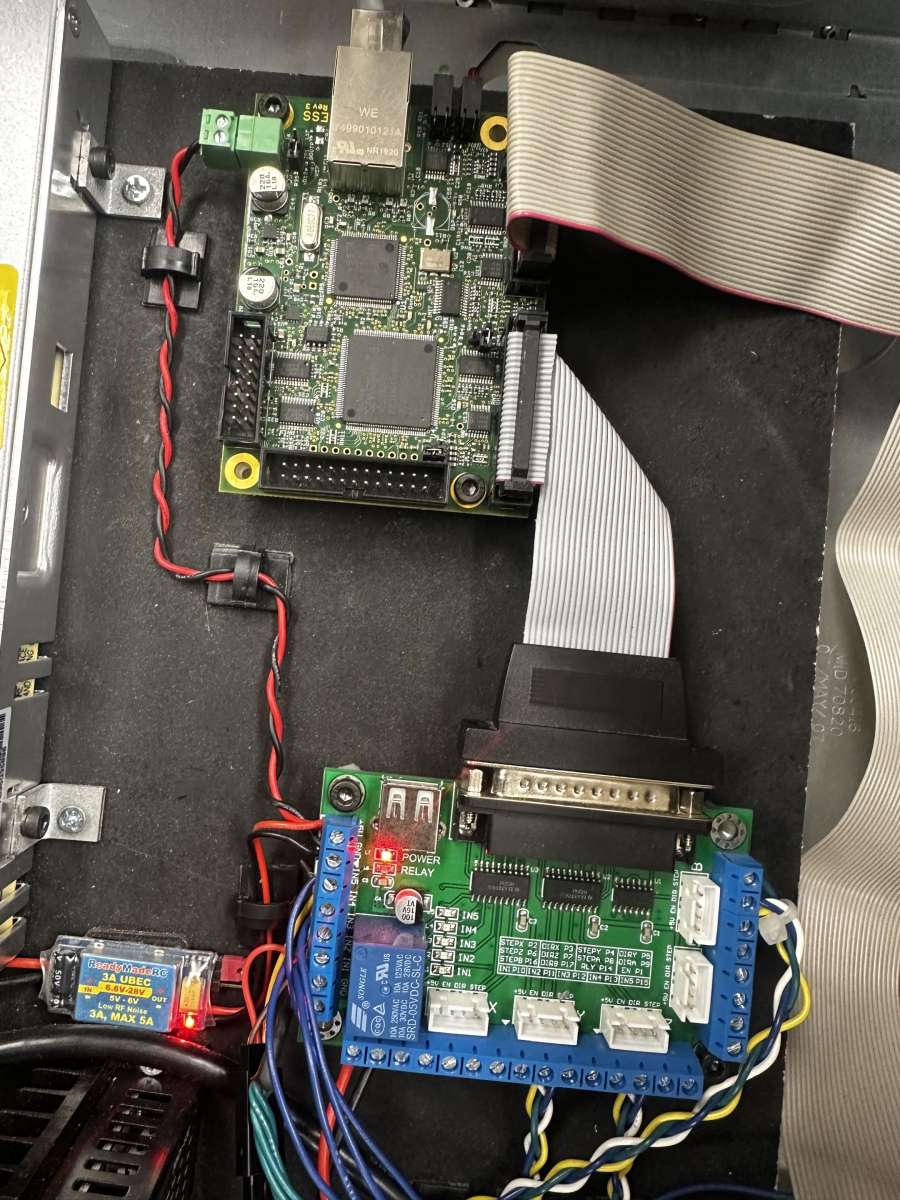
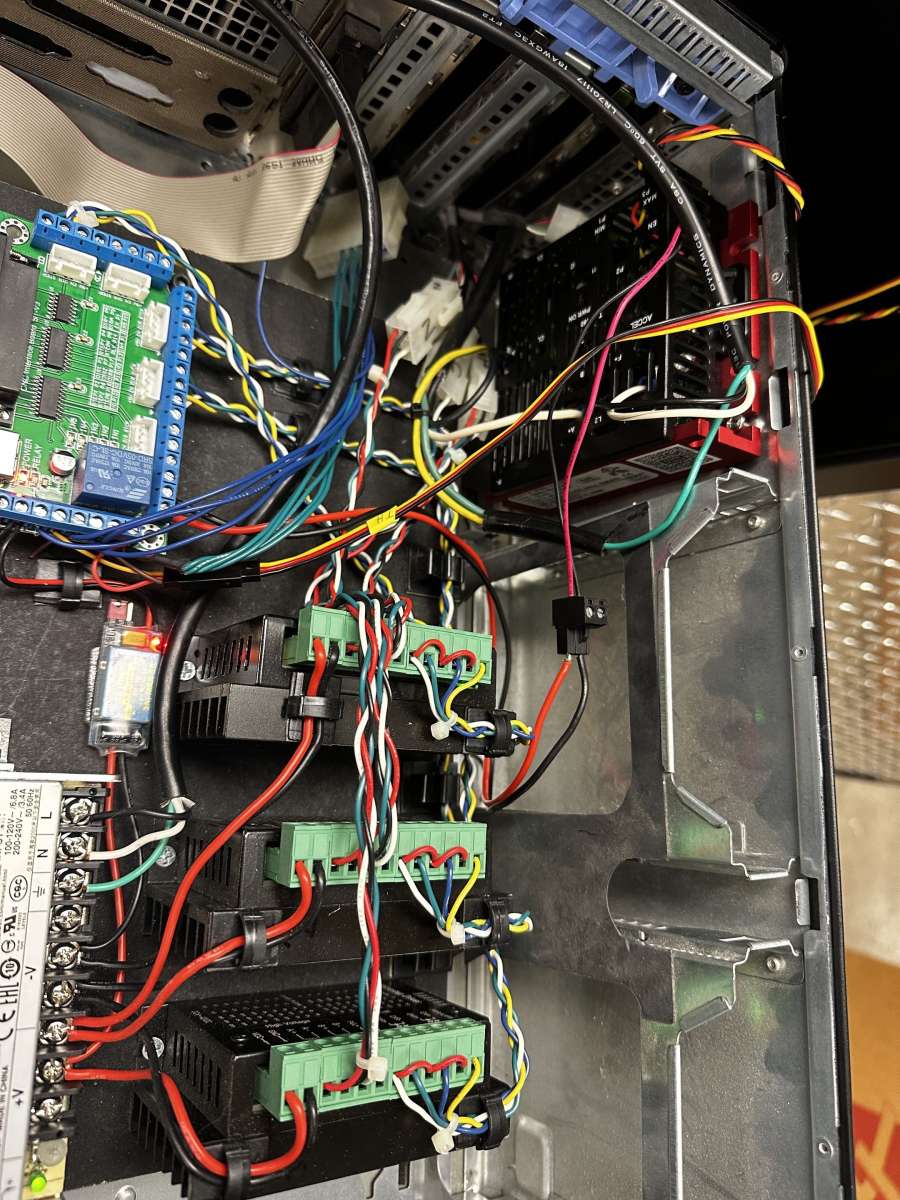
EmcoF1
EmcoF1
- This topic has 2 replies, 2 voices, and was last updated 26 June 2026 at 16:52 by
 troy h.
 troy h.
 troy h
 John Haine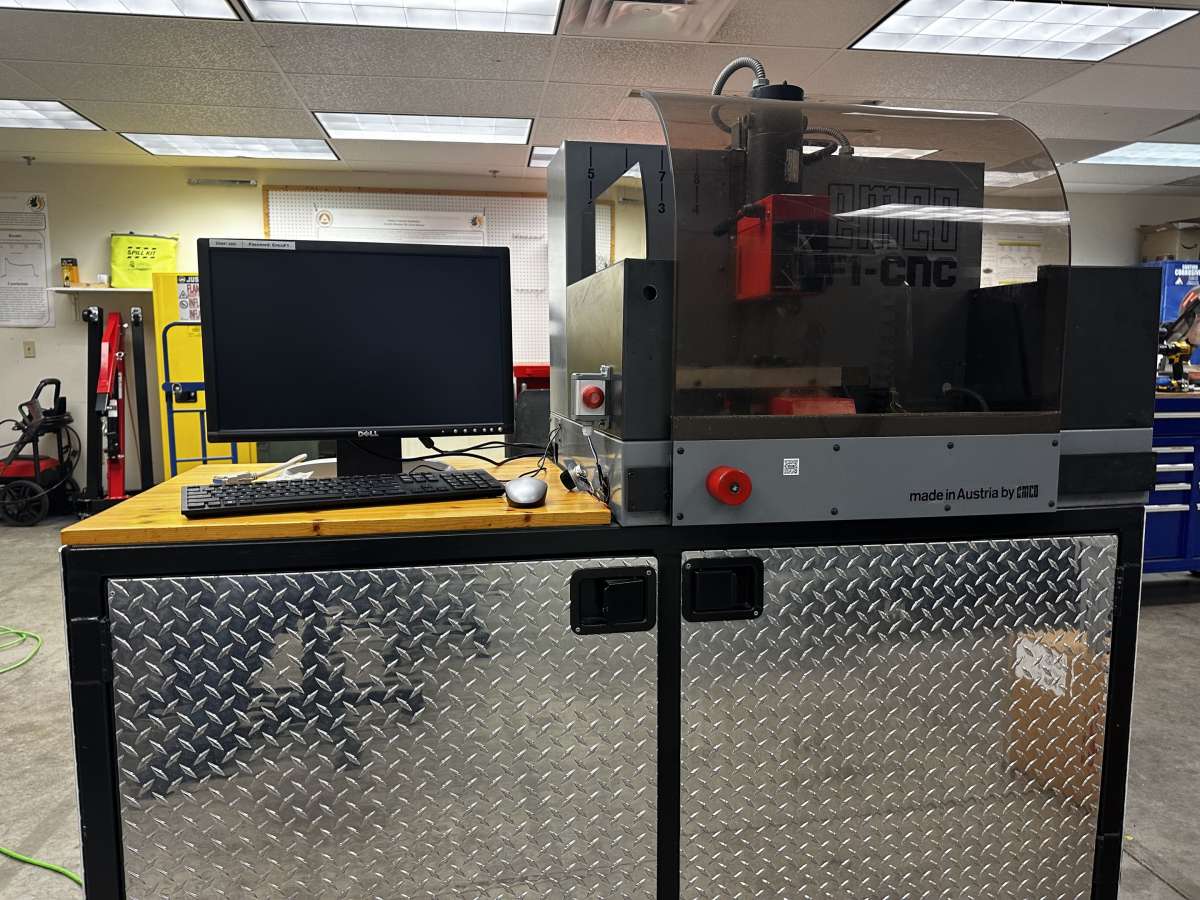
- Please log in to reply to this topic. Registering is free and easy using the links on the menu at the top of this page.
Latest Replies
-
- Topic
- Voices
- Last Post
-
-
Rivetting with a hydraulic press
Started by:
Martin Johnson 1
in: Workshop Tools and Tooling
- 13
-
18 October 2026 at 15:28
Macolm
-
What Did You Do Today 2026
1
2
…
8
9
Started by:
JasonB
in: The Tea Room
- 54
-
18 October 2026 at 15:09
duncan webster 1
-
carbide insert lathe tools
Started by:
davidwf
in: Workshop Tools and Tooling
- 9
-
18 October 2026 at 14:05
davidwf
-
Trying a new controller
Started by:
John Haine
in: CNC machines, Home builds, Conversions, ELS, automation, software, etc tools
- 4
-
18 October 2026 at 13:58
Joseph Noci 1
-
ML7 change gear caluclator
Started by:
drnewcomb
in: Manual machine tools
- 5
-
18 October 2026 at 13:30
Howard Lewis
-
Coventry die head
Started by:
lug lord
in: Workshop Techniques
- 8
-
18 October 2026 at 13:20
bernard towers
-
The Sunday bazar
1
2
Started by:
Sonic Escape
in: The Tea Room
- 19
-
18 October 2026 at 12:44
Sonic Escape
-
LAzar egde finder
Started by:
ian Holdsworth
in: Beginners questions
- 2
-
18 October 2026 at 10:32
Tony Pratt 1
-
Pencil Sharpener
1
2
Started by:
Vic
in: The Tea Room
- 15
-
18 October 2026 at 06:52
JasonB
-
Myford ML4 Identification
Started by:
Steven Volz
in: Manual machine tools
- 7
-
18 October 2026 at 04:43
Steven Volz
-
Richard B’s Minnie.
Started by:
Richard B
in: Traction engines
- 4
-
17 October 2026 at 22:22
Richard B
-
Weight of Myford Super 7 / ML7R
Started by:
Andrew Tinsley
in: General Questions
- 6
-
17 October 2026 at 21:06
Zan
-
Scroll Saw Blades for Steel
1
2
Started by:
James A
in: Workshop Tools and Tooling
- 15
-
17 October 2026 at 21:05
bernard towers
-
Model Turbines
1
2
…
26
27
Started by:
Turbine Guy
in: Stationary engines
- 28
-
17 October 2026 at 19:22
Turbine Guy
-
Making a Lathe Bench for a Myford ML10
Started by:
starjump
in: Beginners questions
- 10
-
17 October 2026 at 18:59
starjump
-
Bridge collapse
1
2
Started by:
JA
in: The Tea Room
- 13
-
17 October 2026 at 18:21
JA
-
My week this week! My workshop videos
1
2
…
13
14
Started by:
Phil Whitley
in: The Tea Room
- 16
-
17 October 2026 at 15:14
Phil Whitley
-
Old topics on this Forum
Started by:
JA
in: Website Questions, Comments, and Suggestions
- 5
-
17 October 2026 at 14:40
John Haine
-
Lathe arriving – source some practice materials
1
2
Started by:
starjump
in: Beginners questions
- 18
-
17 October 2026 at 10:24
vic newey
-
injector operation
Started by:
Garry Coles
in: General Questions
- 6
-
17 October 2026 at 09:38
MichaelR
-
Steam Powered Lawn Mower!.
1
2
Started by:
Richard S2
in: Related Hobbies including Vehicle Restoration
- 13
-
16 October 2026 at 22:09
Richard S2
-
CAST IRON JOINING
Started by:
ian Holdsworth
in: Beginners questions
- 11
-
16 October 2026 at 19:18
JasonB
-
Tom Senior small vertical head axial play
Started by:
chris1984
in: Manual machine tools
- 4
-
16 October 2026 at 19:07
not done it yet
-
Angled d-bit / machinist reamer?
1
2
Started by:
Fulmen
in: Workshop Tools and Tooling
- 12
-
16 October 2026 at 16:12
Fulmen
-
Myford ml7r
Started by:
lug lord
in: Introduce Yourself – New members start here!
- 2
-
16 October 2026 at 12:04
Bazyle
-
Rivetting with a hydraulic press
 Martin Johnson 1
  Macolm
 JasonB
  duncan webster 1
 davidwf
  John Haine
  Joseph Noci 1
 drnewcomb
  Howard Lewis
 lug lord
  bernard towers
 Sonic Escape
  ian Holdsworth
  Tony Pratt 1
 Vic
Vic  Steven Volz
  Richard B
  Andrew Tinsley
  Zan
Zan James A
  Turbine Guy
  starjump
  JA
JA  Phil Whitley
  vic newey
 Garry Coles
  MichaelR
 Richard S2
  chris1984
  not done it yet
 Fulmen
  Bazyle